
The Ideogram CLI is Ideogram's official command-line client for the Ideogram API. It
gives your coding agent one command, ideogram, to generate and edit images,
SVG artwork and video from the terminal you already work in.
uv tool install ideogram-cli pipx install ideogram-cli brew install ideogram-ai/tap/ideogram Make three poster concepts for our open studio night with the ideogram CLI. Run `ideogram guide` first …
ideogram guide ideogram run generate/ideogram-4-5 --set quality=medium … ×3 ideogram run precise-edit/ideogram-4-5 --set image=concepts/… … ×2 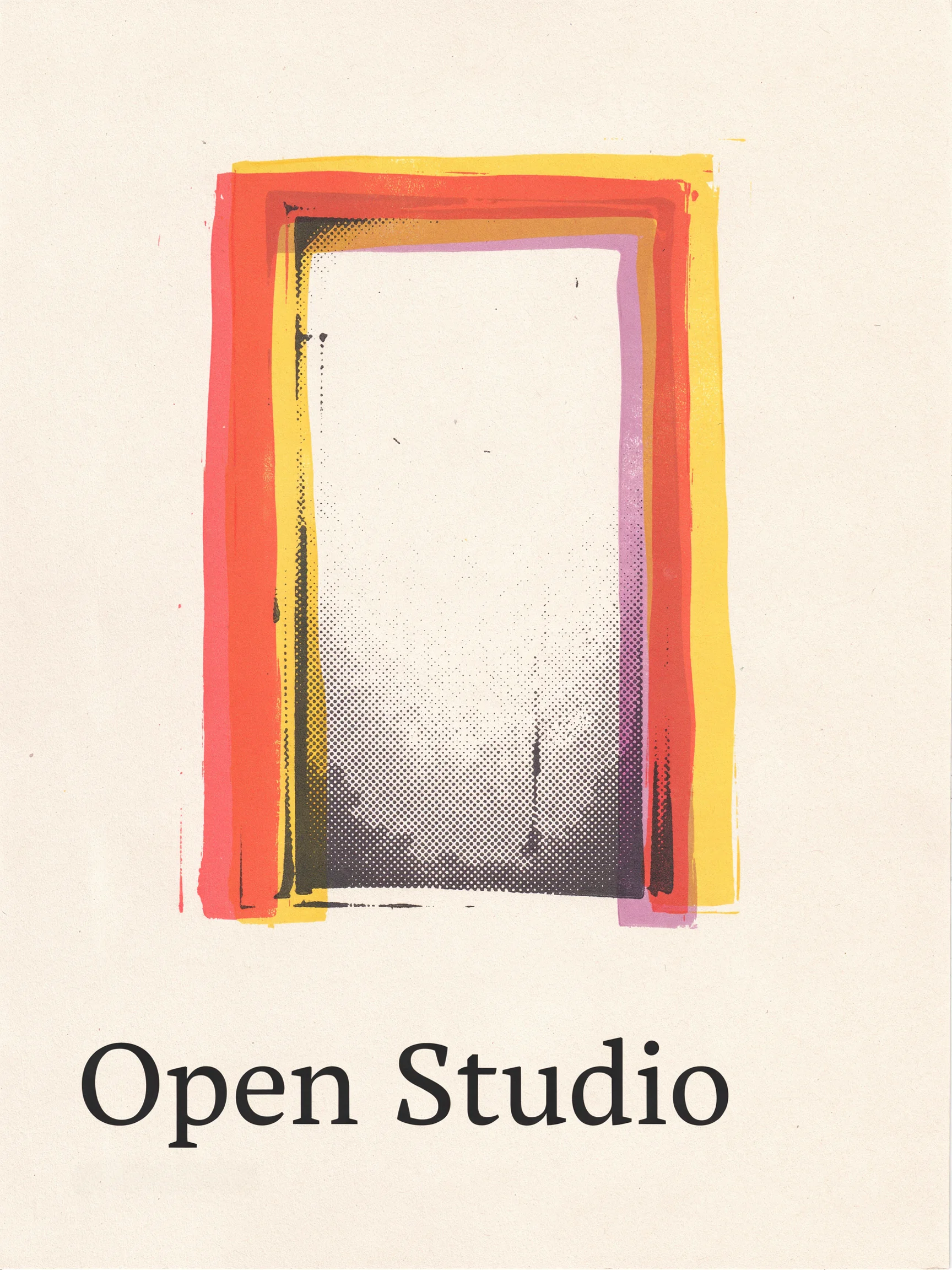
Coding agents
Add a short note to the file your agent reads at the start of a session. It then
reaches for ideogram whenever a task needs an image.
generate/ideogram-4-5 generate/ideogram-4-5 generate/ideogram-4-5 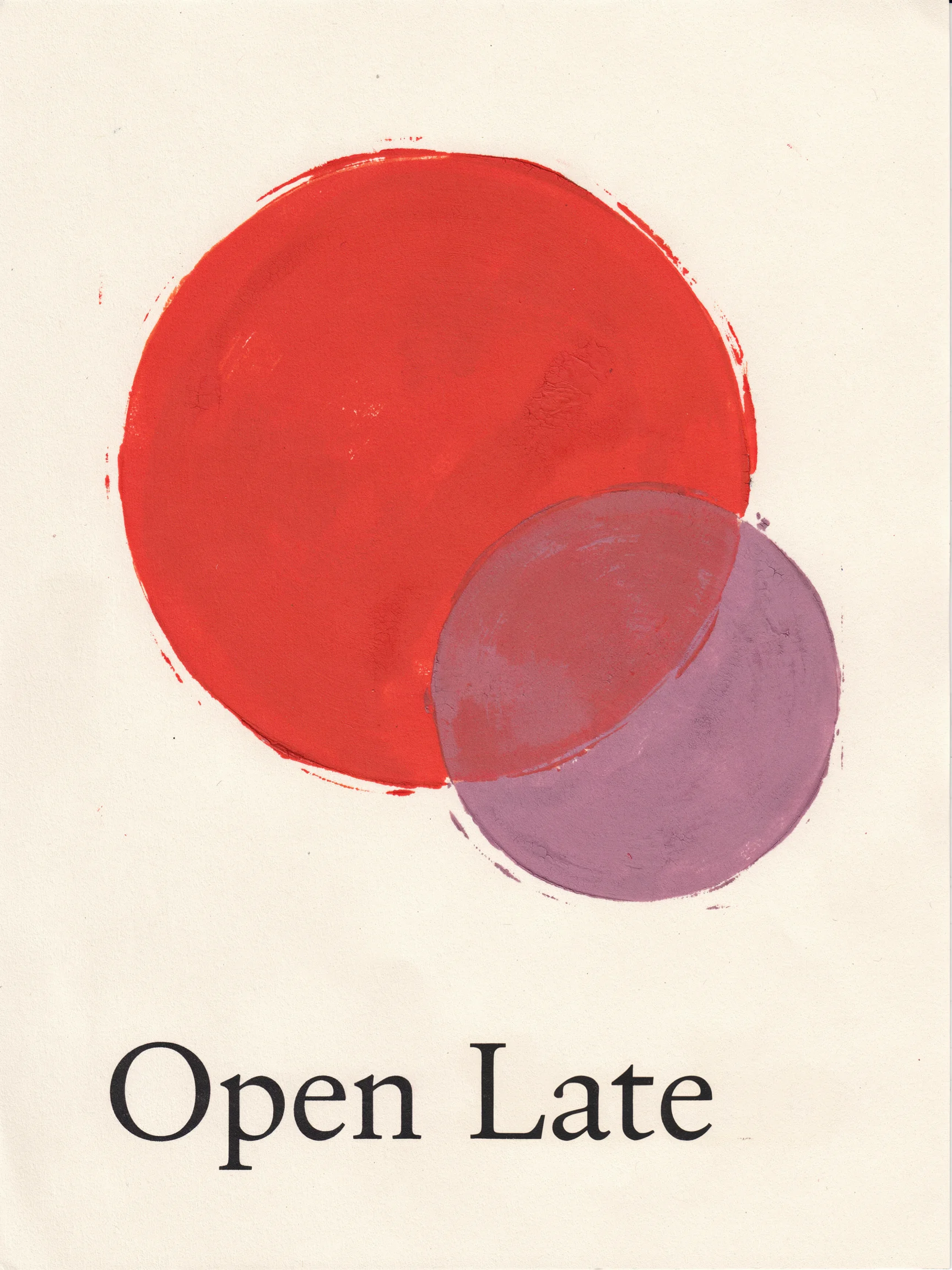
precise-edit/ideogram-4-5
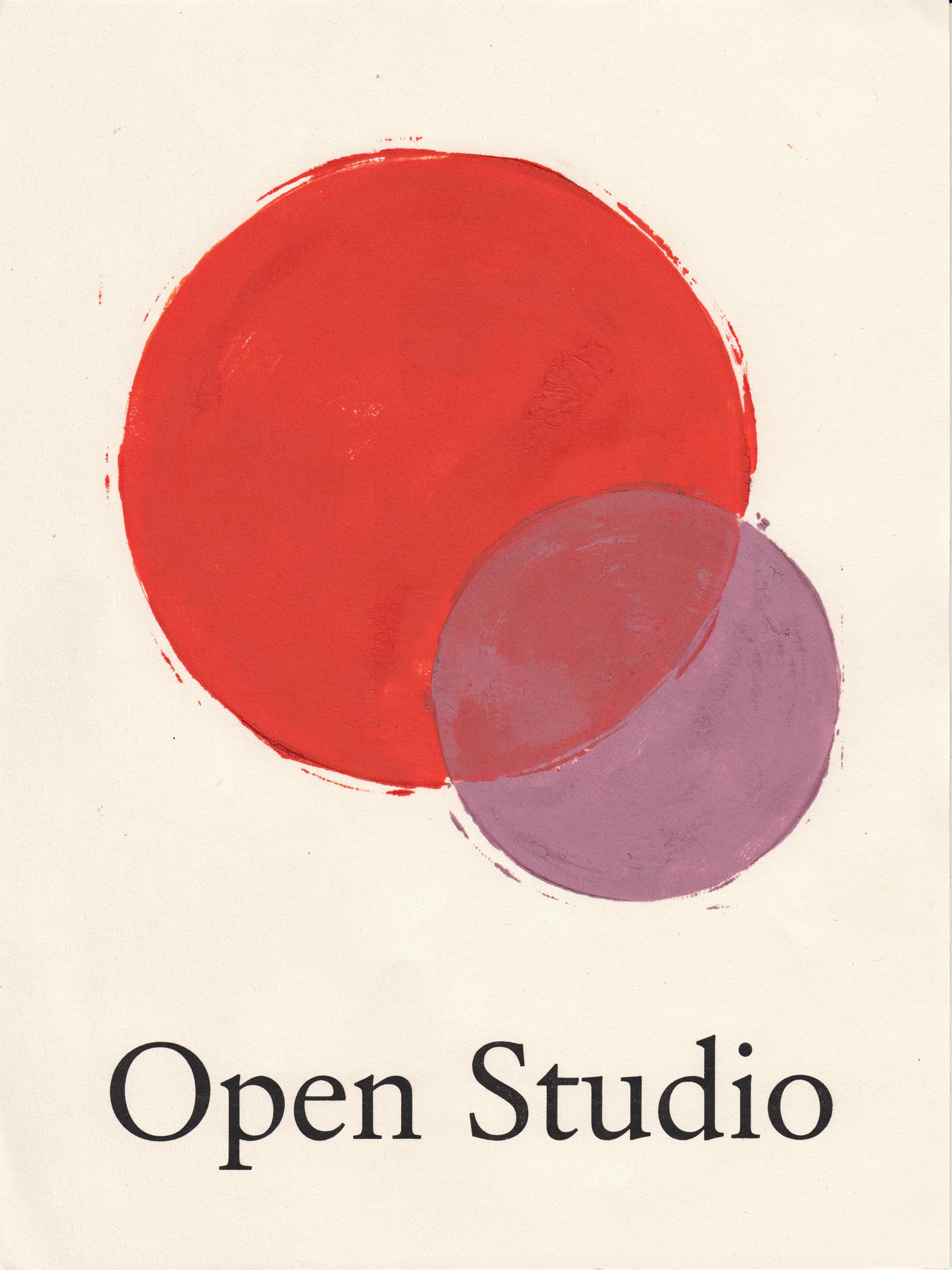
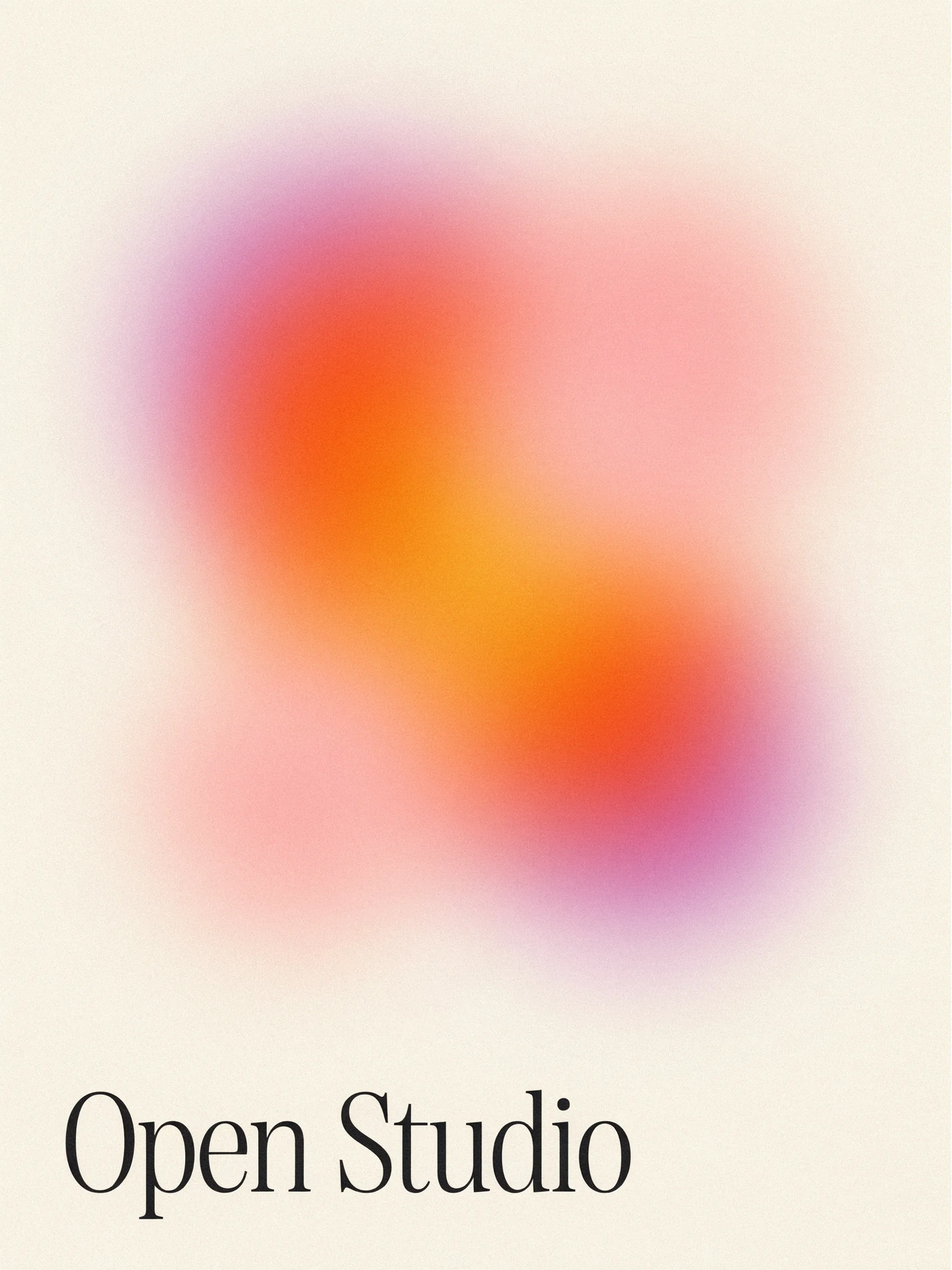
Claude Code made these four posters in one conversation and saved them to
./concepts. For "Open Late", it went back to the letterpress poster it
had already saved and changed only the headline, which is under 1% of the pixels.
Make three poster concepts for our open studio night with the ideogram CLI. Run `ideogram guide` first. Each reads "Open Studio": one risograph, one letterpress, one soft abstract illustration, all vivid and grainy. Use generate/ideogram-4-5 at quality=medium, size=1728x2304, and save to ./concepts. Then change the letterpress one to read "Open Late" with precise-edit/ideogram-4-5. Four requests in total. If one fails, stop and tell me.
ideogram guide ideogram describe generate/ideogram-4-5; ideogram describe precise-edit/ideogram-4-5 ideogram run generate/ideogram-4-5 --set quality=medium --set size=1728x2304 --out-dir ./concepts --set prompt='Risograph print poster. A single large open doorway shape glowing with overlapping riso ink layers in vivid coral, sunflower yellow and soft purple …' ideogram run generate/ideogram-4-5 --set quality=medium --set size=1728x2304 --out-dir ./concepts --set prompt='Letterpress print poster. A single large sun-like circle printed from a wood block in vivid vermilion with a smaller soft purple overlap …' ideogram run generate/ideogram-4-5 --set quality=medium --set size=1728x2304 --out-dir ./concepts --set prompt='Soft abstract illustration poster. A single soft blurred organic form like a glowing window of light …' ideogram run precise-edit/ideogram-4-5 --set image=concepts/20261117-171535-ideogram-4-5-0.png --out-dir ./concepts --set prompt='Change the headline text from "Open Studio" to "Open Late". Keep the same serif typeface, size, off-black letterpress ink, baseline and left edge. Change nothing else.' 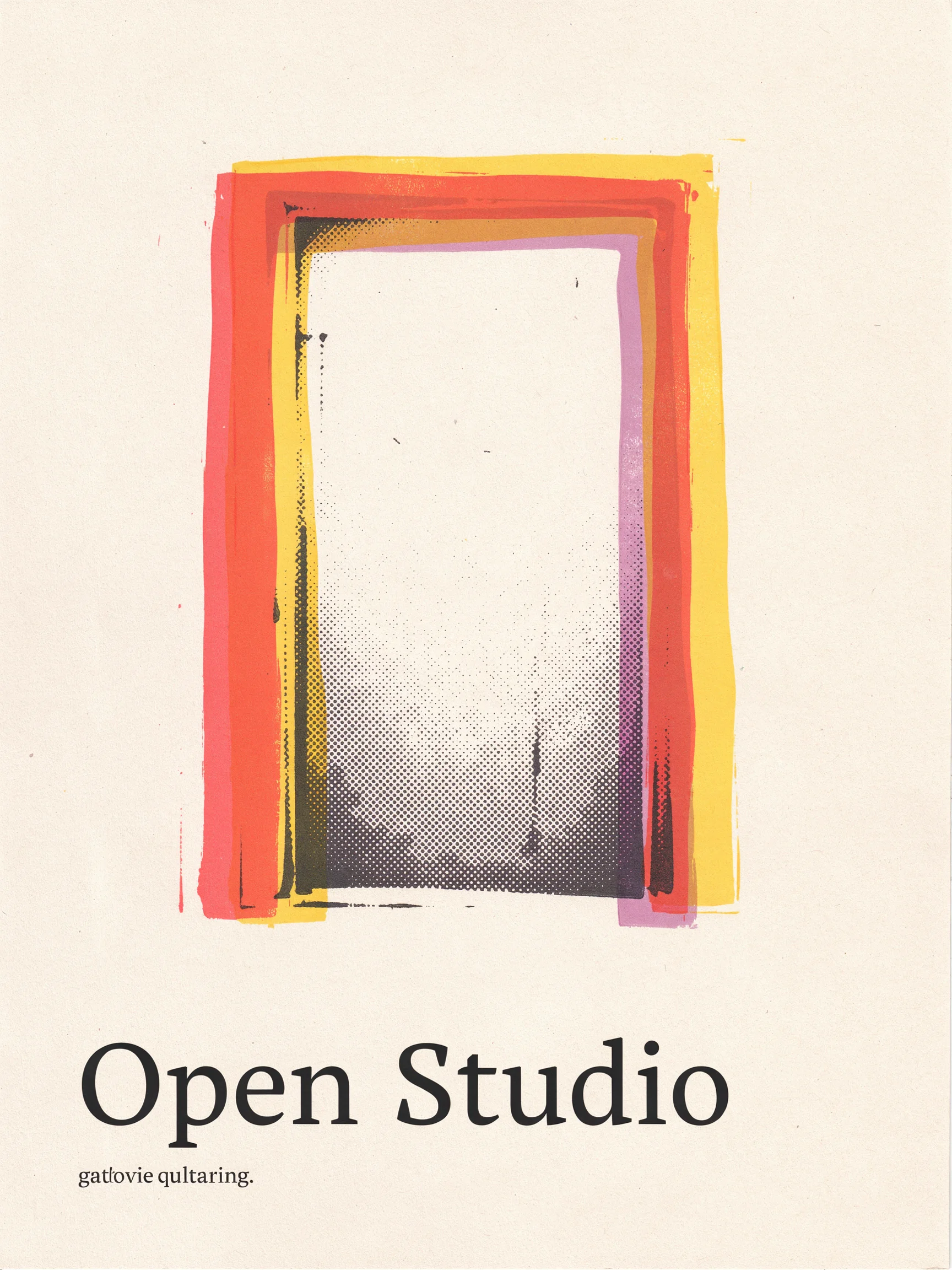
Remove the stray line under the headline on the risograph one. One request.
ideogram run precise-edit/ideogram-4-5 --set image=concepts/20261117-171518-ideogram-4-5-0.png --set quality=medium --out-dir ./concepts --set prompt='Remove the small line of text … below the headline, leaving plain off-white paper with the same grain in its place. Keep the headline "Open Studio" and everything else exactly as it is.' The stray line is gone: the risograph poster now reads only "Open Studio", with the doorway artwork and headline unchanged.
Install
The package is ideogram-cli on PyPI. It runs on macOS and Linux.
uv tool install ideogram-cli
# or: pipx install ideogram-cli
# or: brew install ideogram-ai/tap/ideogramIt needs Python 3.11 or later.
ideogram loginYour browser opens and you sign in as usual. SSO works too.
ideogram run generate/ideogram-4-5 \
--set prompt='A letterpress poster that reads "Open Studio"'Images save to ~/ideogram/out.
What you can run
| Task | Endpoint | Read more |
|---|---|---|
| Generate an image | generate/ideogram-4-5 | Ideogram 4.5 |
| Change one part of an image and keep the rest | precise-edit/ideogram-4-5 | Precise Edit |
| Remove a background | remove-background/ideogram-1 | Background Remover |
| Remove an object | remove-object/ideogram-1 | Object Remover |
| Upscale an image | upscale/auto | Upscale |
| Generate SVG artwork | svg/generate/ideogram-vector-1 | Ideogram Vector |
| Convert an image to SVG | svg/vectorize/ideogram-vector-1 | Ideogram Vector |
| Resize an ad for a new placement | tool/ad-resizer | Ad Resizer |
| Recolor a product photo | tool/colorways | Colorways |
| Generate with your own trained model | generate/ideogram-4-custom-model | Custom models |
Run ideogram endpoints to see all of them. The
API documentation explains each one.
Automation
--set dry_run=true returns the price of a request without running it. API pricing lists current rates.--no-wait starts a job and returns at once. ideogram watch collects the result later.ideogram run generate/ideogram-4-5 \
--set prompt='A letterpress poster that reads "Open Studio"' \
| jq -r '.images[].path'
/Users/you/ideogram/out/20261116-151102-ideogram-4-5-0.png
# The same request again, with a transparent background.
ideogram rerun --set background=transparent | jq -r '.images[].path'
/Users/you/ideogram/out/20261116-151140-ideogram-4-5-0.pngCLI, MCP or API
| Ideogram CLI | Ideogram MCP server | Ideogram API | |
|---|---|---|---|
| Use it when | You, a script or a coding agent work in a terminal. | A person works with an assistant in a chat. | Your own software makes the requests. |
| Sign-in | Your Ideogram account with Google, Apple, Microsoft, email or SSO. An API key also works. | OAuth with your Ideogram account. | An API key in the Api-Key header. |
| Billing | Your plan's credits when signed in. API usage with a key. | Your plan's credits. | API usage, billed to the key's workspace. |
| Organization | You choose one at sign-in, and the whoami command shows it. | You choose one when you connect. | The one the key belongs to. |
| Results | Files in ~/ideogram/out, and your Ideogram history when signed in. | In the chat and in your Ideogram account. | Your code downloads them from the response. |
Questions
ideogram command that generates and edits images, SVG artwork and video from a terminal, a shell script or a coding agent.uv tool install ideogram-cli, pipx install ideogram-cli or brew install ideogram-ai/tap/ideogram. The package needs Python 3.11 or later. If you install with uv, uv itself must be version 0.3.0 or later. Then run ideogram login.ideogram login signs you in through your browser with your Ideogram account. To use an API key instead, run ideogram key add with a label of your choice, or set IDEOGRAM_API_KEY.images[].path. ideogram guide prints full instructions for the agent to read first.ideogram login. Add a note to CLAUDE.md that tells Claude Code to use the ideogram command for images and to run ideogram guide first. Then ask for an image in plain words.ideogram login. Add the same note to AGENTS.md, the file Codex reads at the start of a session. Cursor takes the note as a rule in .cursor/rules.ideogram endpoints to list them.--set dry_run=true to the command. The API prices the request and returns a quote, and nothing is generated or billed. The API pricing guide explains how the rates are set.~/ideogram/out by default. Pass --out-dir to choose another folder for one command, or change out_dir with ideogram config.Related pages
Claude and Claude Code are trademarks of Anthropic. Codex is a trademark of OpenAI. Cursor is a trademark of Anysphere. Ideogram uses these names only to say what the CLI works with.