
6 Best AI Image Generators for Combining Multiple Reference Images in 2026

You have a product shot, a setting, and a mood board, and you need one image that uses each for a different job. We tested that with a lotion bottle, a bathroom, and a photograph of a blue bowl.
Ideogram placed the bottle in the bathroom and borrowed the bowl image’s rose-toned lighting without adding the bowl. When the bottle needed to be smaller, we reduced it through Precise Edit. That follow-up control is why we’d start there for product scenes that need further adjustments.
A product photo, an approved campaign image, and a bathroom reference should have different jobs. You want the bottle from the first, the lighting from the second, and the setting from the third. The best tools let you assign those jobs clearly and fix details afterward.
For this comparison of the best AI image generators for combining multiple reference images, we took the same three source assets through Ideogram, ChatGPT Images, and Gemini, then requested a size change. FLUX.2, Adobe Firefly, and Midjourney round out the shortlist for their image-index instructions, influence controls, and style references.
Overview : Which AI image generators support multiple reference images?
Need to adjust how much a style image contributes? Look for influence controls. Need to change one part of an approved scene? Look at the editing options as closely as the reference count.
| Tool | Reference workflow | Access and cost |
|---|---|---|
| Ideogram | Five images in 4.5; Precise Edit for the next change | Free access; Plus $20/month or $15/month billed annually |
| ChatGPT Images | Descriptive image instructions and follow-up edits | Limited free image creation; paid plans expand access |
| Gemini | Multiple-image prompts with conversational editing | Free access; Google AI plans add access and larger downloads |
| FLUX.2 | Pro: eight images through API, ten in playground | Usage-based; Pro editing starts at $0.045/MP |
| Adobe Firefly | Multiple uploads; per-image influence controls in Tune (beta) | Free tier; paid plans with generation credits |
| Midjourney | Four Edit references, with additional style-guidance options | Basic $10/month; GPU-time allowances |
Prices are in US dollars before tax.
Overview : What makes a good multiple-reference image generator?
A good multiple-reference image generator uses the right detail from each source and gives you a practical way to correct the result.
Suppose your inputs are a green-capped bottle, a bathroom countertop, and a blue bowl photographed in warm light. The bottle supplies the product. The bathroom supplies the scene. The bowl image supplies a photographic treatment. A successful composition can borrow that treatment without putting a bowl beside the bottle or turning the cap blue.
Three controls matter most:
- Role assignment: Identify which image supplies the subject, setting, pose, or style. Some tools have named reference fields; others rely on instructions or image mentions.
- Influence: A strength setting changes how heavily a reference affects generation. Writing a stronger instruction is a different form of control.
- Revision: A mask, editing instruction, or saved earlier result helps you change one element after the composition works.
For a campaign preview, recognizable packaging may be sufficient. A product detail page calls for closer attention to the exact SKU, lettering, and proportions. If those must match the original photography, keep the product cutout and build the scene around it. Our product photography workflow explains when to use generation and when to finish with compositing.
Overview : Our test: A product, a setting, and a style reference
We created three fictional source images in Ideogram: a MORA hand-lotion bottle, an empty limestone bathroom, and a cobalt-blue bowl against a dusty-rose backdrop. The bottle’s ribbed green cap, orange band, and short label gave us specific details to follow.
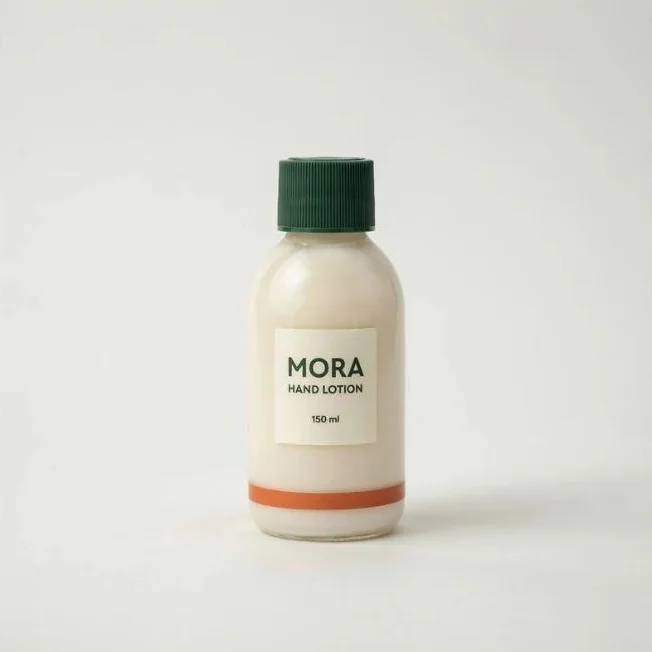
Product reference
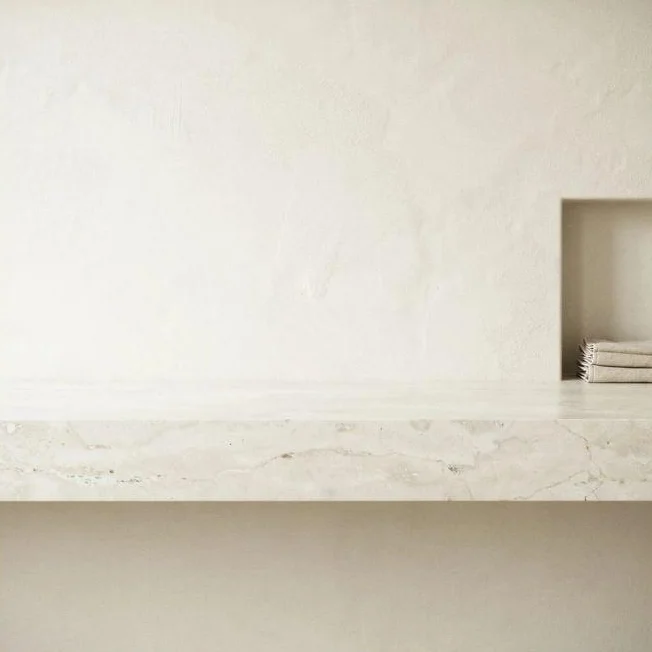
Setting reference
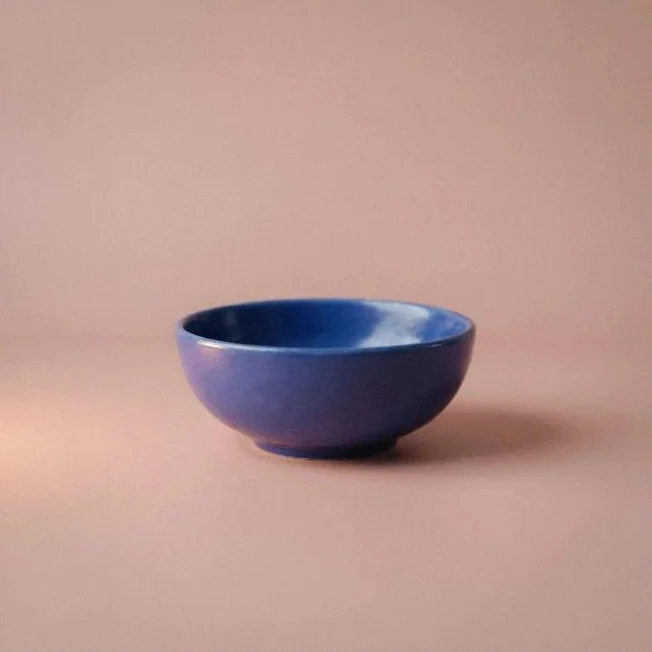
Style reference
We first combined the bottle and bathroom. Next, we started from the original sources and added the bowl image with instructions to borrow its lighting and color treatment. Finally, we asked each tool to reduce the bottle’s size while keeping its base at the same countertop contact point.
Ideogram ran on 4.5 at High quality, with one output and Auto size. ChatGPT used Create image, with GPT-6.1 Sol Light selected in the chat selector. Gemini used Auto with Images selected.
We described each reference’s contents and its job in the prompt: product, setting, or photographic treatment.
Two references: Put the bottle in the bathroom
All three tools placed one recognizable MORA bottle on a limestone counter with the towel niche to the right. The cap, orange band, and the wording “MORA,” “HAND LOTION,” and “150 ml” remained visible.
Ideogram left generous space around the bottle, giving you room for a headline. ChatGPT gave the product more of the frame, and Gemini placed it at about one-third of the image height.
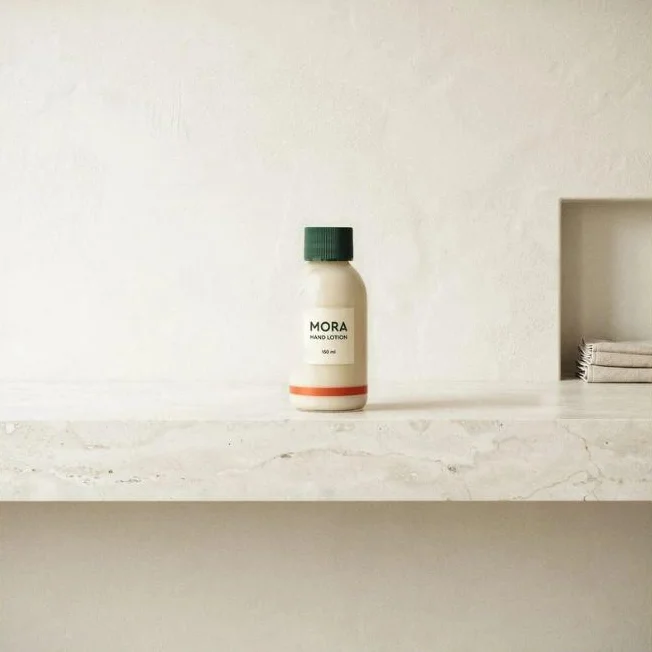
Ideogram 4.5
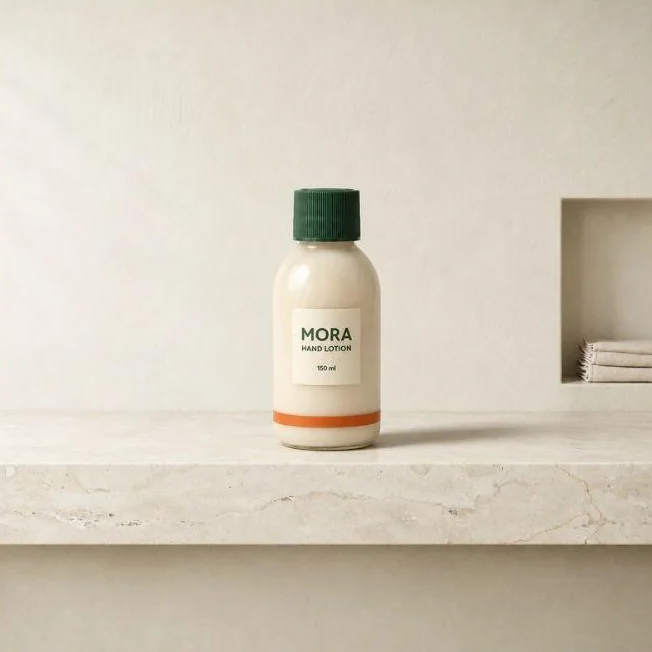
ChatGPT Images
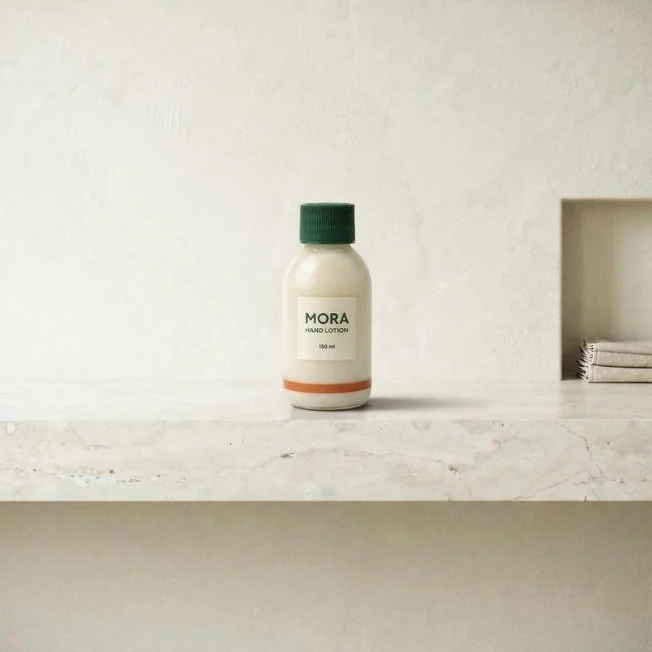
Gemini
Three references: Borrow the lighting, leave out the bowl
The third reference gave the brief a more specific look: warm light from the left, a rightward shadow, a dusty-rose cast, and fine grain.
All three results showed a warmer treatment without adding the bowl. Ideogram produced a pronounced pink setting, ChatGPT a softer peach-toned scene, and Gemini a warm, grainy result with a strong directional shadow. The MORA product remained recognizable in each.
These runs combined visual guidance with written style instructions. For your own campaign, name the qualities you want from the reference instead of asking the model to copy its entire appearance.
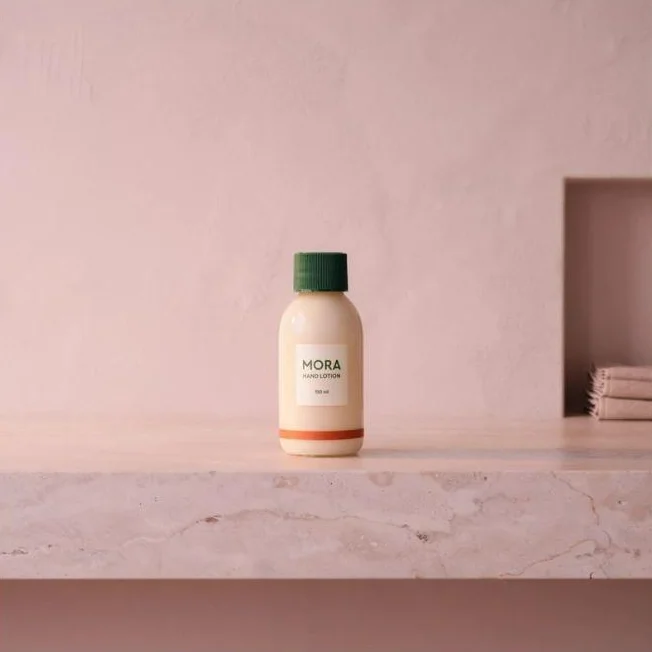
Ideogram 4.5
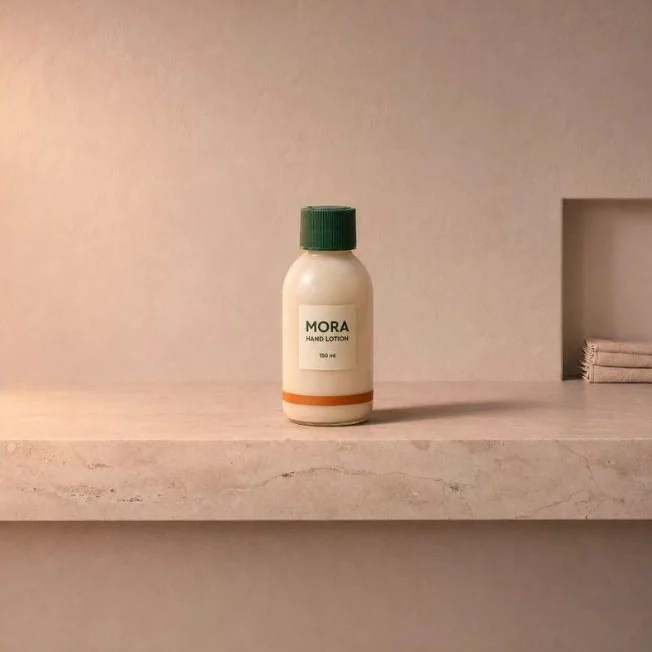
ChatGPT Images
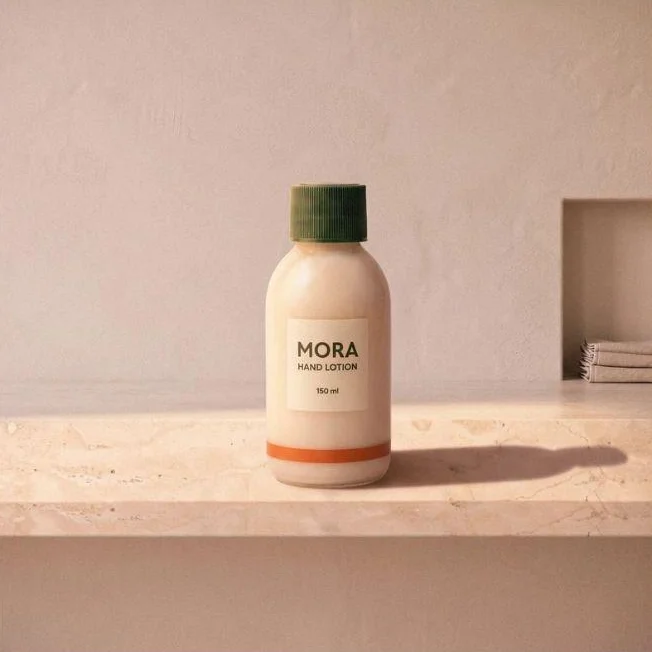
Gemini
One revision: Make the bottle smaller
We used this follow-up prompt for the size revision:
Reduce only the bottle’s size by approximately 20%, keeping its base at the same countertop contact point and its horizontal center unchanged. Preserve the bottle’s proportions, green ribbed cap, ivory body, orange band, and label wording. Keep the pink lighting treatment, bathroom framing, textured wall, limestone countertop, niche, and towels unchanged. Adjust the bottle’s contact shadow to match its smaller size.
We sent the same prompt to all three tools.
Each tool made the bottle smaller. Ideogram’s Precise Edit produced a clear reduction while keeping the pink setting and major countertop patterns visually consistent. ChatGPT reduced the product within its warm composition. Gemini made a subtler adjustment and kept the long shadow.
The requested percentage acted as an instruction, not a layout measurement. For an exact size requirement, use an editor’s transform controls after choosing the composition.
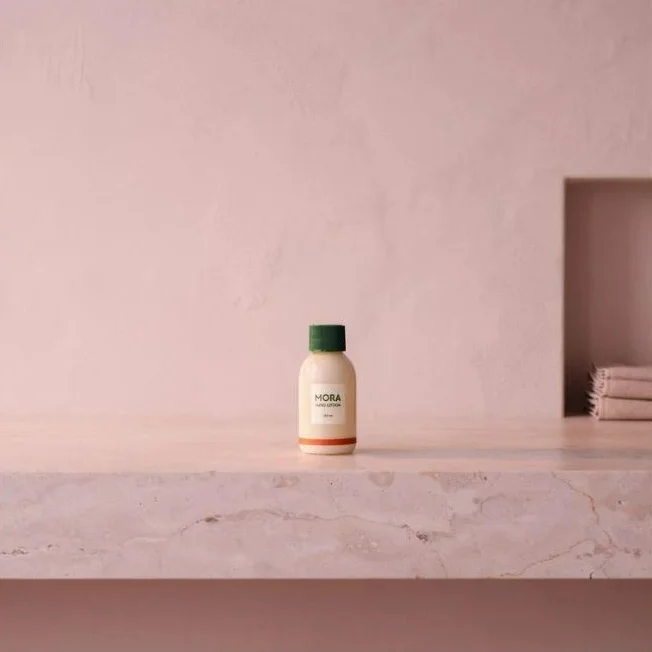
Ideogram Precise Edit
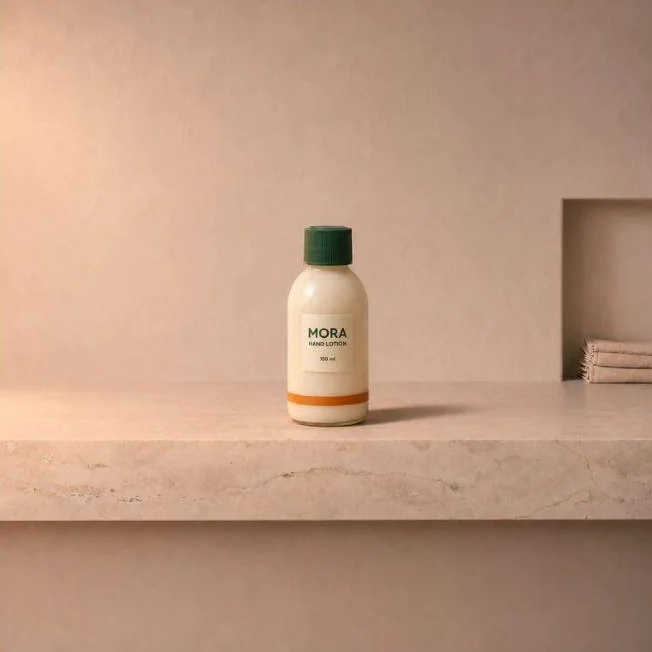
ChatGPT Images
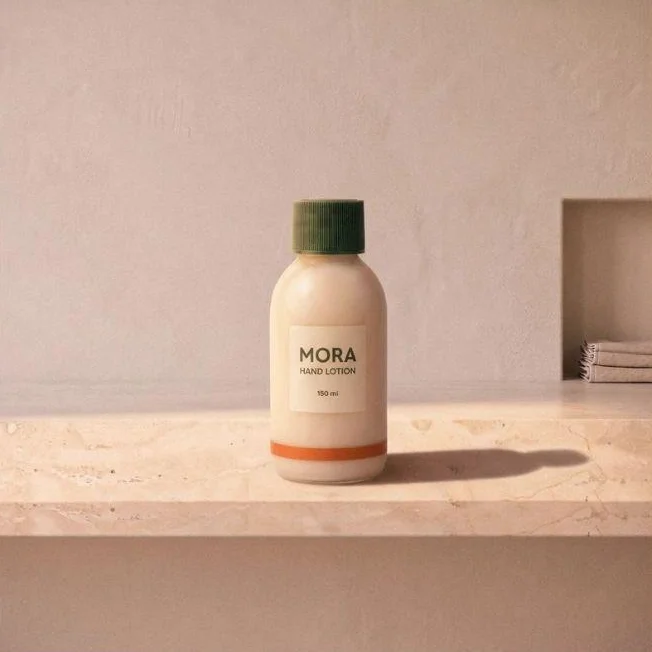
Gemini
In this test, Ideogram’s downloads were 2048 × 2048 pixels, the largest of the three; ChatGPT’s were 1254 × 1254, and Gemini’s 1024 × 1024.
Tool 1 : Ideogram: Product scenes with targeted follow-up edits
Best for: Product-and-scene compositions that need another targeted change before they’re ready.
From composition to revision: Once we had the pink bathroom treatment, we reduced the bottle through Precise Edit. The niche and prominent stone patterns remained recognizable. That is the kind of follow-up a marketer might need when the product image works but needs more room around it for campaign copy.
Reference roles and limits: Ideogram 4.5 accepts up to five images in the Image app. Each reference can be JPEG, PNG, or WebP, up to 25 MB. Explain what each one contributes: the bottle’s design, the countertop’s layout, or the lighting of an approved campaign image. Our reference-image guide also explains image mentions for pointing to individual inputs.
Guides, masks, and edit windows: Precise Edit accepts one main image plus up to four guides, or three guides when a mask is added.
A mask marks the intended change. An edit window controls the region available to the edit. Our mask and edit-window guide explains how to use them together.
When the wording changes: If the next request is a headline or offer change, editable text layers give you a different finishing route. Layerize Text recreates detected lettering as text layers in Studio, where you can change the wording, font, size, and position. Keep the approved artwork alongside the result when exact label design matters.
Credits and downloads: Eligible free Ideogram accounts receive 30 credits a week when they sign in with Google, Apple, or Microsoft. Free generations are public. Precise Edit also offers limited free edits. Reference generations and other editing operations use credits. Our plans and credits guide lists Plus with 2,400 monthly priority credits and private generation at $20/month, or $15/month billed annually. You can also buy credits for eligible operations.
The download options include original-size JPEGs on free accounts, with PNG and WebP on paid plans. Transparent results have a free 1K PNG route. Larger sizes use Upscale, which uses credits.
Tool 2 : ChatGPT Images: Combine assets through conversation
Best for: Combining familiar visual assets through detailed instructions, then revising the result in the same chat.
What happened in our test: ChatGPT produced a centered MORA bottle with readable label wording and recognizable bathroom features. Its three-reference version added warm light and a peach-toned setting while keeping the blue bowl out of the scene. The follow-up reduced the bottle’s size within that scene.
Giving feedback: You can describe a revision as you would in a creative review: “Keep the setting, make the product smaller, and leave the label facing the camera.” Name the image’s contents as well as its position in the upload list, especially when the thumbnails are similar.
Access: ChatGPT offers limited free image creation, with more access on paid plans.
Tool 3 : Gemini: Explore a scene and its photographic treatment
Best for: Trying a subject, setting, and visual treatment through a conversational image workflow.
The two- and three-reference results: Gemini’s initial result put the bottle at about one-third of the image height, with its label visible and the bathroom niche at the right. Adding the style reference and instructions produced warmer light, stronger grain, and a long shadow. It also gave the bottle more of the frame, so the later size request became part of finishing the composition.
Downloads and free access: Gemini offers free image generation. Its app guidance lists 1K downloads without a Google AI plan and 2K downloads with one. Our three downloads were 1024 × 1024 JPEGs and carried a visible sparkle in the bottom-right corner.
Tool 4 : FLUX.2: Specify sources by image number
Best for: Teams that want explicit image-index instructions and an API route for multi-source compositions.
Assigning sources: Black Forest Labs’ multi-reference guide shows how to refer to a person in image one and an animal in image two. For an interiors brief, the instruction could identify the chair from one photo, the table from another, and the room that supplies the layout.
Reference counts by variant: BFL lists eight images for the Pro API, ten for the Pro playground, and ten for Flex. Its Dev guidance recommends a maximum of six. Choose the variant before preparing the reference set.
Resolution and cost: FLUX.2 offers output up to 4 megapixels. BFL’s pricing page lists Pro image editing from $0.045 per megapixel, with different rates for Flex and Max. Each reference image adds to the processing cost, so calculate the price with your full reference set and chosen output size.
Running it locally: The open-weight model has its own license and hardware requirements. For a ComfyUI deployment, review those alongside the hosted Pro or Flex costs before choosing how to run it.
Tool 5 : Adobe Firefly: Adjust how strongly references influence the image
Best for: Adobe teams that want to tune image influence and continue working in an image editor.
Per-image influence: Adobe’s image-combiner workflow describes uploading two or more references, assigning their contributions in a prompt, and choosing a model. It also offers per-image reference-strength sliders in Tune, currently labeled beta.
If the style reference overwhelms the product or setting, adjust its strength where the selected model offers that control.
Combiner, style reference, or Boards: Firefly also offers style and composition references. Boards Remix generates variations from images selected on a board. Use Boards to explore a direction and the combiner to place a specific product in a supplied setting.
Models and credits: Firefly includes Adobe and partner models, each with its own reference counts, settings, and commercial terms. Adobe offers a free tier and paid plans with generation credits. Estimate usage for the model and operations you intend to run.
Tool 6 : Midjourney: Combine edit references with style guidance
Best for: Art-directed compositions where the reference set includes a distinct visual style.
Edit references: Midjourney’s Edit model accepts up to four reference images and works with versions 8.1 and 8.2. It can also be used alongside Style References and Image Prompts, giving a designer more than one way to guide a composition.
Which input does what: Image Prompts influence content, composition, and colors. Style References guide the visual treatment. Edit references support instructions about how images should be combined or changed.
For a product-and-setting brief, start with the Edit workflow. The image-only Blend command is a different route, aimed at blending visual inputs without a text prompt.
Subscription and visibility: Midjourney’s Basic plan starts at $10/month and includes a Fast GPU-time allowance. Its published GPU figures are resource costs, not promised waiting times. For confidential campaign work, Stealth is available on Pro and Mega; current Edit-model results otherwise appear on Midjourney’s website.
Reference : Choose by what each reference needs to contribute
For a product campaign: Decide whether you need a scene for creative approval or finished artwork for a product listing. Our MORA exercise shows how product, setting, and lighting references can build a campaign image. For a listing with fixed packaging artwork, use the original product asset in the final composition.
For a recurring character: Ideogram 4.5 accepts character views alongside other references, within its five-image total. Identify which source supplies the face and which supplies the outfit or scene. For a recurring visual style, Custom Models provides a training route. Our brand consistency guide covers references, custom models, and shared creative assets.
For several products in one scene: Give each item a name, position, and distinguishing details. Two green bottles with similar labels need more precise instructions than a bottle and a ceramic bowl. When the original product artwork must stay intact, Studio lets you add source files as image layers and work on the selected layer. That is a compositing route, distinct from generating a new image from references.
For production integration: The Precise Edit API supports this main-image-and-guides workflow. Its dry_run option validates and prices the request before generation. Use the intended inputs and settings when estimating a campaign’s cost.
For client assets: Check visibility, training settings, retention, and commercial terms. On Ideogram, Plus keeps new generations private until you publish them, and our terms allow commercial use. Use source images you own or are authorized to upload.
Reference : Frequently asked questions
Can each reference image control a different part of the result?
Yes. In Ideogram, you can describe one image as the product, another as the setting, and a third as the visual treatment. Other tools use combinations of instructions, image indices, strength settings, and named reference types. State which details belong to each source, particularly when several inputs contain similar objects.
Do more reference images improve accuracy?
More references help when each adds information the composition needs. Multiple photos of one product can show visible details from different angles; a style image can supply lighting or color direction. Conflicting product versions or unrelated scenes can make the instructions harder to resolve. Choose inputs by their contribution, not by filling every upload slot.
Can an AI generator keep product labels and logos exact?
Readable wording, yes; exact reproduction needs review. The MORA wording stayed legible in every result across all three tools. For exact packaging artwork, keep the original file for the final layout. Our guide to editing text in images covers options for correcting wording.
Can you revise the image after combining references?
Yes. We made smaller-bottle revisions in Ideogram Precise Edit, ChatGPT, and Gemini after creating the three-reference compositions. For the next change, specify the target and the scene details that should stay the same. Revisit an earlier result if you prefer its composition, and use a mask or layout control when the task needs tighter placement.
Start with your product and its setting
Try your product photo and setting in Ideogram. Once the composition works, add the campaign’s lighting reference and use Precise Edit for the next change.