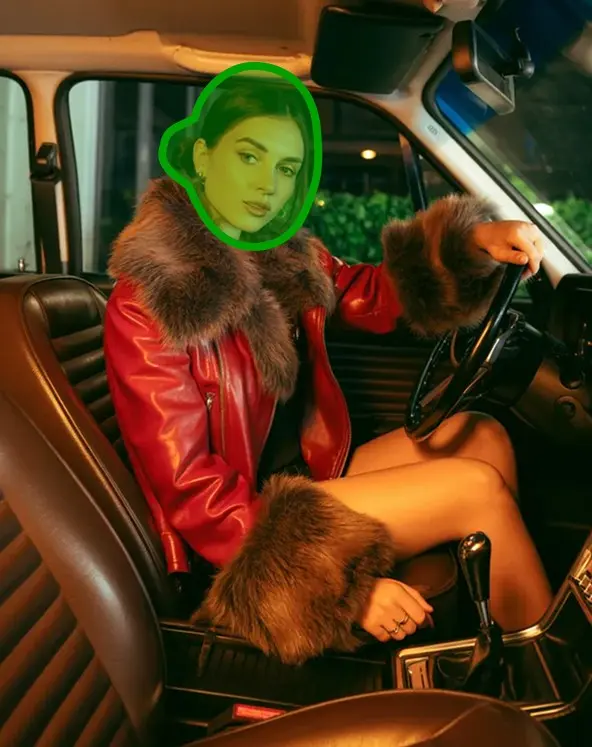
What is character consistency in AI?
Character consistency means an AI image model keeps a character's face, features, and identity locked across multiple generations. With Ideogram Character, you upload one reference photo and the same person appears in every output, even when you change pose, outfit, lighting, or scene.
How many photos do I need for a consistent AI character?
One. Ideogram Character builds a consistent character from a single reference photo. You don't need to train a custom model, prepare a 10-photo dataset, or fine-tune a LoRA. Upload one image, write a prompt, and generate.
Why does AI keep changing my character's face?
Most general image models don't have a dedicated identity-preservation step, so the face drifts between generations. Ideogram Character uses your reference image to lock identity into every output. If your character still drifts, check that the reference photo is clear, well lit, and shows the face in 3/4 or frontal view.
What is the difference between style reference and character reference?
A style reference borrows the look, palette, or composition of an image. A character reference borrows the identity of the person or character. Use a style reference when you want a vibe or art direction. Use a character reference when you need the same person to appear across multiple images.
Is Ideogram Character a Midjourney cref alternative?
Yes. Ideogram Character is a single-image character consistency tool: upload one reference photo, write a prompt, and the same person appears in your output. It runs on the web, on iOS, and via the
Character API, and does not depend on Midjourney's cref or any model fine-tuning.
Is Ideogram Character free to use?
Yes, Ideogram Character is free to use on
ideogram.ai and the
iOS app. You do not need a subscription to create AI-generated images for creative projects, freelance designs, or personal use. For unlimited character generations, private image creation, image uploads, and more credits for bulk image production, upgrade to Ideogram Plus or Pro. Visit our
Plans & Pricing page for full details on premium features and subscription options.
How do I use Ideogram Character to create consistent characters?
Start by uploading a high-quality reference image via the Character tab. Write a detailed prompt specifying your character's appearance, scene, actions, or art style, or choose from preset templates. Click "Generate" to create an image with your character. For enhanced results, combine with features like Magic Fill or Remix to adjust specific elements or match styles.
How do I make AI headshots with Ideogram?
Upload one reference photo via the Character tab, then write a prompt that describes the headshot you want, such as a professional LinkedIn headshot with studio lighting and a neutral background. Ideogram Character keeps the same face across generations, so you can produce a set of consistent AI headshots for personal branding, team pages, or avatar libraries without training a model or preparing a multi-photo dataset.
What types of reference images work best for Ideogram Character?
For optimal results, use a clear, well-lit reference photo with visible facial features and minimal filters. Frontal or 3/4 view images are recommended, as complex poses or low-quality images may affect consistency. You can adjust masks to include or exclude elements like hair or accessories for better control over the output.
Are there any templates for Ideogram Character?
Yes. Ideogram provides a library of AI templates for character generation that make it easy to get started. Choose from predefined templates to quickly generate consistent characters for various styles, settings, or themes, such as fantasy characters, sci-fi avatars, or cartoon illustrations. For greater customization, combine templates with custom text prompts to fine-tune your character's appearance, pose, or environment.
Can I use Ideogram Character for commercial projects?
Ideogram Character may be used for commercial purposes, provided they comply with our Terms of Service and do not violate third-party rights or applicable laws. Freelancers and businesses use our AI-generated visuals across a variety of use cases, including creative projects, freelance graphic design, marketing materials, social media campaigns, website visuals, and product packaging.
How do I fix errors in output images from Ideogram Character?
To correct errors, such as incorrect hairstyles, accessories, or misspelled text, try these steps: Modify the character mask to include or exclude elements like hair, jewelry, or clothing for improved accuracy. Use clear, detailed prompts to better guide the AI. Generate multiple image variations to select the best output. For issues like misspelled text or small details, leverage Magic Fill to edit and refine your AI-generated images.
Is there an API for Ideogram Character?
Yes, developers can integrate Ideogram Character into their workflows using the Ideogram API. This allows for programmatic generation of consistent characters across various applications. For more information, visit our API docs at
developer.ideogram.ai.