
How to create a consistent character with AI in Ideogram

To keep the same character across many images in Ideogram, attach one to five reference images of that character to Ideogram 4.5 and describe the new scene. In the app, each image costs 6 credits at Medium quality. Through the API, the same request costs $0.06, and Ideogram 3.0 has separate Character endpoints that take one reference image at $0.10 to $0.20 per image.
This guide puts the models and limits next to the prices, then tests one fictional character across six scenes and reports what held and what drifted. Every prompt appears as it was run.
Prices and limits were checked on November 16, 2026.
Overview : Consistent characters in Ideogram at a glance
| Question | Answer |
|---|---|
| Model in the app | Ideogram 4.5, with one to five reference images |
| Model in the API | Ideogram 4.5 generate with up to five images, or Ideogram 3.0 Character with one character_reference_images file |
| Reference files | JPEG, PNG or WebP, up to 25 MB each |
| Ideogram 4.5 with references | 0.8 to 22 credits per image in the app, or $0.008 to $0.22 in the API, by quality |
| Ideogram 3.0 with a character reference, API | $0.10 at Turbo, $0.15 at Default, $0.20 at Quality |
| Result of the test in this guide | From one reference, the character stayed recognizable in all six scenes. Clothing the reference did not show changed from scene to scene |

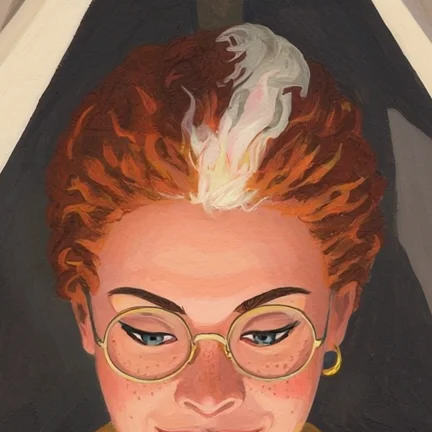
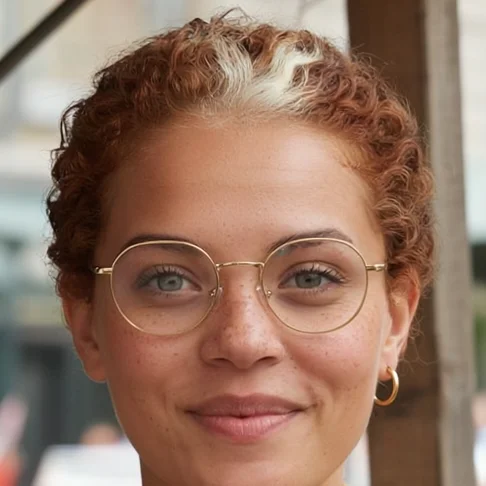
Overview : Which Ideogram model keeps a character consistent in the app and in the API?
Ideogram 4.5 is the model for character consistency in the Ideogram app, and it accepts the same reference images through the API. Ideogram 3.0 offers a second route: the Ideogram 3.0 Character app for a saved character, and a set of Character endpoints in the API.
| Where | Model | What you give it | How you reach it |
|---|---|---|---|
| App, reference images | Ideogram 4.5 | One to five images, attached to each run | Image app, Reference images field |
| App, saved character | Ideogram 3.0 Character | One image, saved once with a name | Library, then Characters |
| API, source images | Ideogram 4.5 | Up to five files in images | POST / |
| API, character reference | Ideogram 3.0 | One file in character_reference_images | POST / |
The two routes are separate. Per Ideogram’s saved characters guide, a saved character works in the Ideogram 3.0 Character app, where your workspace has it, and Ideogram 4.5 uses the images you attach to each run. Ideogram 4.0 and Ideogram 3.0 take no reference images in the Image app.
Style presets, style reference images, negative prompts and color palettes belong to Ideogram 3.0, as the Styles page explains. Ideogram 4.5 takes a look from the prompt or from another reference image.
Overview : How many reference images does Ideogram accept, and what makes a good one?
Ideogram 4.5 accepts one to five reference images, and each file must be JPEG, PNG or WebP, up to 25 MB. The Ideogram 3.0 Character app and the Ideogram 3.0 Character API take one image.
The API enforces both limits. In dry runs on November 16, 2026, a sixth file in images was rejected with a 400 error, and so was a second file in character_reference_images.
Ideogram’s reference images guide asks for clear images of the character and says shots of the face from a few angles work best. For a saved character, the guidance is one centered, front-facing image against a simple background.
The test below adds one rule: the reference decides what the model has to invent. The reference in this guide stops at the chest, so the scenes came back with different trousers and shoes.
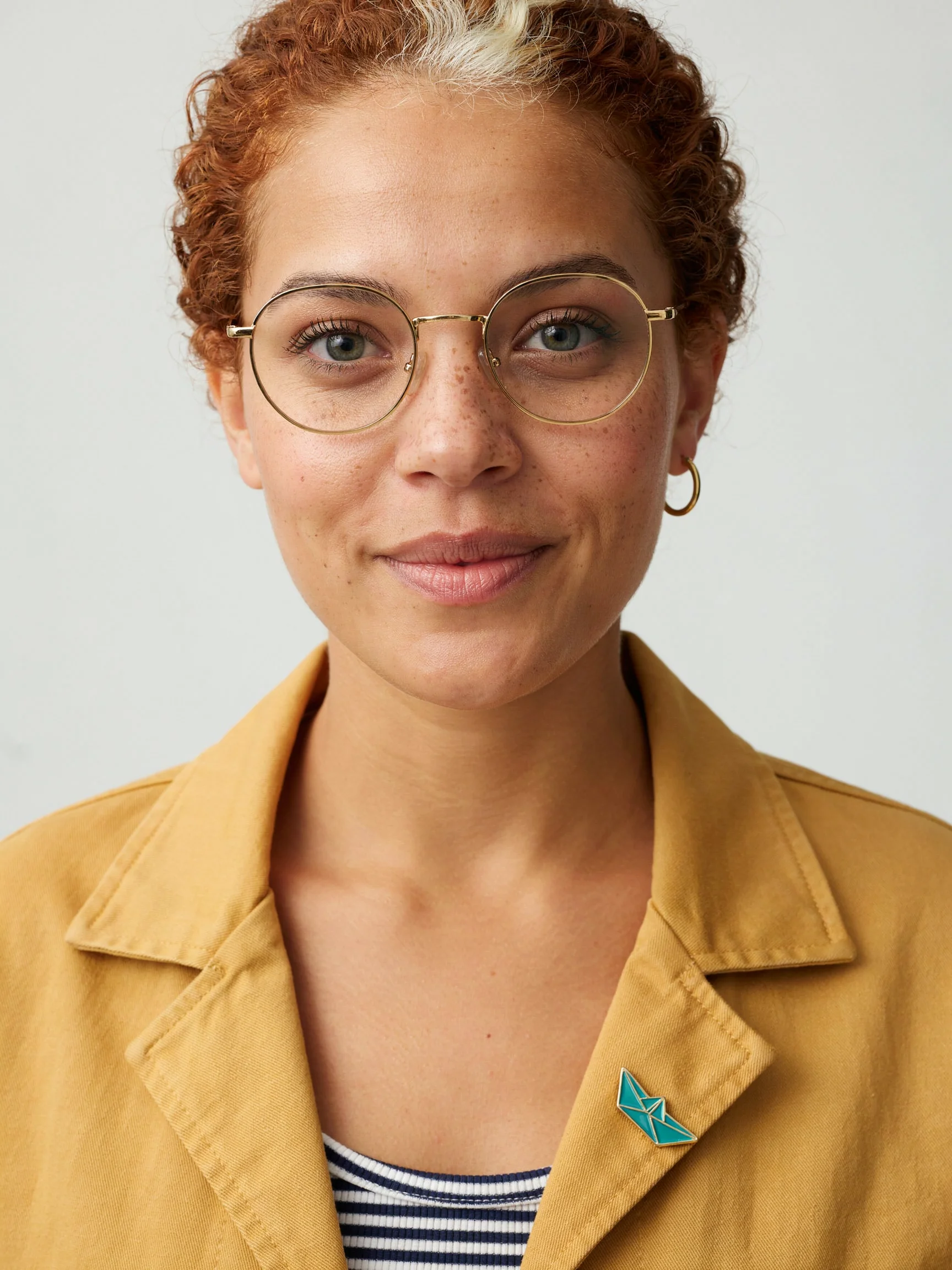
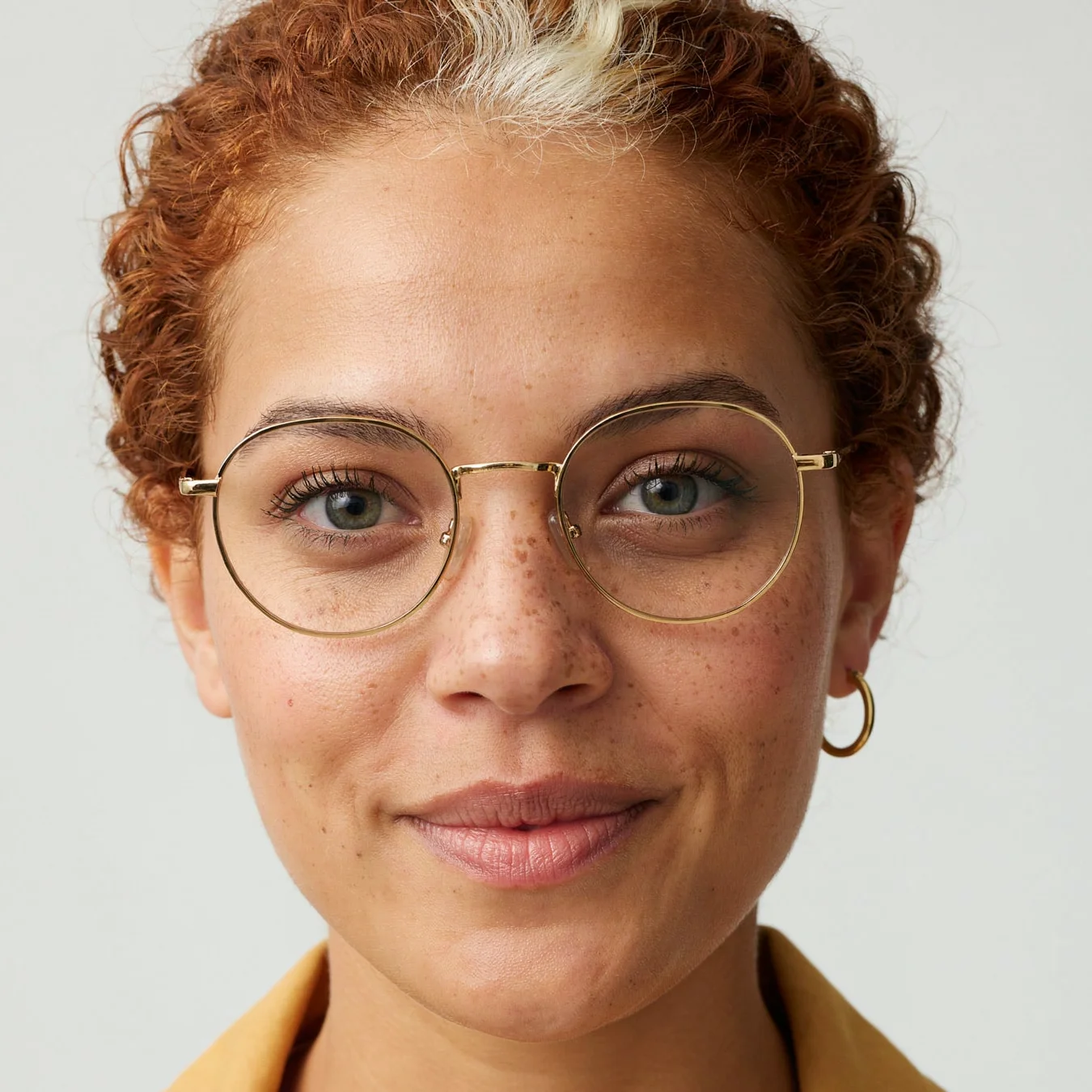
A studio portrait photograph of a woman in her early thirties, shown from the waist up, facing the camera with a slight closed-mouth smile. She has warm brown skin, a round face, freckles across her nose and cheeks, grey-green eyes, and short, tightly curled copper-red hair with one white streak at the front above her left temple. She wears round gold wire-rim glasses and one small gold hoop earring in her left ear. She wears a mustard-yellow cotton chore jacket over a navy and white striped shirt, with a small teal enamel pin shaped like a paper boat on the left lapel. Plain light grey seamless background, soft even daylight, sharp focus, natural skin texture.
The settings were size 1728x2304, quality medium, Magic Prompt off and seed 4521.
How to : How do you create a consistent character in the Ideogram app?
In the Ideogram app, you create a consistent character by choosing Ideogram 4.5, adding reference images of the character and describing each new scene. These steps follow Ideogram’s reference images guide.
- Open the Image app and choose Ideogram 4.5 in the Model picker.
- Add one to five clear images of the character in Reference images.
- Type @ in the prompt, pick the character’s image, then describe the scene. Ideogram’s example is
@img_1 sitting at a café table, reading a newspaper, morning light. - Click Generate. The button shows the cost in credits before you run it.
- Attach the same images each time you want that character again, and compare every result with them.
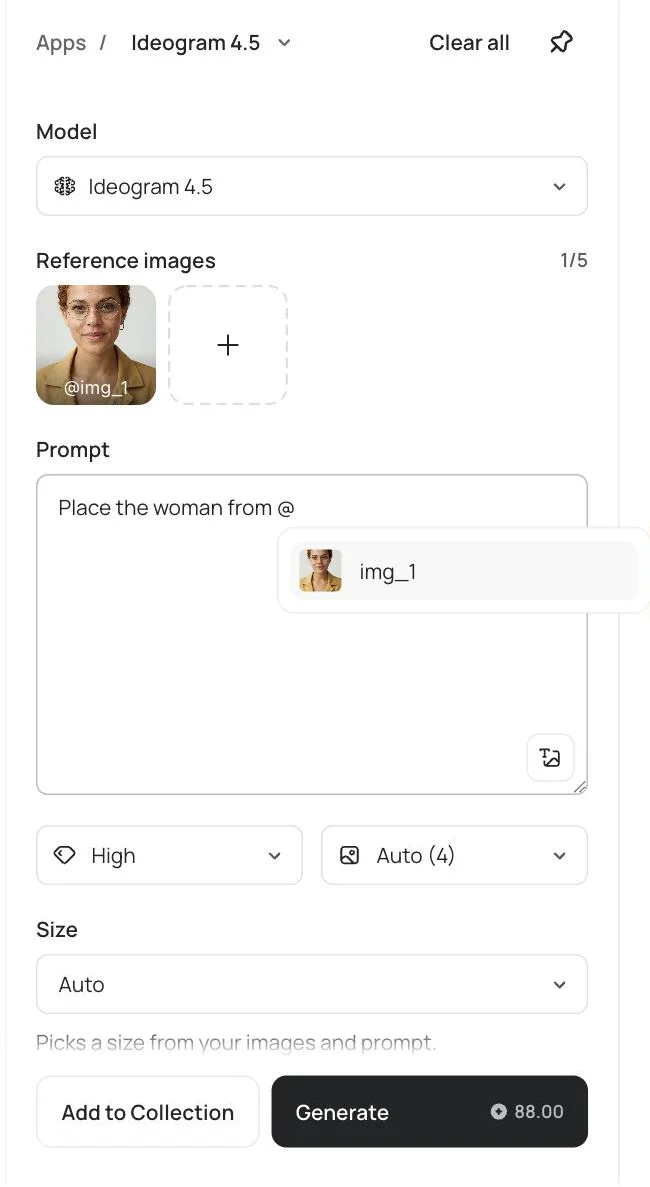
Once a reference is attached, the prompt works as an edit instruction, Magic Prompt disappears and Quality gains a Very low option. If you switch to a model that takes no reference images, Ideogram clears them.
If your workspace has the Ideogram 3.0 Character app, you can save a character instead. Open Library, then Characters, select Create character, name it and attach one image. Select Use on its card to generate with it.
How to : How do you keep a character consistent with the Ideogram API?
With the Ideogram API, you keep a character consistent by sending its images in the images field of the Ideogram 4.5 generate endpoint and writing the prompt as an instruction. The first image is the one being edited, and any others are extra references.
This is the request behind the first scene in the test:
curl -X POST https://api.ideogram.ai/v2/image/generate/ideogram-4-5 \
  -H "Api-Key: $IDEOGRAM_API_KEY" \
  -F [email protected] \
  -F prompt="Place the woman from this image in a new scene. She sits at a small round table outside a cafe on a rainy city street at dusk, both hands around a white ceramic cup, looking out at the street. Medium shot, warm light from the cafe window. Keep her face, freckles, hair, glasses, earring, jacket, striped shirt and lapel pin the same." \
  -F size=1728x2304 \
  -F quality=medium \
  -F magic_prompt=off \
  -F seed=4521
For several references, repeat -F [email protected] for each file. Add ?dry_run=true to the URL to get a price quote with nothing generated or billed.
| Setting | Ideogram 4.5 generate | Ideogram 3.0 Character generate |
|---|---|---|
| Character input | images, up to 5 files of 25 MB each | character_reference_images, one file of up to 25 MB |
| Mask | mask limits the edit to part of the first image | character_reference_mask marks where the character is in the reference |
| Quality or speed | quality: very_low, low, medium or high | rendering_speed: turbo, default or quality |
| Style controls | The prompt, or a reference image | style_type, style_reference_images (up to 10) and negative_prompt |
The Ideogram 3.0 Character API has two more endpoints. Remix restages a source image with your character, and inpaint repaints a masked area of a scene so it features your character. The Ideogram 4.5 generate reference and the Character generate reference list every parameter.
How to : How much does a consistent character cost in credits and dollars?
A character image from Ideogram 4.5 with reference images costs 6 credits in the app, or $0.06 through the API, at Medium quality. One credit is one US cent, so the two columns below match.
| Model and setting | App credits per image | API price per image |
|---|---|---|
| Ideogram 4.5 with references, Very low | 0.8 | $0.008 |
| Ideogram 4.5 with references, Low | 3 | $0.03 |
| Ideogram 4.5 with references, Medium | 6 | $0.06 |
| Ideogram 4.5 with references, High | 22 | $0.22 |
| Ideogram 3.0 with a character reference, at Turbo, Default or Quality | Shown on the Generate button | $0.10, $0.15 or $0.20 |
Two details matter when you budget, both checked on November 16, 2026:
- The price does not change with the number of reference images. A dry run with three references at High quoted the same $0.22 as one.
- High with references costs $0.22, against $0.10 for a prompt-only image, so Medium is the cheaper setting to iterate at.
Reference-image generations use credits on every plan and need priority credits. On the pricing page, Plus includes 2,400 priority credits a month, which is 400 character images at Medium. The API pricing tab lists the live rates, and the Ideogram API pricing guide works through larger budgets. The 23 API calls behind this guide cost $1.46.
The test : How well does one reference image hold across six scenes?
From one reference image, Ideogram 4.5 kept the character recognizable in all six scenes of this test. The glasses and copper hair appear in every scene, and the face matches in the four photographic scenes that show it from the front. Most of what changed was something the reference did not show.
Each scene was one API call with the reference attached, at size 1728x2304, quality medium, Magic Prompt off and seed 4521. The images below are the first result of each prompt. Nothing was rerun or retouched.
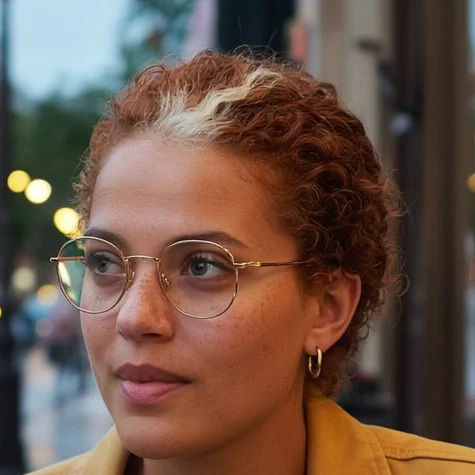
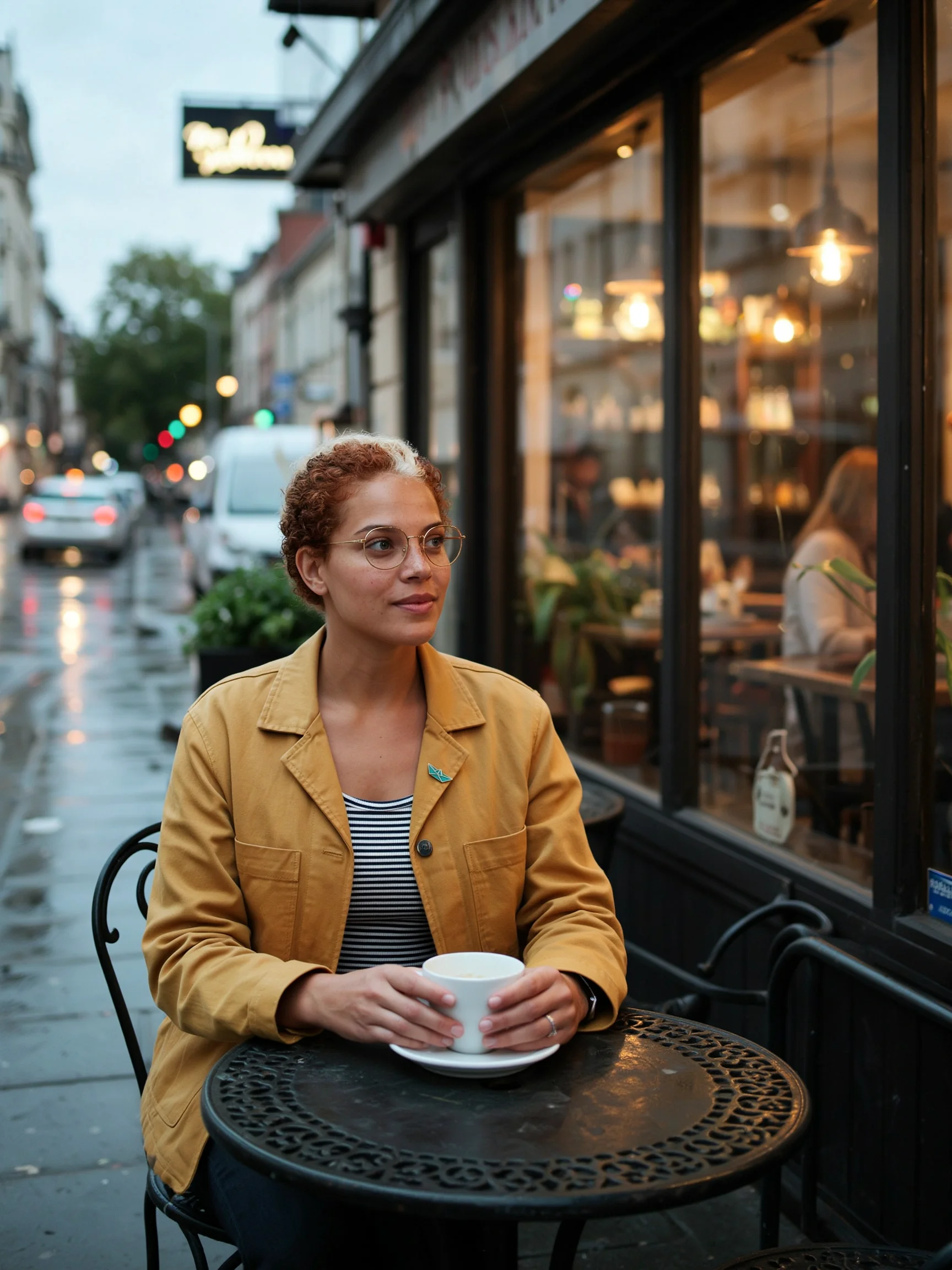
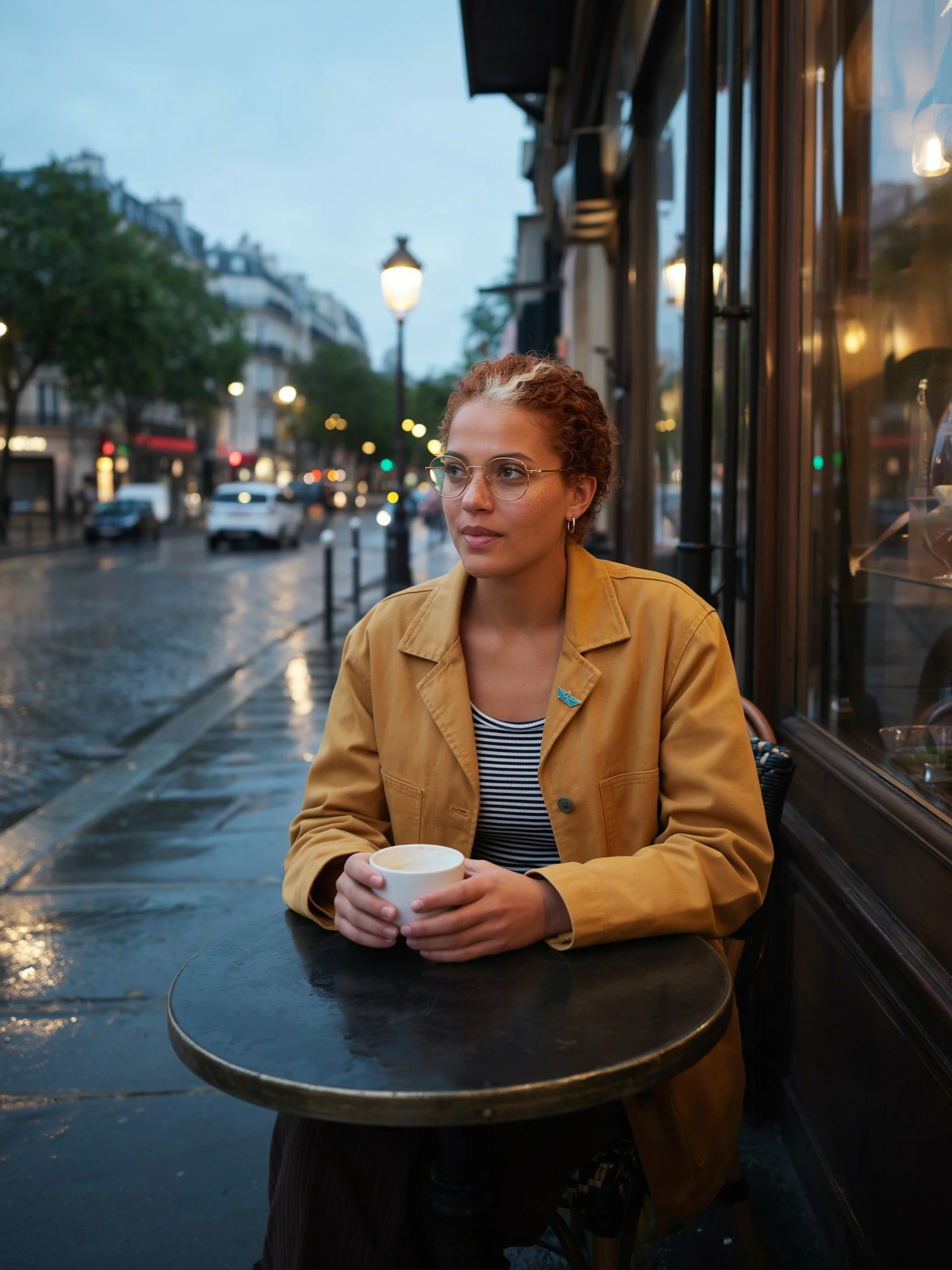
Place the woman from this image in a new scene. She sits at a small round table outside a cafe on a rainy city street at dusk, both hands around a white ceramic cup, looking out at the street. Medium shot, warm light from the cafe window. Keep her face, freckles, hair, glasses, earring, jacket, striped shirt and lapel pin the same.
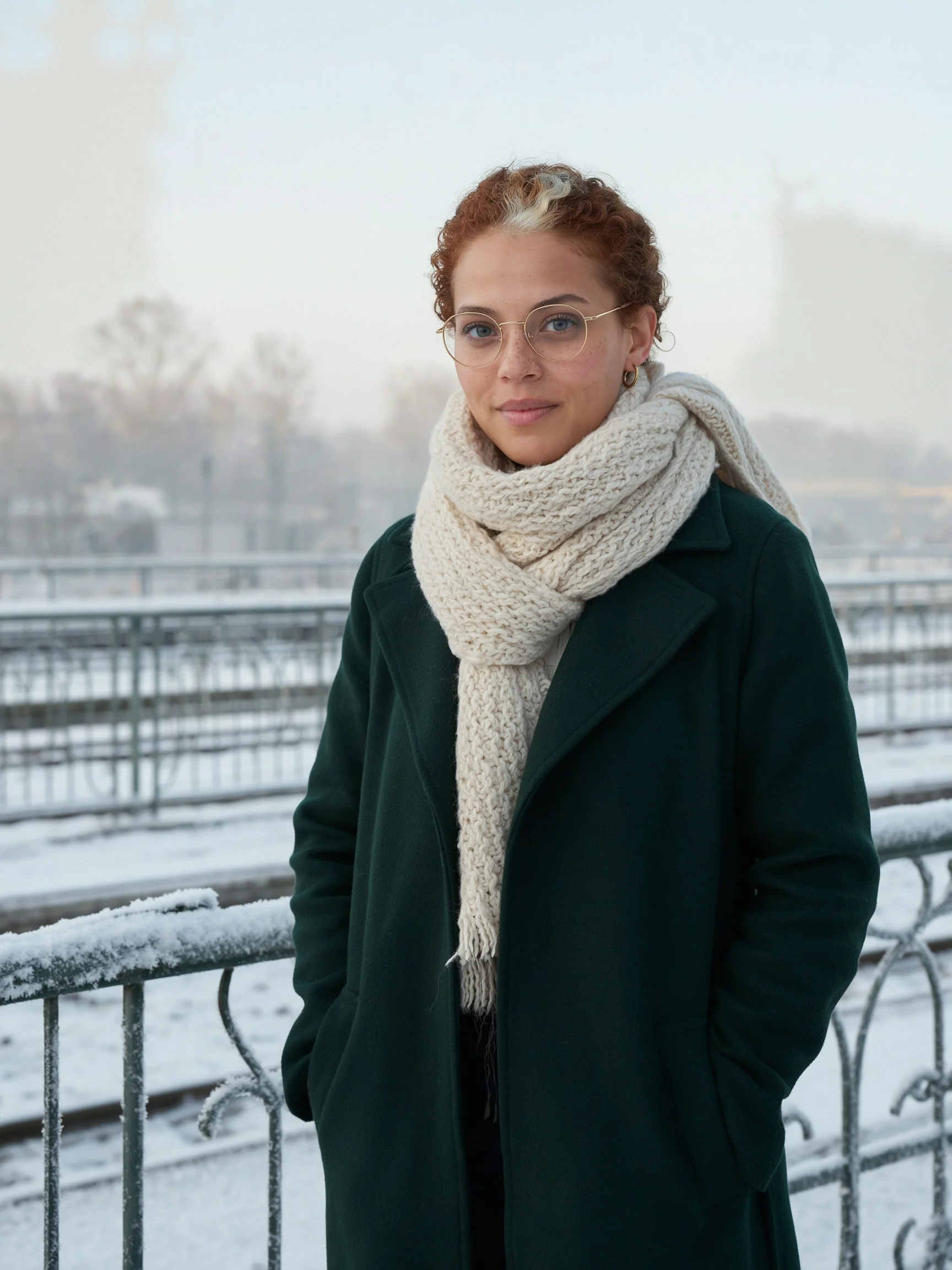
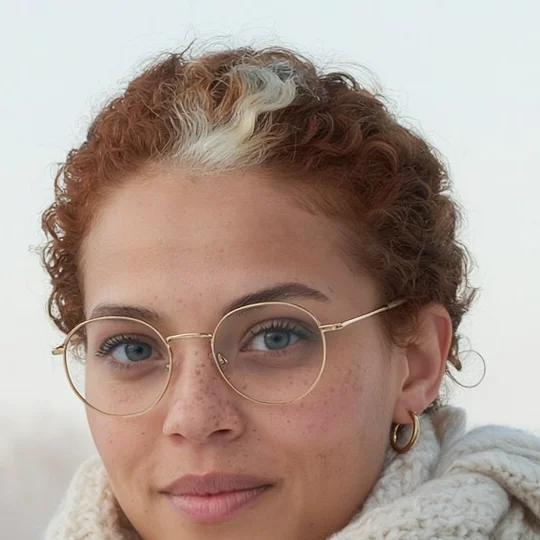
Place the woman from this image in a new scene and change her outfit. She stands on a snowy train platform in pale morning light, wearing a dark green wool overcoat and a cream knitted scarf, hands in her pockets, looking at the camera. Medium shot. Keep her face, freckles, hair, glasses and earring the same.
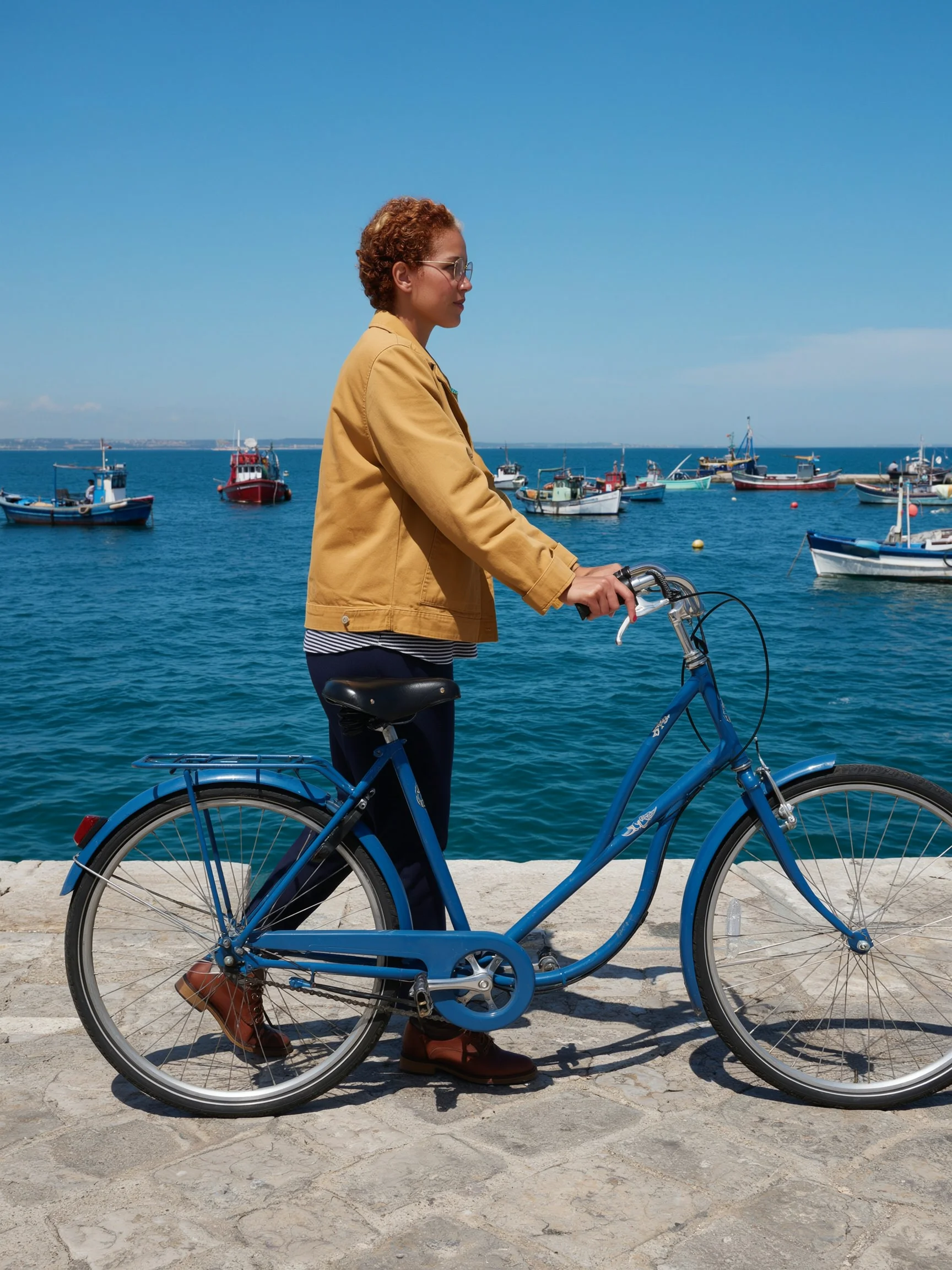
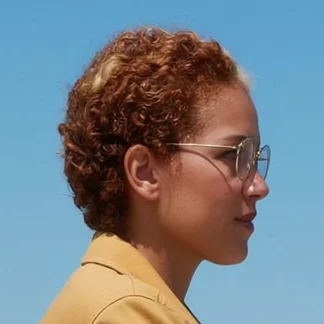
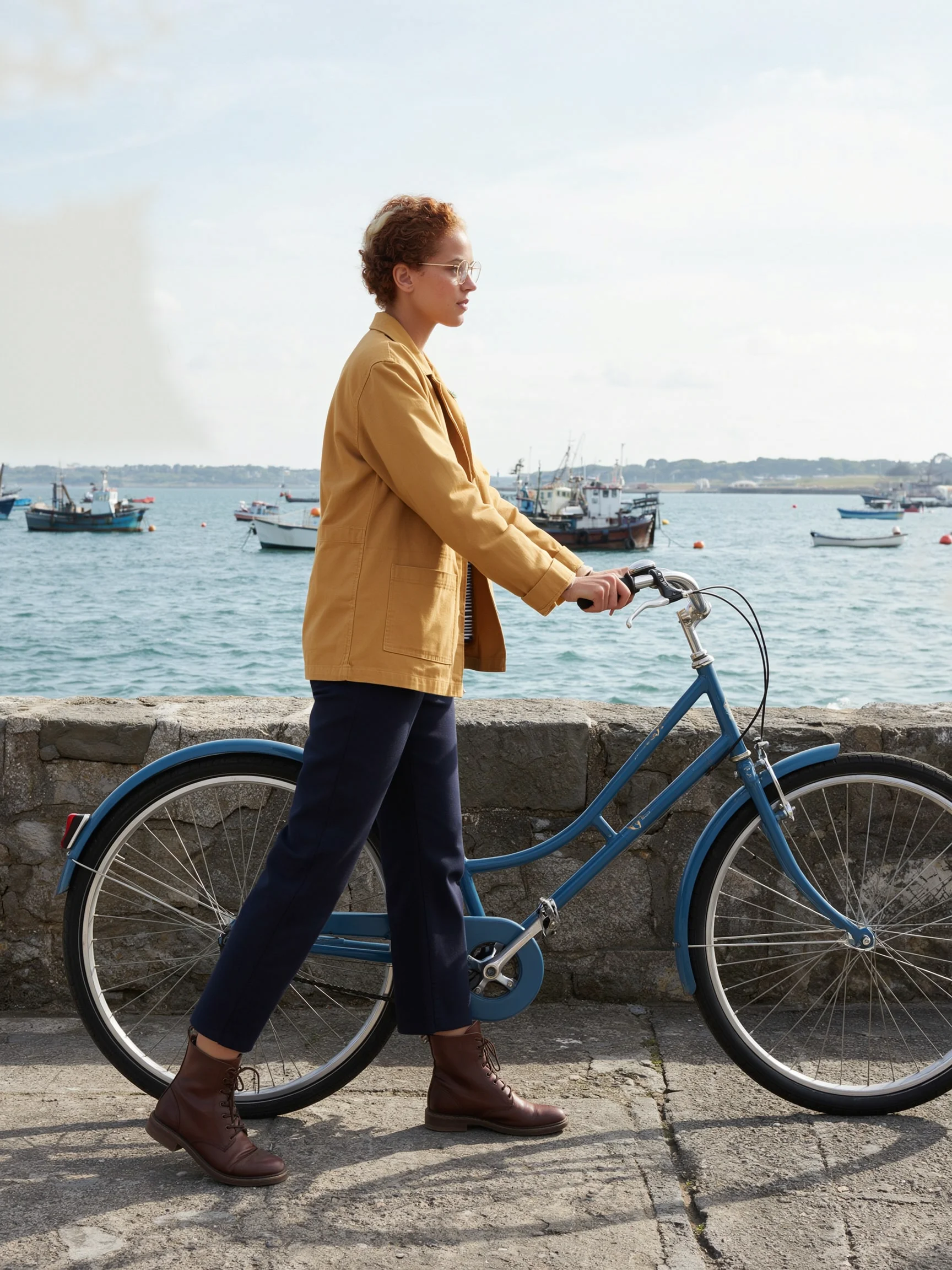
Place the woman from this image in a new scene. Wide shot, full body, seen from the side in profile. She walks along a stone harbour wall at midday, pushing a blue bicycle, fishing boats in the water behind her. Keep her face, freckles, hair, glasses, earring, jacket, striped shirt and lapel pin the same.
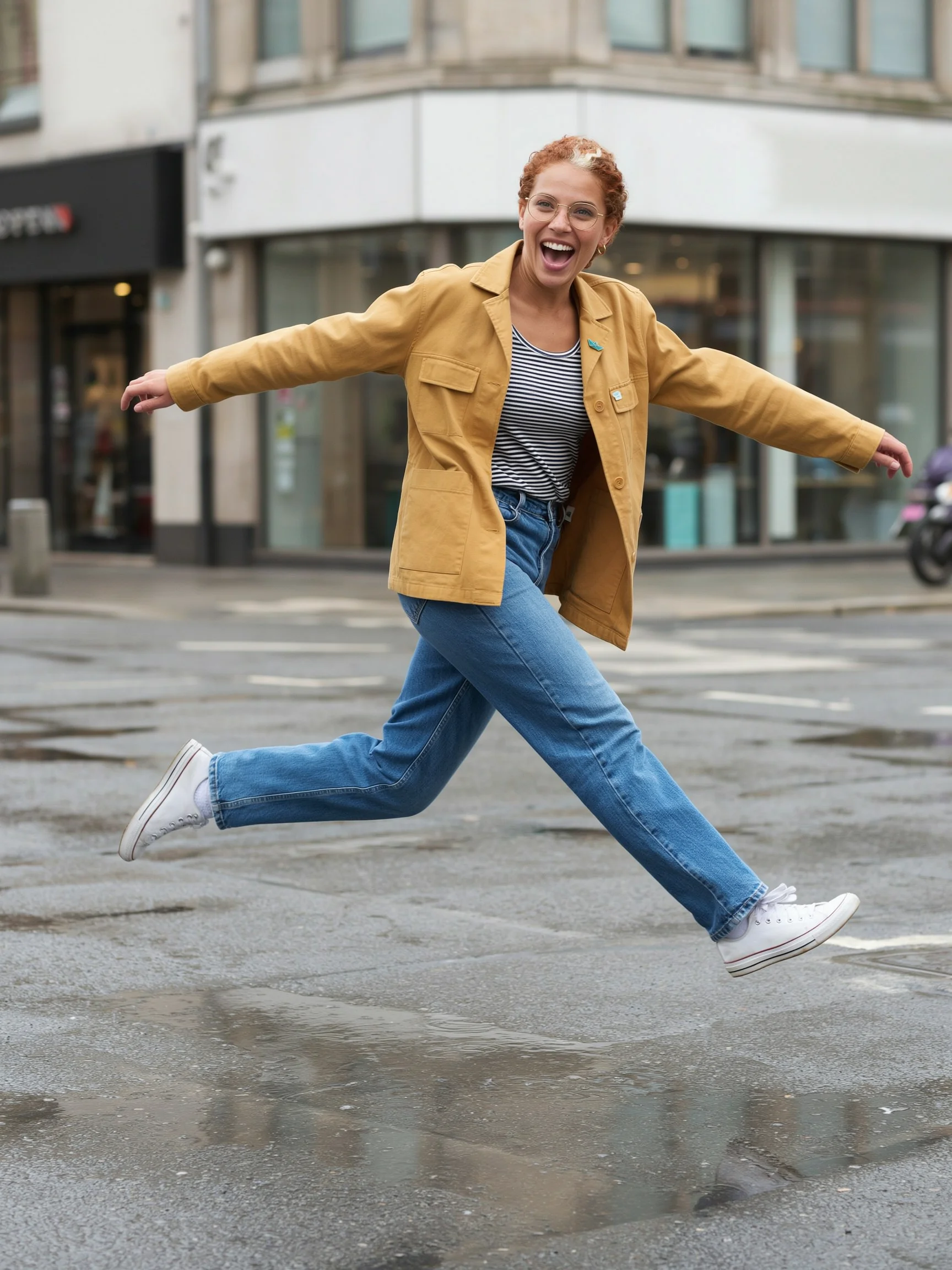
Place the woman from this image in a new scene. She leaps over a wide puddle on a city pavement, caught in mid-air with both feet off the ground and arms out for balance, laughing with her mouth open. Full body, bright overcast daylight, slight motion blur in the background. Keep her face, freckles, hair, glasses, earring, jacket, striped shirt and lapel pin the same.
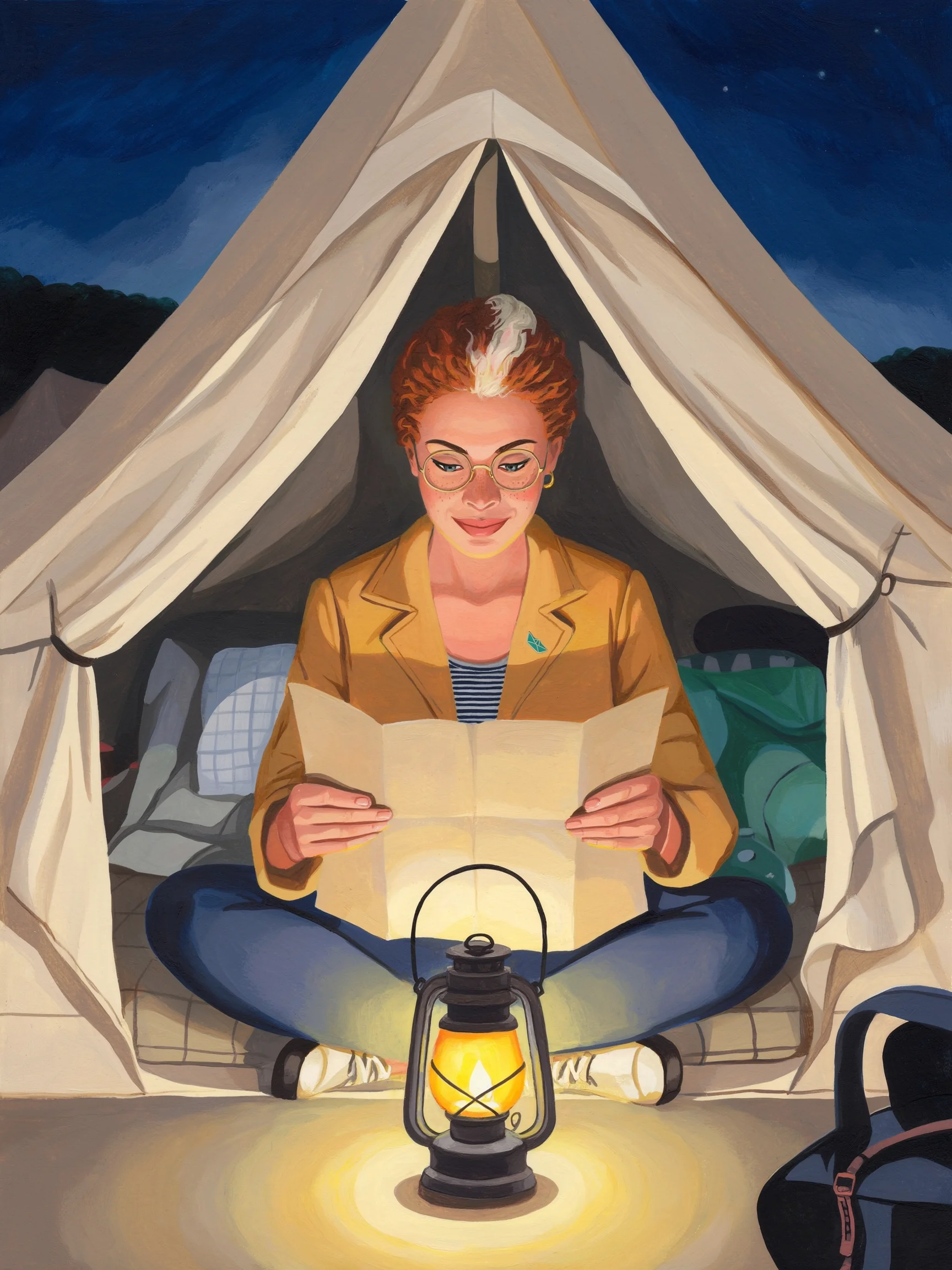
Redraw the woman from this image as a children's picture-book illustration in gouache, with flat shapes and visible brush texture. She sits cross-legged inside a canvas tent at night, reading a paper map by the light of a lantern. Keep her freckles, copper curls with the white streak, round glasses, earring, mustard jacket, striped shirt and teal paper-boat pin recognisable in the new style.
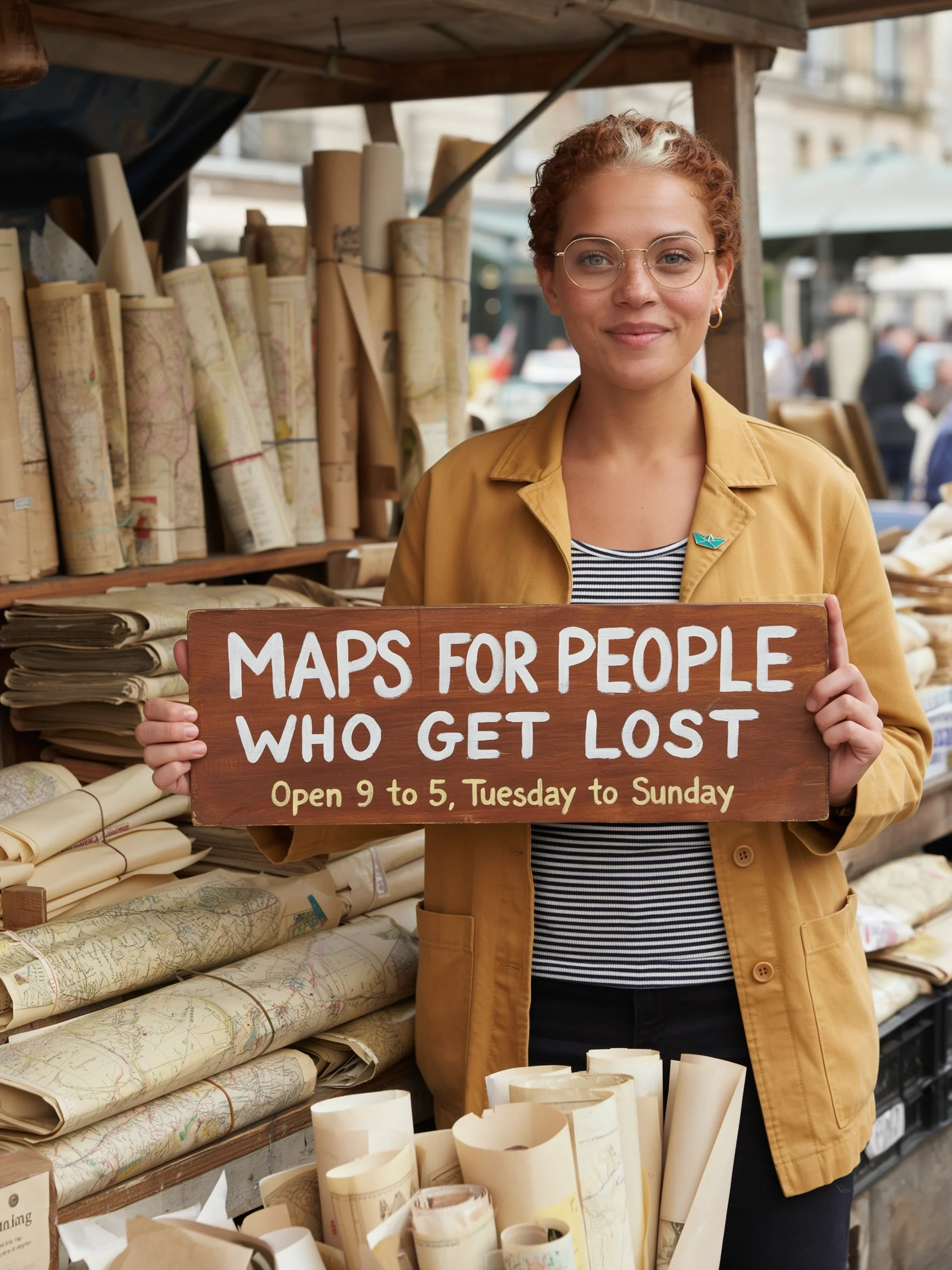
Place the woman from this image in a new scene. She stands behind a market stall of rolled paper maps and holds up a hand-painted wooden sign with both hands. The sign reads "MAPS FOR PEOPLE WHO GET LOST" in large white capital letters, and below it "Open 9 to 5, Tuesday to Sunday" in smaller cream letters. Medium shot, daylight. Keep her face, freckles, hair, glasses, earring, jacket, striped shirt and lapel pin the same.
| Scene | What held | What drifted |
|---|---|---|
| 1. Cafe at dusk | Face, freckles, curls and streak, glasses, earring, jacket, shirt, pin | Her gray-green eyes read as dark brown in the dusk light |
| 2. Coat and scarf | Face, freckles, hair, glasses, eye color | A second thin ring beside the hoop earring |
| 3. Side view, wide | Glasses, hair color, jacket color. The far ear has no earring, which matches the reference | A shorter jacket, invented trousers and shoes, and a streak that is almost hidden |
| 4. Leap | Face in an open laugh, streak, glasses, earring, pin, jacket, shirt | Invented jeans and white trainers, and an extra label on the chest pocket |
| 5. Gouache illustration | Streak, glasses, freckles, earring, jacket, shirt and pin, all redrawn | Lighter, pinker skin, curls drawn as flat waves, and a looser likeness |
| 6. Sign | All 13 words on the sign, face, glasses, earring, pin, jacket | The streak is wider and the hair a little lighter |
Can the character hold a product with exact label text?
A second reference image can carry a product. This test generated a fictional tea tin, then sent the character as the first image and the tin as the second.
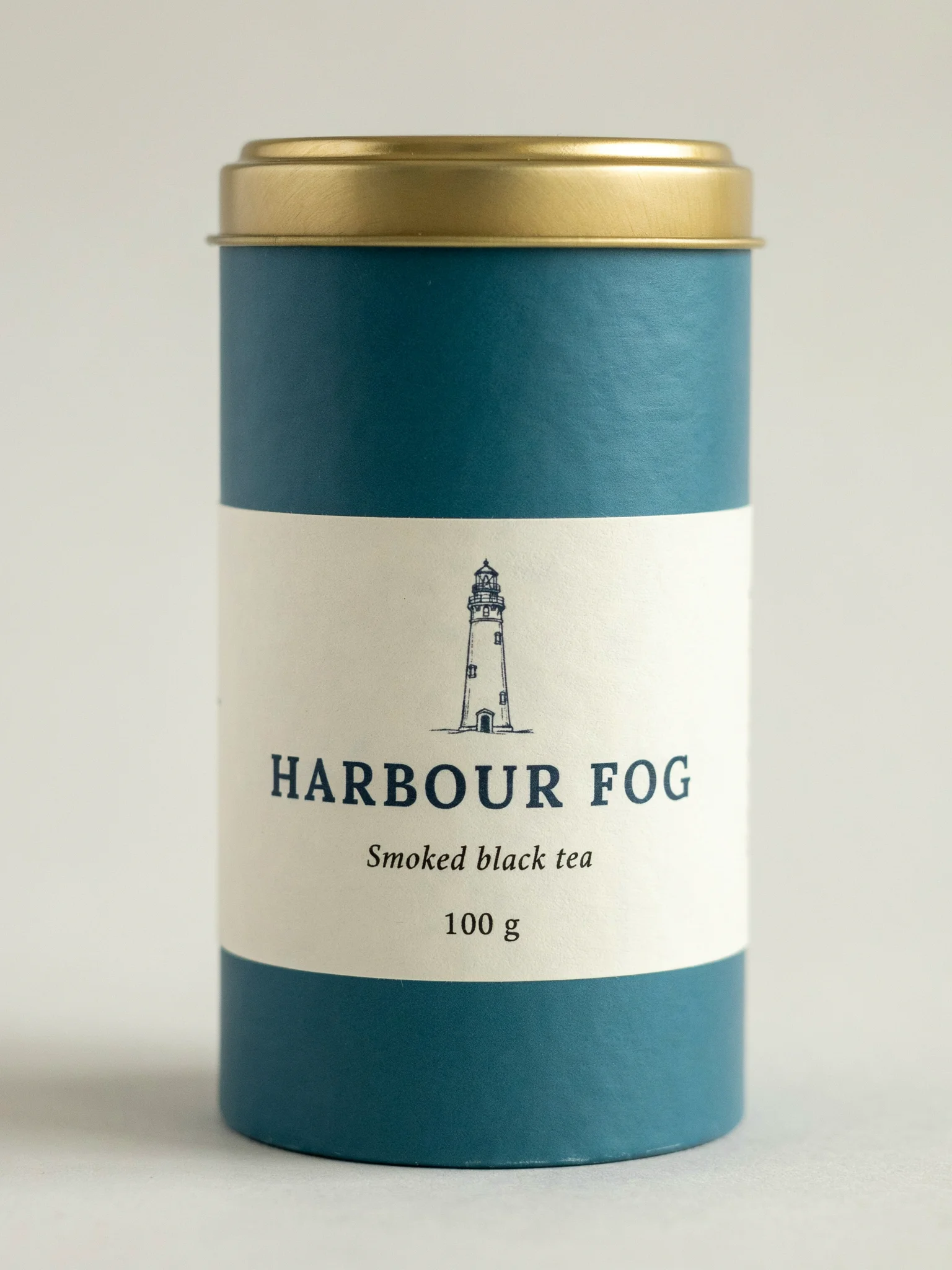
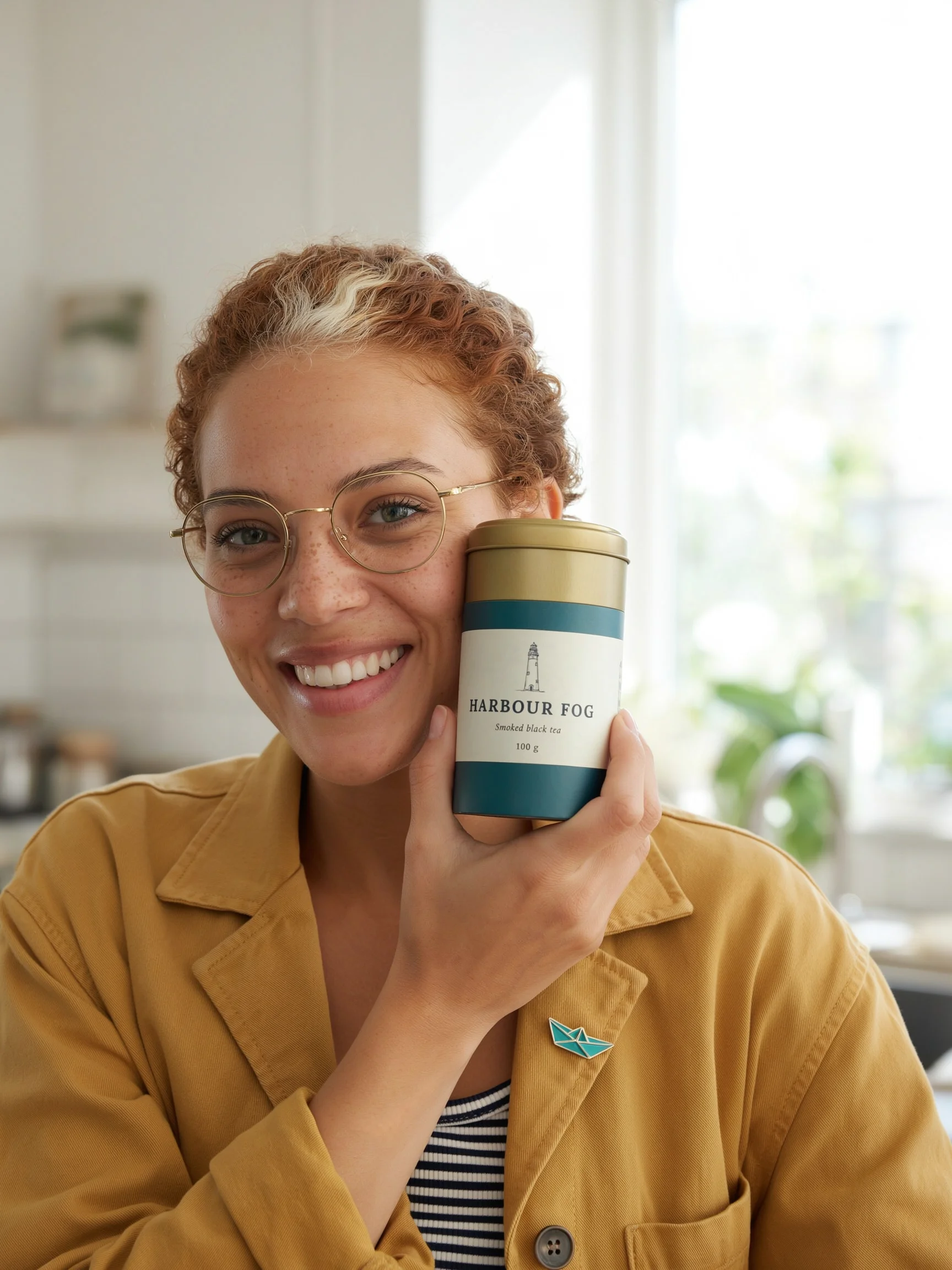
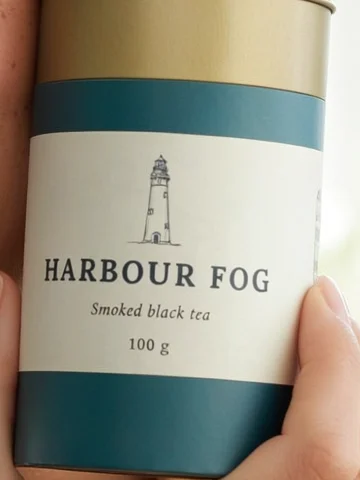
Place the woman from the first image in a bright kitchen by a window. She holds the tea tin from the second image up beside her face with one hand, label facing the camera, and smiles. Keep the tin's shape, colours and label text exactly as in the second image. Keep her face, freckles, hair, glasses, earring, jacket, striped shirt and lapel pin the same. Medium shot, morning light.
The test : Do two or three reference images work better than one?
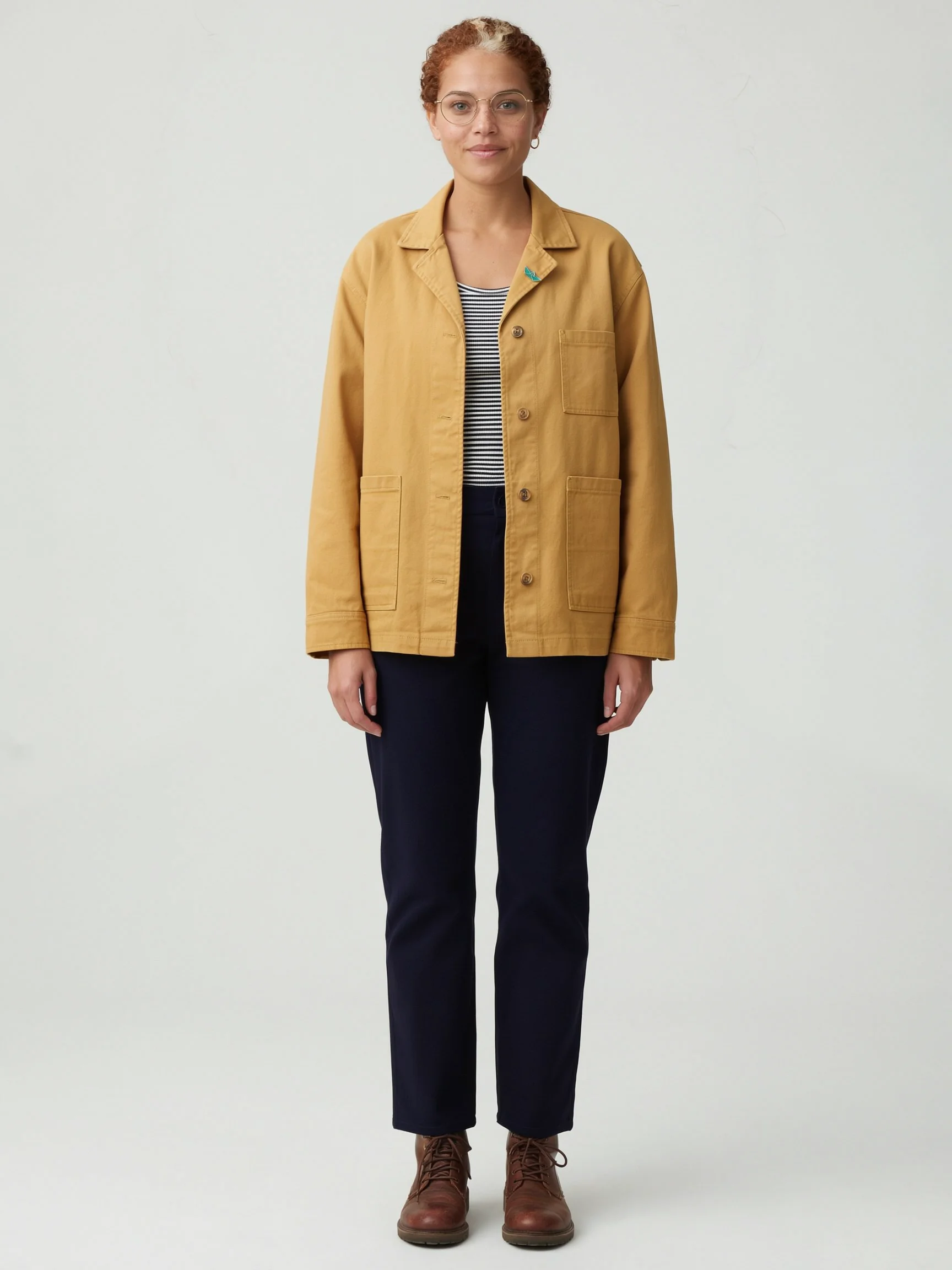
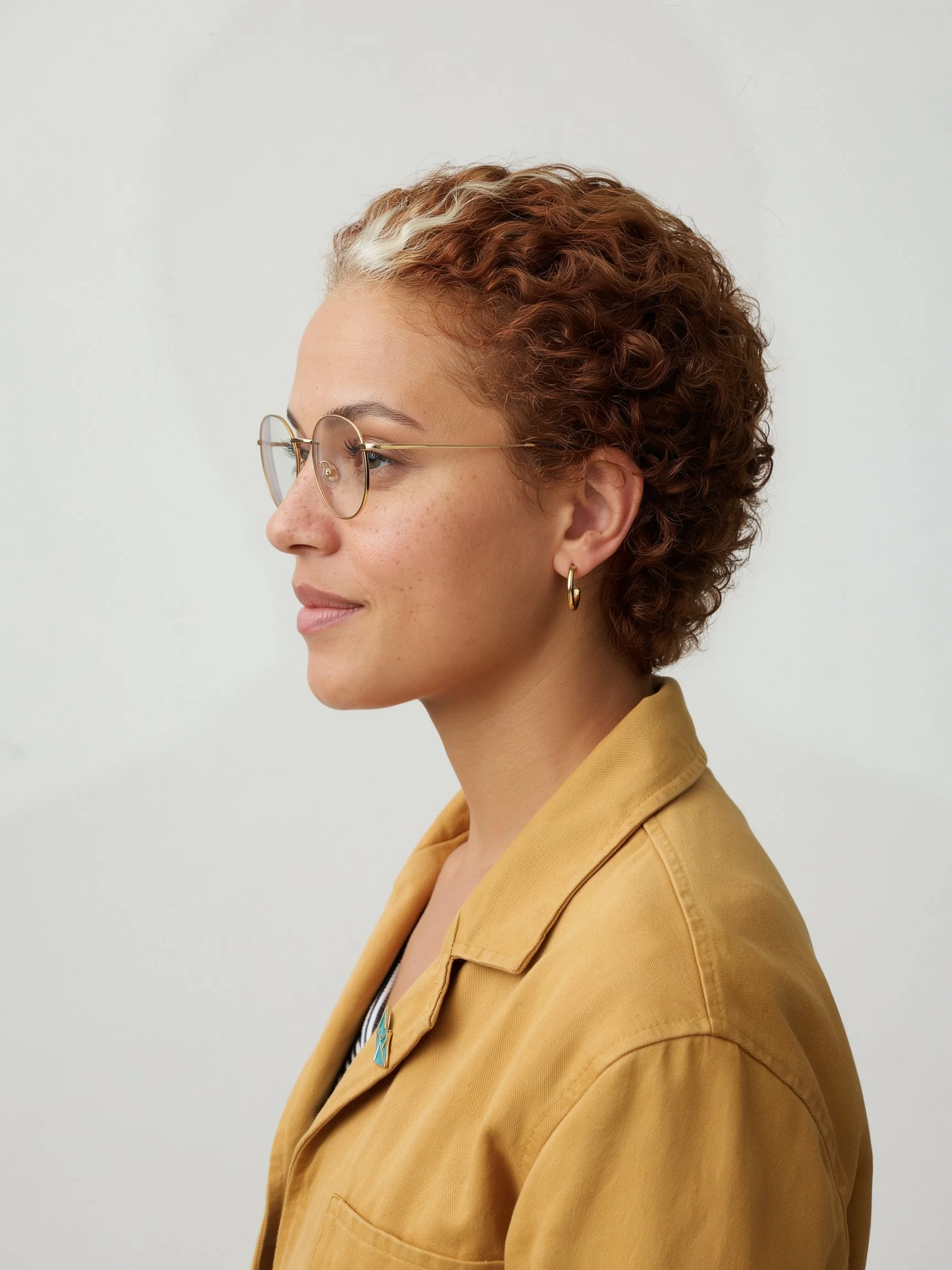
In this test on Ideogram 4.5, a second reference image fixed the character’s clothing and left the face as it was. The face already held with one reference, so the extra images helped by showing what the first one lacked.
The two extra references were made from the first one for $0.06 each: a full-length view that defines the jacket, trousers and boots, and a left profile.


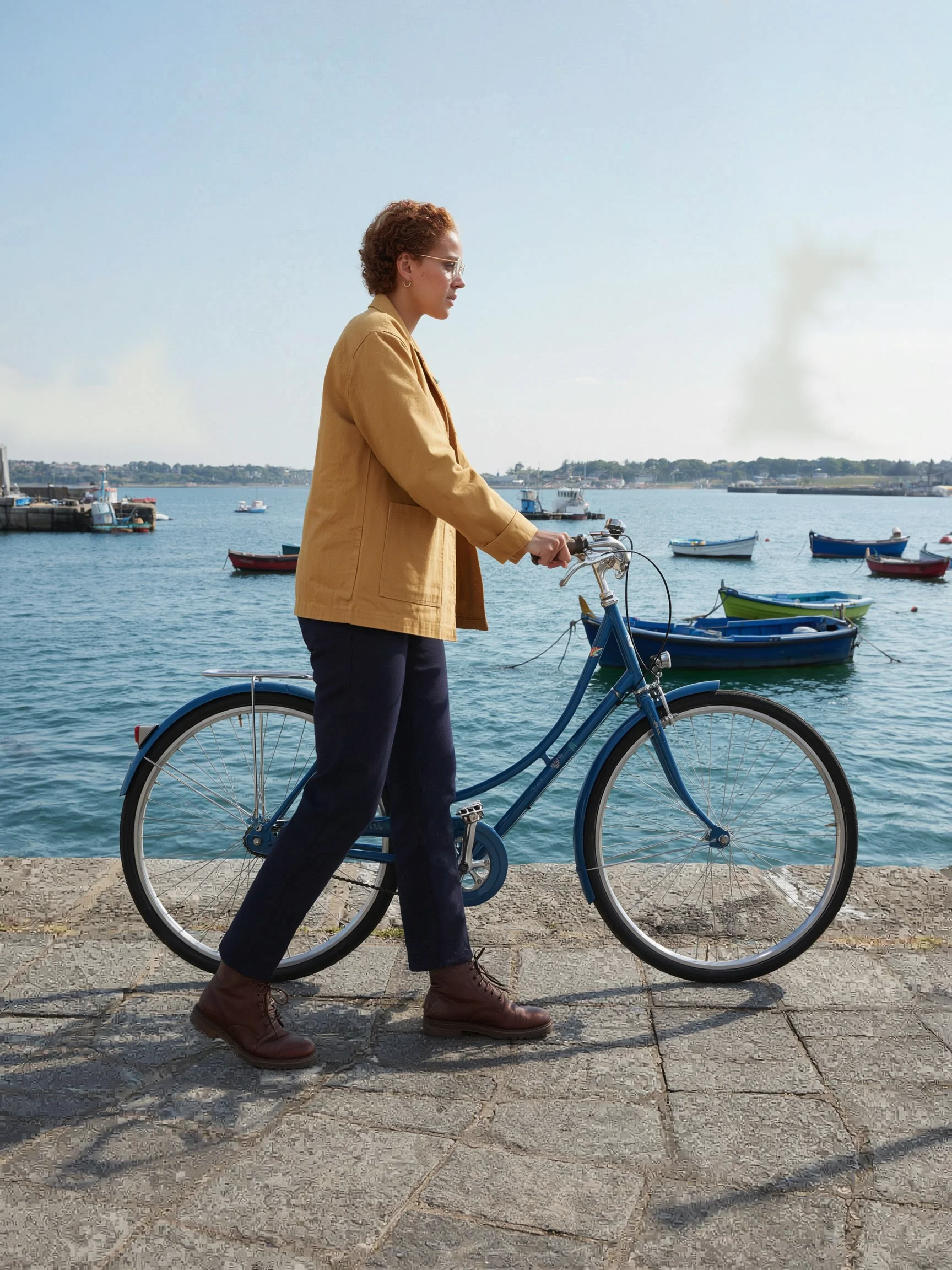
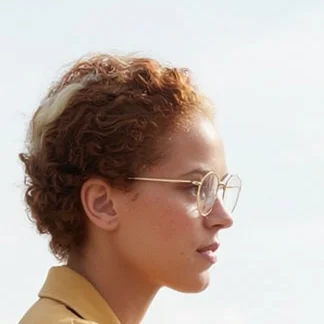
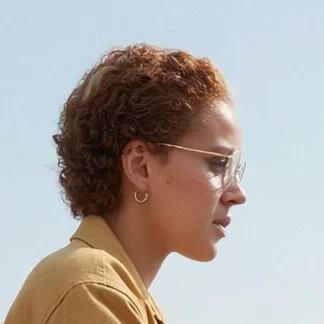
| Setup | Outfit matches the full-length reference | Face | Time per call |
|---|---|---|---|
| One reference | No. It changed in each scene | Held | 21 to 26 seconds |
| One reference, outfit described in the prompt | Yes | Held | 24 seconds |
| Two references: portrait and full length | Yes | Held | 33 seconds |
| Three references: portrait, full length, profile | Yes | Held, with the earring on the wrong ear in the side view | 34 to 38 seconds |
Every call in this table cost $0.06.
The test : What does the Ideogram 3.0 Character API return for the same scenes?
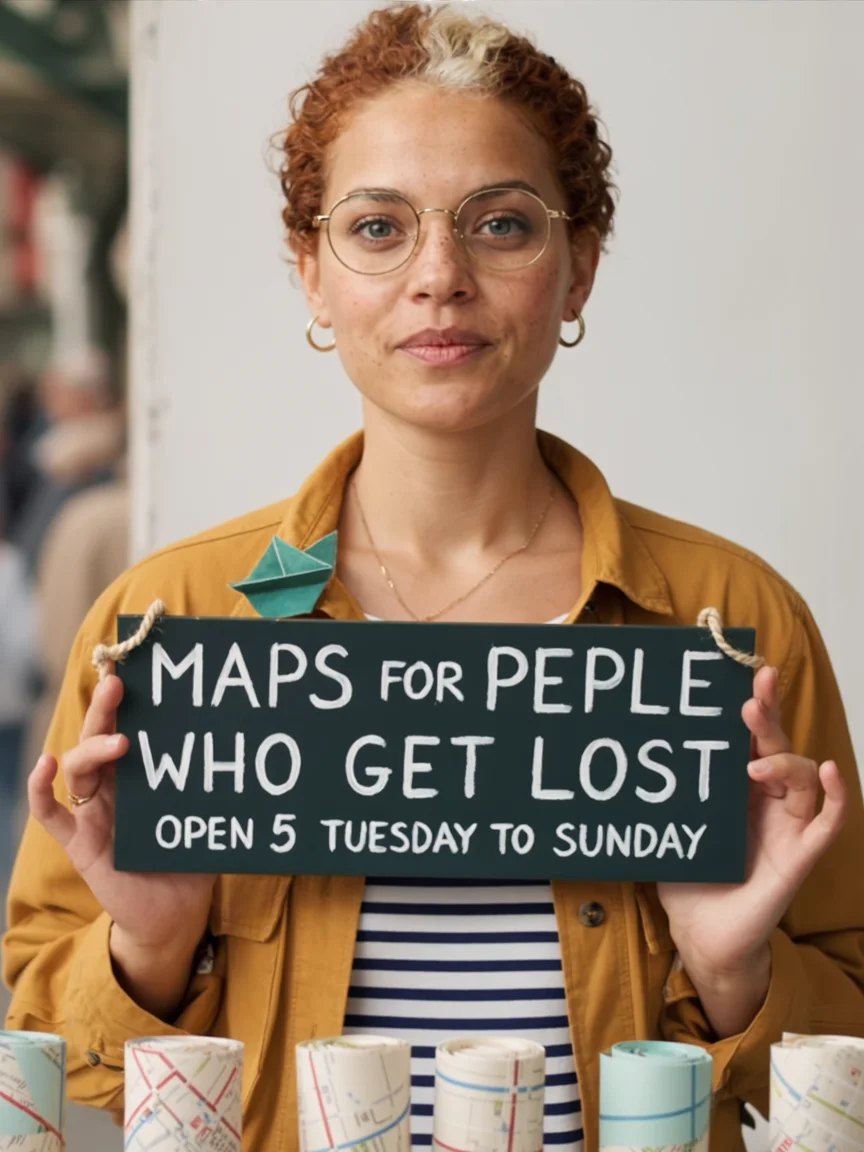
On the same reference image, the Ideogram 3.0 Character endpoint kept the face and hair, and the clothing followed the prompt. The test ran two calls, one at Turbo for $0.10 and one at Default for $0.15.
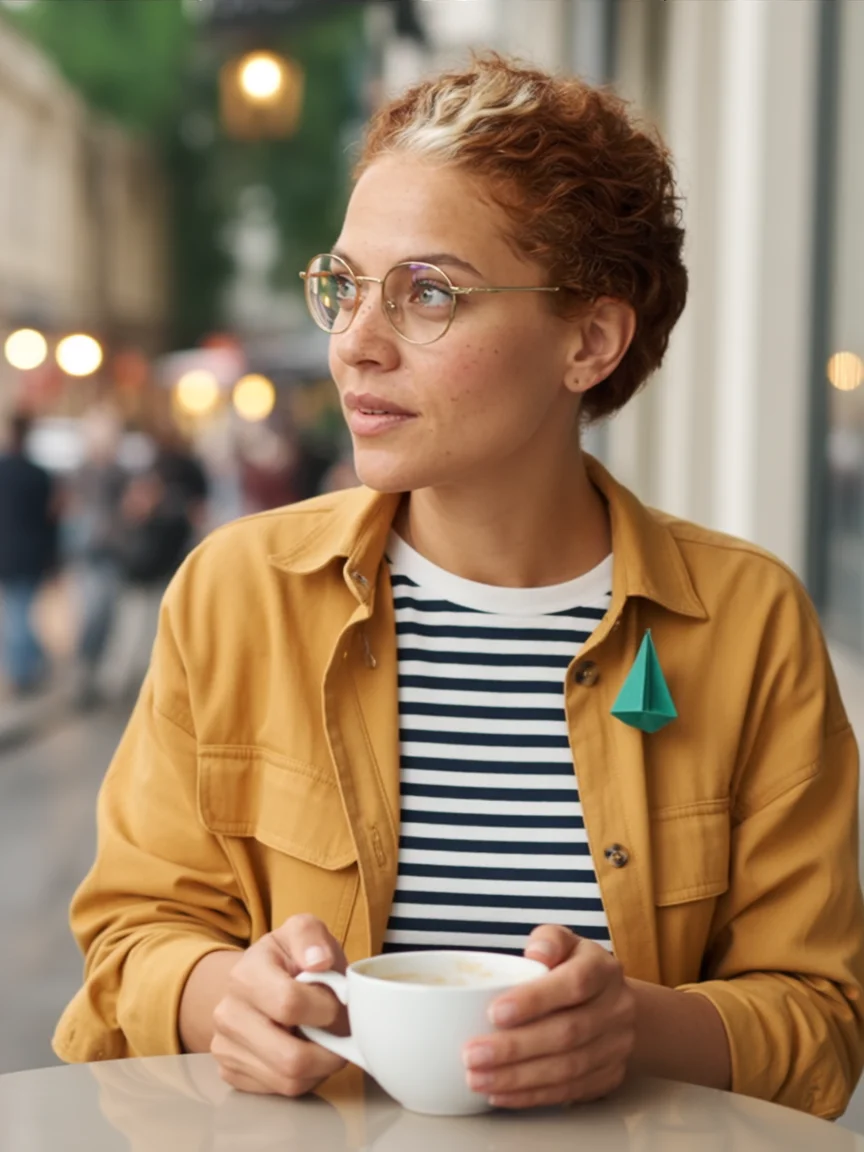
style_type realistic and Magic Prompt off. The face, freckles and streak match the reference. The jacket is a different garment.A photograph of a woman sitting at a small round table outside a cafe on a rainy city street at dusk, both hands around a white ceramic cup, looking out at the street. She wears round gold wire-rim glasses, a mustard-yellow cotton chore jacket over a navy and white striped shirt, and a small teal paper-boat pin on her lapel. Medium shot, warm light from the cafe window.
A photograph of a woman standing behind a market stall of rolled paper maps, holding up a hand-painted wooden sign with both hands. The sign reads "MAPS FOR PEOPLE WHO GET LOST" in large white capital letters, and below it "Open 9 to 5, Tuesday to Sunday" in smaller cream letters. She wears round gold wire-rim glasses, a small gold hoop earring in her left ear, a mustard-yellow cotton chore jacket over a navy and white striped shirt, and a small teal enamel paper-boat pin on her left lapel. Medium shot, daylight.
Both prompts described the jacket, shirt and pin, and the results followed those words rather than the reference: the jacket came back as a different cut and the pin as a large folded-paper boat. The sign read “MAPS FOR PEPLE WHO GET LOST” and “OPEN 5 TUESDAY TO SUNDAY”, where Ideogram 4.5 returned both lines exactly. Neither call sent the optional character_reference_mask.
Two calls are a small sample. They suggest using Ideogram 4.5 when clothing and lettering must match, and Ideogram 3.0 Character when you need a negative prompt or style reference images.
The test : How do you edit an image and keep the character?
To change one thing in an image that already shows your character, use Precise Edit on Ideogram 4.5. It returns the image at its original size and accepts up to four reference images, or three when you add a mask.
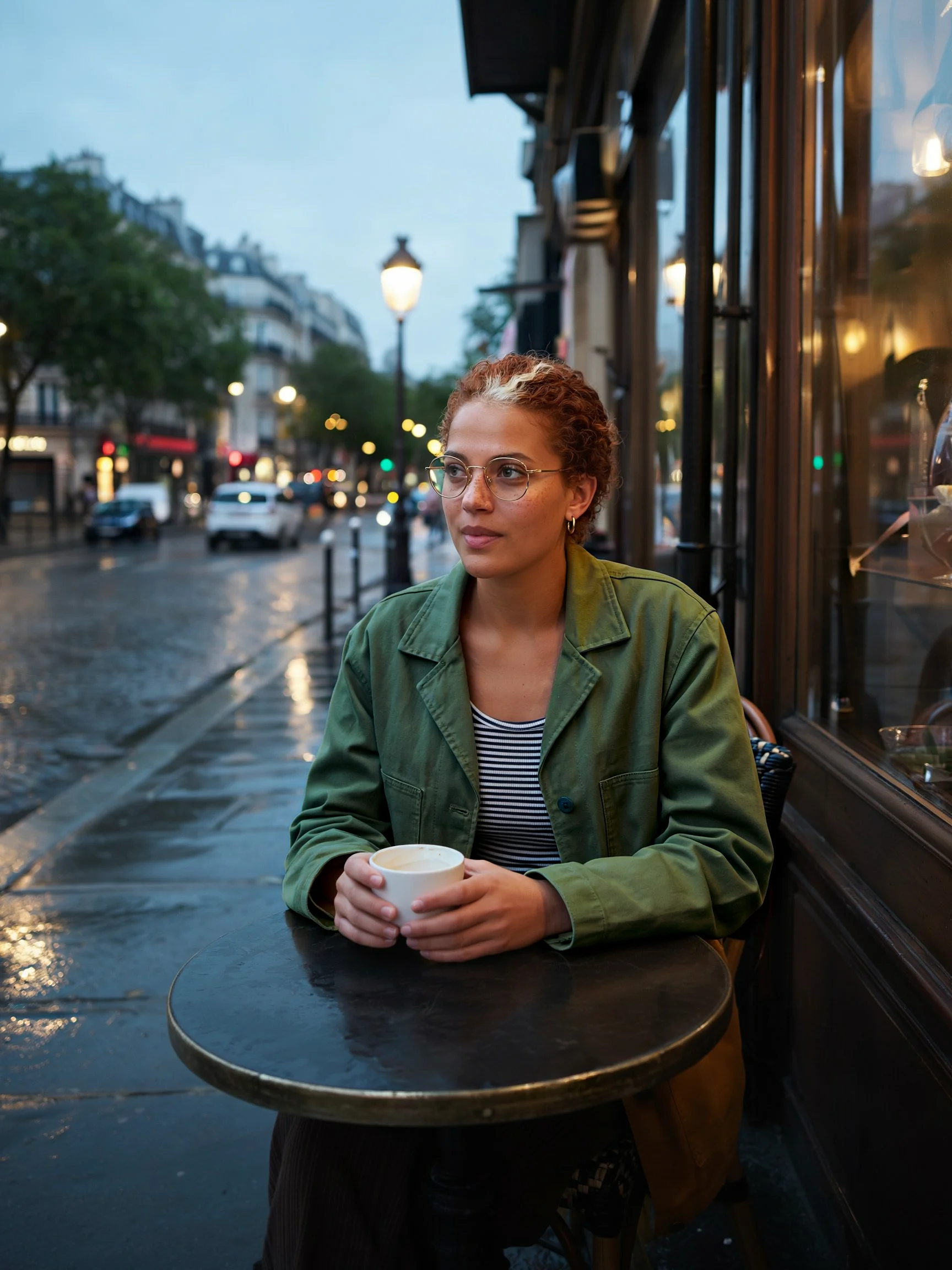
Change her mustard jacket to a dark green wool overcoat. Keep her face, hair, glasses, earring, striped shirt, the cup, the table and the street exactly the same.
In this test, one unmasked Precise Edit at Medium changed the jacket and left 64% of the pixels identical to the source. In the face and hair area the average change was 5 levels out of 255. The prompt did not list the pin, and it disappeared, so name everything that must stay, or mask the area as Ideogram’s masks and inpainting guide describes.
Reference : What prompt pattern keeps a character consistent?
The prompt pattern used for every Ideogram 4.5 scene in this test names the character through the reference, describes only the change, and ends with a list of what to keep.
Place the [character] from this image in a new scene. [What they do, where, in what light.] [Shot size and angle.] [Clothing the reference does not show.] Keep [their face and each item that must not change] the same.
| Tip | Source |
|---|---|
| In the app, point to the character with its @ tag. In the API, a phrase such as “the woman from this image” did the same job | Ideogram’s docs for the tag, this test for the phrase |
| Say what should change and keep the rest short | Ideogram’s docs |
| End with a keep list. The prompt the API returned had sorted that list into its own section | From this test |
| Describe clothing the reference does not show, or add a reference that shows it | From this test |
| Put exact words in quotation marks and say where they sit | Ideogram’s docs |
No scene prompt in this test described the character’s face again. The reference carried it.
Reference : What are the limits and rules for character references?
Character references in Ideogram must be JPEG, PNG or WebP files of up to 25 MB, and a photo of a real person needs that person’s consent.
- Real people. The Usage Policy restricts content that is invasive of privacy or publicity rights, and it gives uploading images of individuals without their consent as an example. The character in this guide is fictional.
- Presentation. The same policy restricts presenting an output as an actual photograph of a real event.
- Two characters. Give each one its own reference. The character consistency page says that keeping two identities separate is not guaranteed.
The Terms of Service hold the full terms, and the character consistency page lists more reference setups.
Reference : What goes wrong with character consistency, and how do you fix it?
Most character consistency failures in this test came from details the reference image did not define. Each fix is marked as tested here or as Ideogram’s guidance.
| What went wrong | Fix | Status |
|---|---|---|
| Trousers, shoes or jacket length change between scenes | Add a full-length reference, or describe the outfit in one sentence | Tested here. Both worked |
| Misspelled words on a sign from Ideogram 3.0 Character | Generate the lettering with Ideogram 4.5, or correct it with editable text layers | Ideogram 4.5 tested here |
| The face drifts toward a generic face | Add clear references that show the face from a few angles | Ideogram’s guidance |
Reference : Frequently asked questions about consistent characters in Ideogram
What is character consistency in AI image generation?
Can you keep a character consistent in Ideogram for free?
Can you combine a character reference with a style reference?
When did Ideogram Character launch, and what can it do?
Can you use a photo of a real person as a character reference?
Can you make a comic or children’s book with one consistent character?
Start with one clear image of your character
Open Ideogram 4.5, attach one clear image of your character and describe the first scene. Add a full-length reference when the outfit has to stay the same.