
7 Best AI Tools for Packaging, Retail, and CPG Creative in 2026

Your team has a packaging direction it likes. Now the brand manager wants another color route, the launch needs a summer campaign, and the retail team needs assets for several placements. The product should still look like the same product in every version.
Exploring a finish, placing approved artwork on a mockup, and adapting a promotion need different controls. Choose a tool around the change you need and the file your team will use next.
We took a fictional LUMA sparkling-water product through color, scene, surface-texture, and promotional-text edits in Ideogram. For Adobe, Pacdora, Sourceful, Packify, Photoroom, and Typeface, we worked from their official documentation.
Overview : AI tools for packaging, retail, and CPG creative compared
| Platform | Strongest use case | Output and handoff | Pricing model |
|---|---|---|---|
| Ideogram | Text-led concepts, product revisions and campaign adaptations | Campaign images, resized creative and editable SVG assets | Subscriptions, API usage and custom enterprise quotes |
| Adobe | AI exploration alongside editable artwork | Native artwork through the relevant Creative Cloud app | Application licenses and enterprise usage charges |
| Pacdora | Approved-artwork mockups and packaging templates | 3D renders and plan-dependent dieline exports | Subscriptions, export entitlements and AI credits |
| Sourceful | Packaging families and flavor concepts | Concept visuals; designer-assisted print preparation | Creation tools plus designer finishing services |
| Packify | Packaging concepts with design-team support | Mockups; production files agreed with its design team | Subscription credits, team plans and additional usage |
| Photoroom | Existing packaged products in campaign scenes | Product and campaign images | Annual enterprise contracts with negotiated volume tiers |
| Typeface | Catalog-connected retail campaigns and localization | Campaign assets and connected publishing | Custom enterprise quote |
Overview : 7 AI tools for packaging and CPG teams
The best AI image generators offer different strengths for lettering, imagery and revisions. Packaging teams also need to consider mockup structures, artwork files and retail production, which is why this shortlist includes specialist platforms.
Tool 1 : Ideogram: Readable packaging concepts, color exploration and campaign scenes
Ideogram is best for exploring packaging colors, finishes, and campaign scenes while keeping label text readable. Our Ideogram 4.5 model supports generation and editing for that work. Start with the front-label design, explore another palette, then create scenes and promotional assets from the same image.
To check the label through those changes, we created a pale sage-green can with an ivory label and four requested text elements: “LUMA,” “SPARKLING WATER,” “LIME,” and “330 ml.” All four were readable in the original output.
Photorealistic studio product photograph of one upright sparkling-water can for a fictional brand called “LUMA”. Pale sage-green aluminum can, ivory rectangular front label, clean dark-green typography. The label reads exactly: “LUMA”, “SPARKLING WATER”, “LIME”, “330 ml”. Small simple lime illustration below the flavor name. Straight-on view with the entire can visible, centered on a warm ivory background. Soft studio lighting, realistic aluminum texture, subtle contact shadow. No other objects, no promotional headline, no extra text.
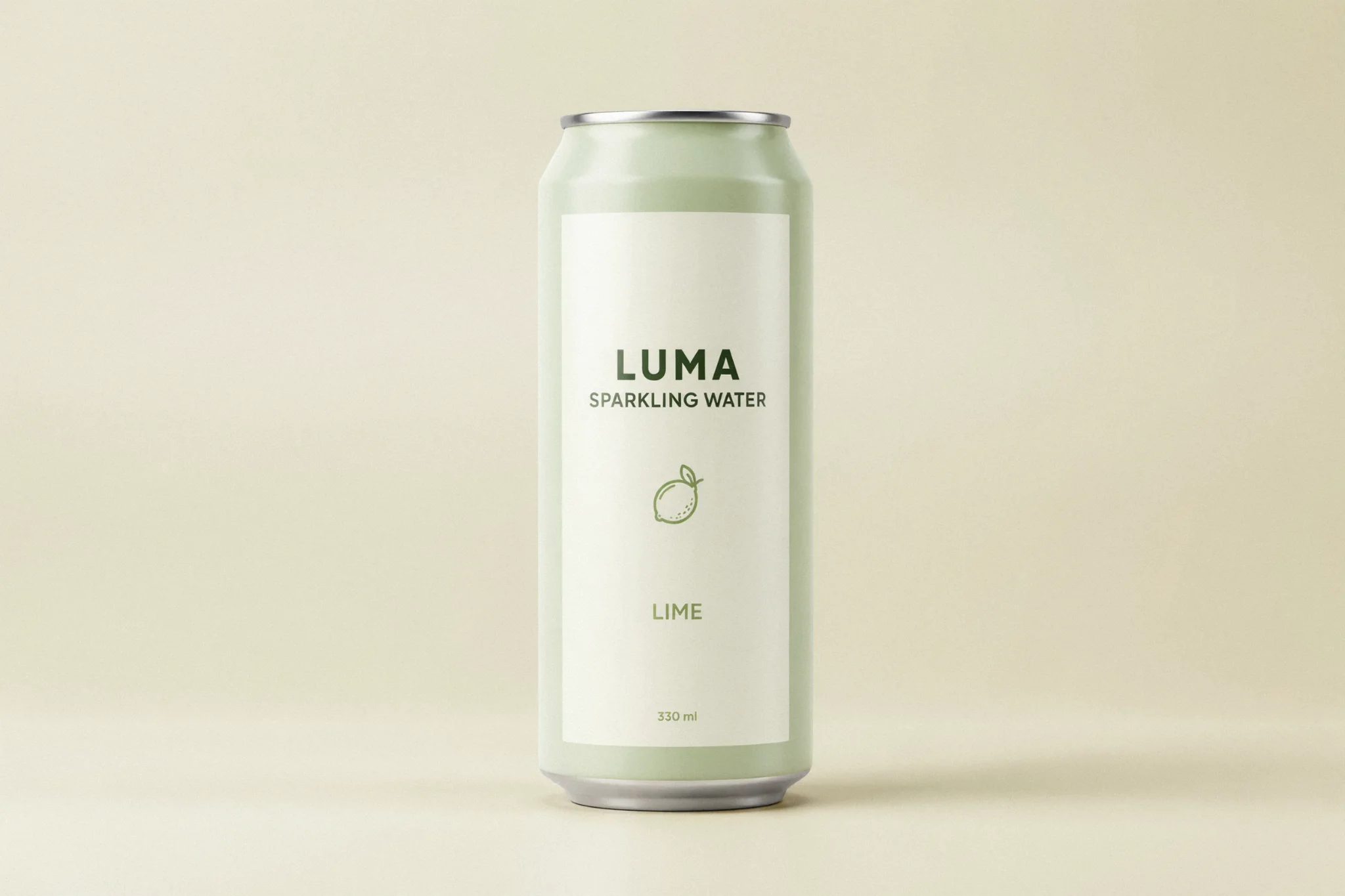
We used this image as the source for the color study and patio scenes, checking the four text elements and the can’s appearance after each change.
A coordinated blue packaging palette: We used Colorways to create a blue direction from the green original. The resulting can had a sky-blue body, blue lettering and a blue fruit illustration, with the ivory label and silver rims still recognizable.
The label kept the same wording, giving the brand team another palette to review.
Color direction: Our brief called for muted sky blue (#8FBAD5). Colorways uses target colors and region selection for this task.
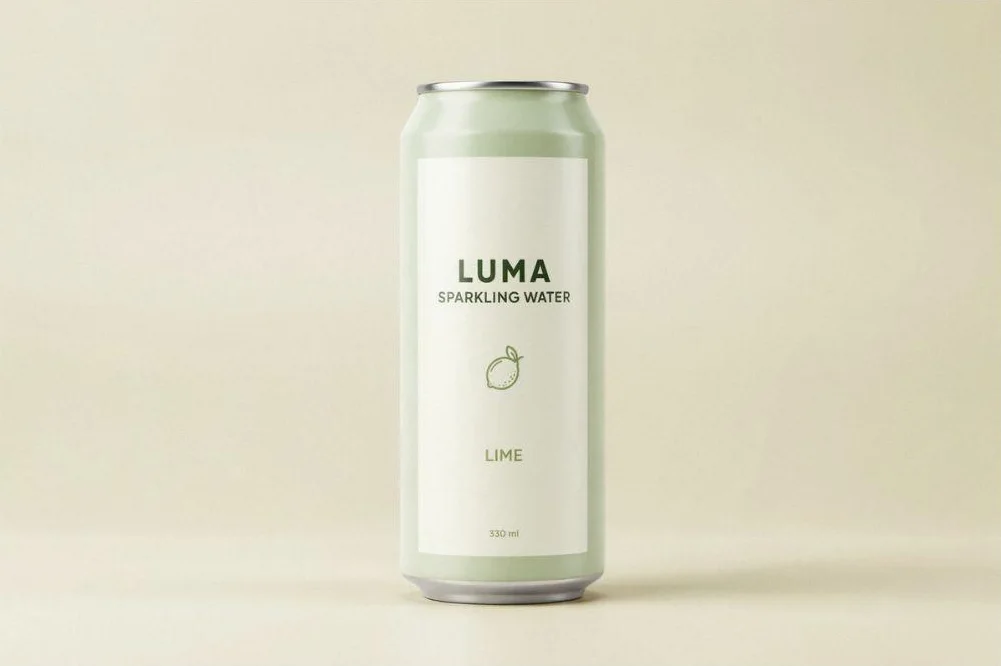
Original concept
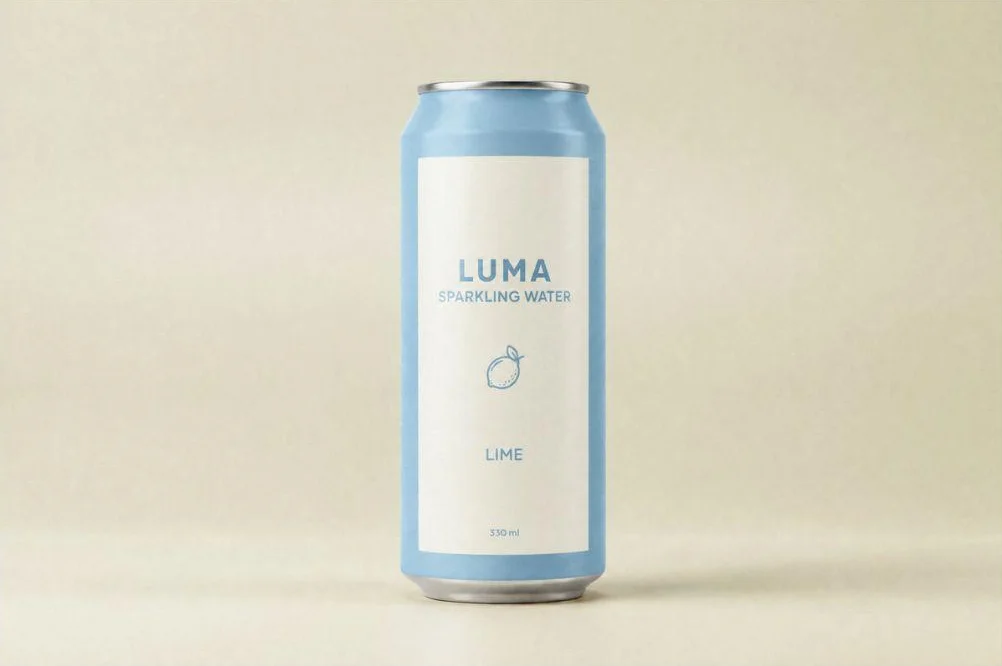
Blue Colorways result
Selected revisions to an existing concept: Precise Edit lets you direct a change to part of an image. Its context-window workflow edits a region at its original pixels while leaving the area outside that window untouched. For packaging creative, that provides a way to focus a revision on a prop or surrounding detail while keeping the package outside the edit window.
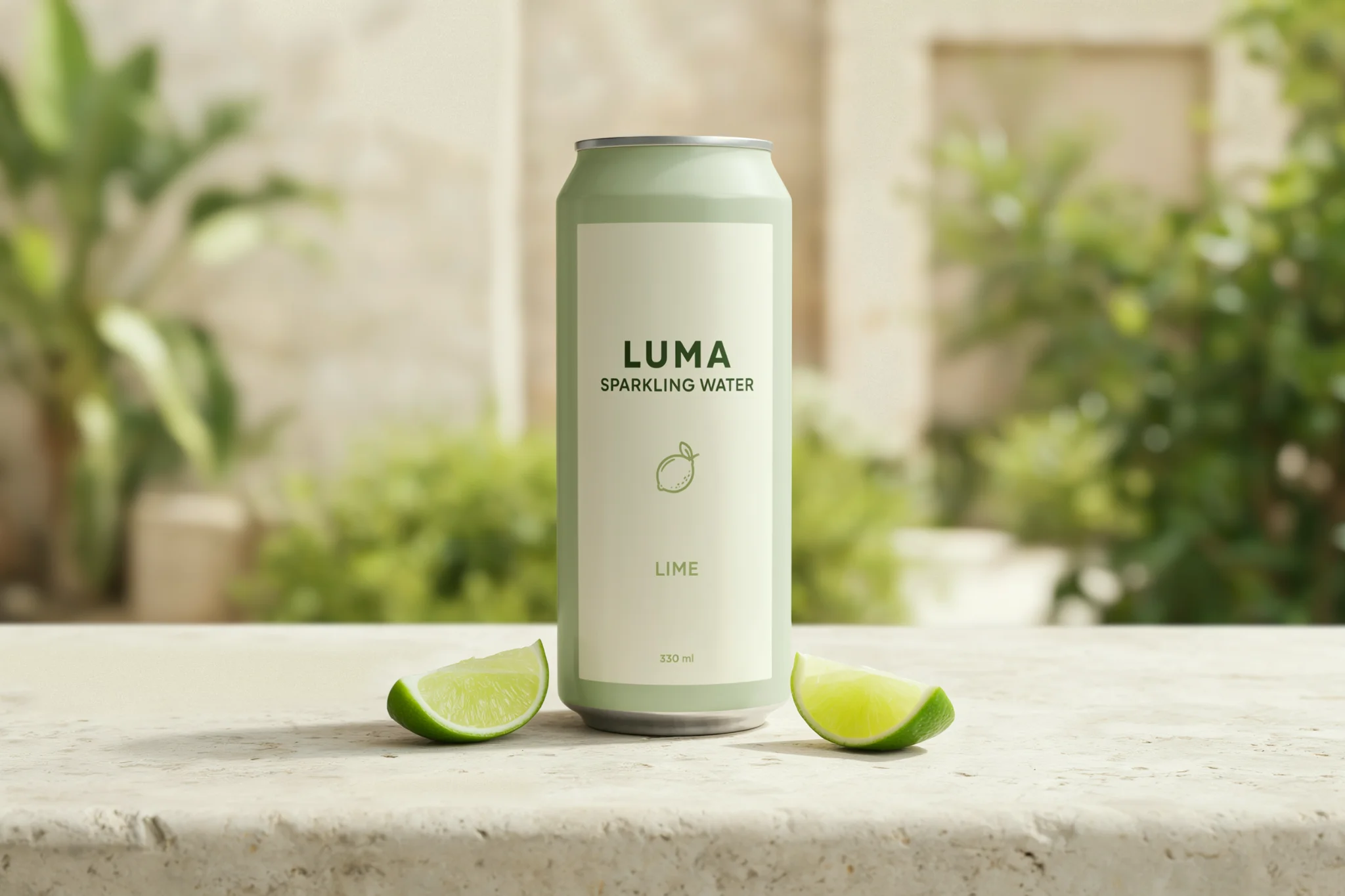
From studio concept to summer patio: We returned to the original green can for the patio image. We requested pale limestone, lime wedges, and natural daylight around the existing package.
The chosen result kept “LUMA,” “SPARKLING WATER,” “LIME,” and “330 ml” readable, along with the recognizable green-and-ivory design. Lighting, reflections, and the view of the can’s top changed with the scene.
Place this can upright on a pale limestone tabletop in a bright summer patio setting. Add two lime wedges beside the base and softly blurred greenery in the background. Keep the can’s shape, sage-green color, ivory label, logo, illustration, and all existing wording unchanged. Soft natural daylight, realistic contact shadow, premium beverage campaign photography. No additional text or objects covering the label.
The task produced two outputs: a closer view in stronger light and a wider patio view with softer light. Both retained the four front-label text elements. We used the first patio output for Material Swap and the second for the Studio headline edit.
Original concept
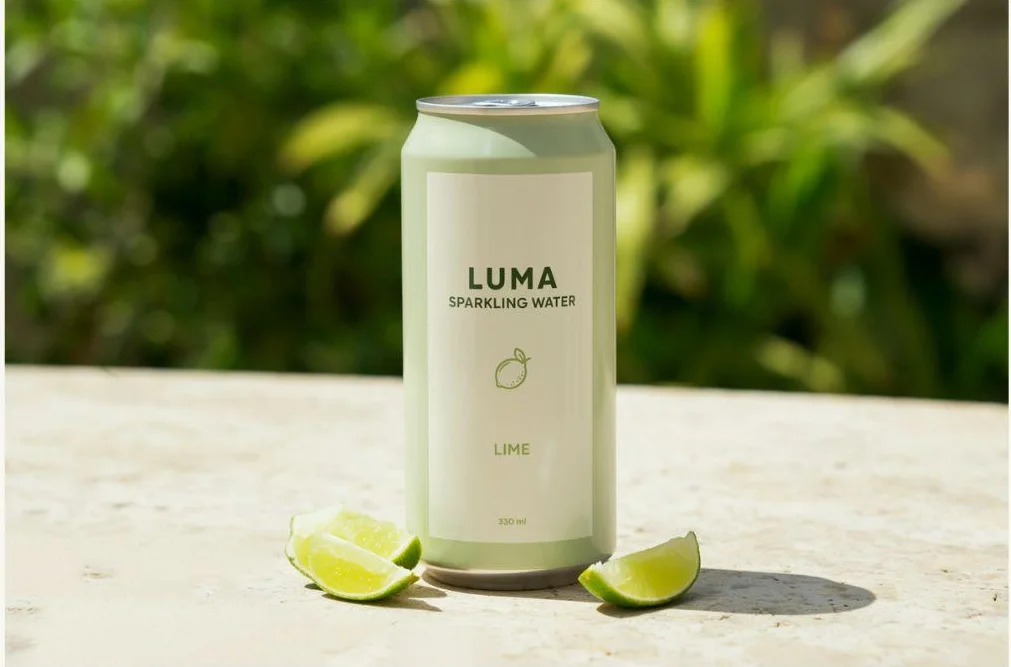
First patio scene
A cream beaded surface concept: We used the first green patio scene as the source for Material Swap, selecting the fourth, cream-colored swatch under Metallic & embellished. The result applies a beaded texture across the can, including the former ivory label area. “LUMA,” “SPARKLING WATER,” “LIME,” and “330 ml” remain readable, while the patio, lime wedges, and silver rims stay visually consistent.
This gives the team a decorative surface direction to review alongside the color study. Specify the actual material and production treatment separately with your packaging partners.
First patio scene
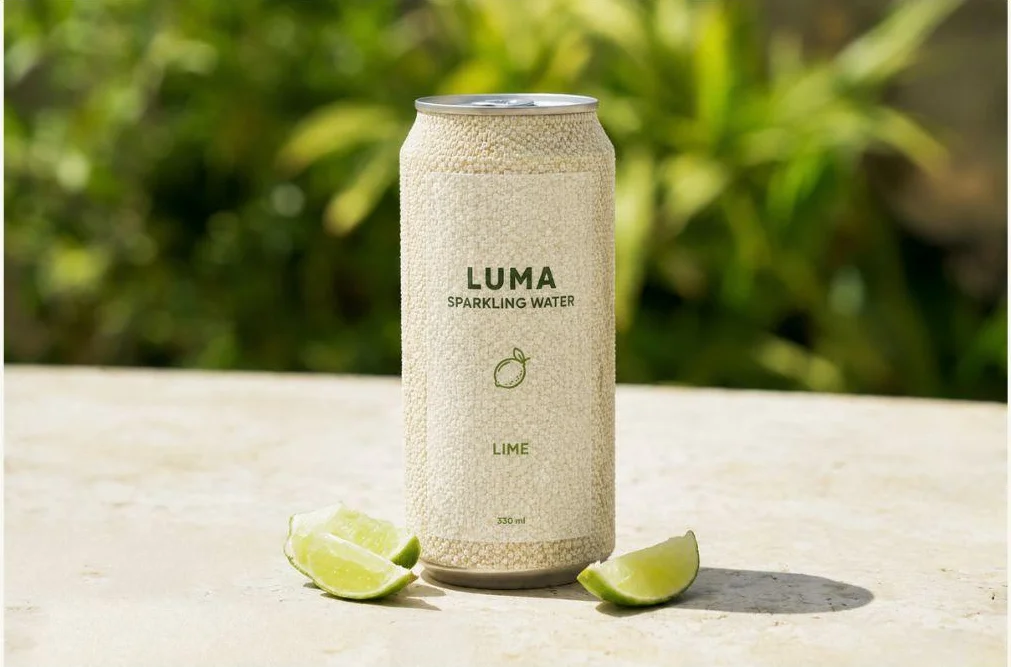
Cream beaded material
A headline separate from the label: In Studio, we added “A little lime. A brighter day.” over the greenery, clear of the can. The exported image shows the full headline and front-label copy.
Add the headline “A little lime. A brighter day.” in large ivory lettering in the upper-left area over the blurred greenery. Keep the headline separate from the can, with comfortable margins. Keep the product and its existing label unchanged.
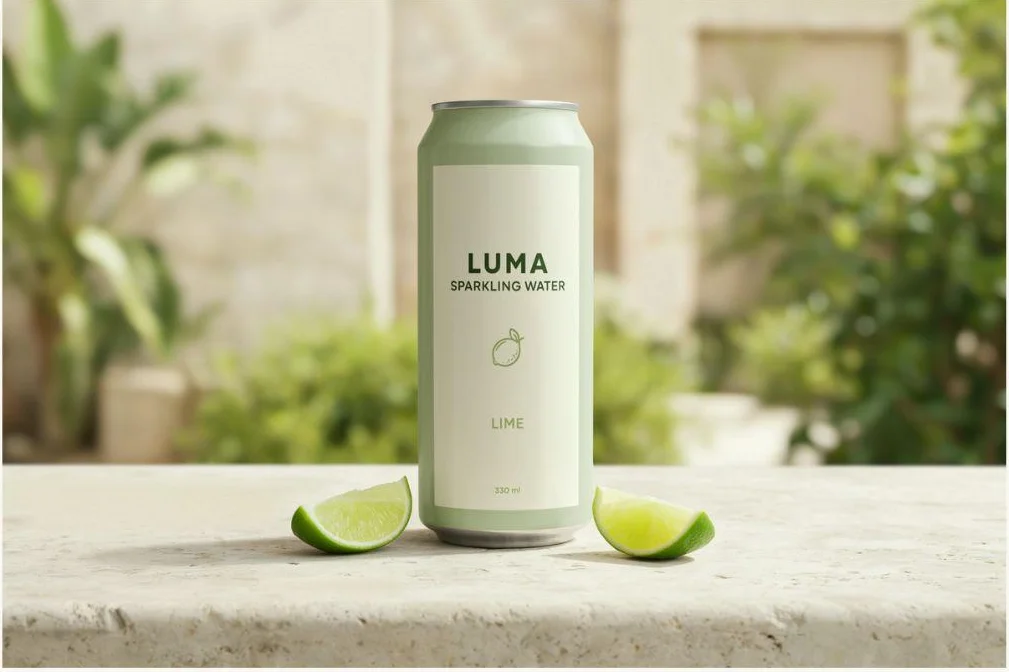
Second patio scene
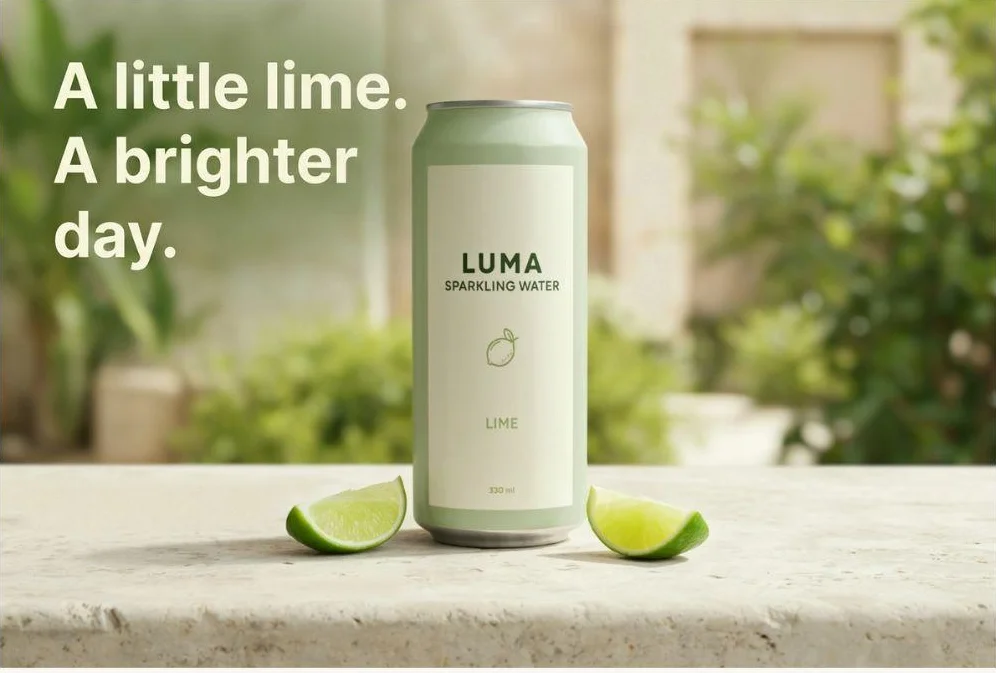
Studio headline result
For later copy changes, editable text layers let you revise detected wording directly. Layerize Text creates text layers in Studio with controls for wording, typography, and placement. Export the finished image once the copy is final.
For supporting graphics, Ideogram Vector generates editable SVG artwork from prompts or existing images. That suits illustrations and decorative assets a designer wants to refine before placing them into the package layout.
For recurring brand imagery, our research team trains Custom Branded Models on a company’s visual identity, catalog, and design language. Enterprise proposals can cover platform access, custom training and integrations. Keep approved packaging artwork as the production source while using these tools to develop the creative.
Creative tools inside your production systems: The Ideogram API supports generation, editing, and other image operations for custom applications. Your engineers can connect supported operations to an internal creative tool or asset pipeline. MCP gives compatible assistants access to Ideogram tools. Choose the operations and models your process needs, then include the connection to approved assets and reviewers in the implementation.
Tool 2 : Adobe Firefly with Illustrator and Photoshop: Editable artwork and creative finishing
Adobe is a strong fit when your packaging team already develops artwork in Illustrator and uses Photoshop for campaign compositing. Designers can continue working in their existing artwork files.
Live artwork and campaign layers: Illustrator keeps vector artwork and live type editable. Photoshop handles layered compositions, while Firefly adds generation and editing. Enterprise automation and customization are separate parts of Adobe’s offering.
A seasonal label extension can start in the existing Illustrator file, where the designer updates approved copy and graphics. The campaign then uses the revised artwork or packshot. Ask for the native file, fonts, and linked assets when another designer needs to continue the work.
Adobe’s enterprise offering includes Custom Models and API-based production. Budget for the applications, generation usage, training, and integrations you need. Confirm which models and features any IP protection covers, including partner models accessed through Adobe products.
If your team needs a different approach to concept generation or revisions, Adobe Firefly alternatives for creating and editing images offer other combinations of text rendering, references, and editing tools.
Tool 3 : Pacdora: Mockups using approved artwork and packaging structures
Pacdora is relevant when the design exists and you need to see it on a package. Its mockup workflow lets you upload artwork and preview it in 3D. Its dieline tools separately support adjustments to dimensions, materials, and paper thickness.
For a brand review, check the front-panel hierarchy and how artwork wraps around the package using your supplied design.
Pacdora also offers AI packaging design on structural templates. Its box-design page describes artwork and 3D exports for printer review. The printer or manufacturer confirms the final production requirements.
Exports to inspect before buying: Its pricing page lists subscriptions, AI credits, and plan-dependent export capabilities, including AI, PDF, and DXF formats. Confirm the specific export with a sample job: an AI file option doesn’t guarantee every graphic or word is independently editable.
Use your artwork to check panel placement and folds in the preview, then open the exported file in the application your designer or converter uses.
Tool 4 : Sourceful: Packaging families and flavor-range exploration
Sourceful separates packaging ranges from flavor or variant ranges. The first extends a design across packaging types; the second explores related flavors, scents or product variants from an existing direction.
This suits a brand manager reviewing a family of packs: a pouch, carton and bottle can share a visual identity while using different layouts. Flavor variants need recognizable differences within that family.
Designer support for the print file: Sourceful offers professional designers to refine visuals and prepare assets for print. Include that work in the project quote.
Sourceful lists print-ready services for different panel combinations and new-SKU adaptation. Ask for a quote against your deliverables: package formats, panel count, variants, revisions, and editable source files. Confirm current creation allowances separately from finishing work.
If your agency already maintains the packaging masters, agree who supplies the dieline and who returns the editable file. For confidential launch assets, confirm access and data-use terms before uploading.
Tool 5 : Packify: Packaging concepts with design-team support
Packify combines conversational packaging creation with mockups, product photography and packaging-design services.
Packify describes a design team that refines typography, layout and the visual system, alongside dieline offerings and manufacturing connections. Ask which parts of your project involve that team and what files it delivers.
For example, brief a carton with your approved logo, front-panel copy, and side-panel requirements. Request the mockup and editable artwork so your designer can assess both.
Shared Brand Kits and project access: Its pricing model uses subscription credits, with additional usage available. Business and Enterprise plans include team access, shared Brand Kits, and team credits. Its documentation says projects remain private to their creator unless shared manually, so confirm colleagues can access the work they need.
Price design services, production files and API access separately where applicable. Include the number of review rounds and the person responsible for updating approved artwork.
Tool 6 : Photoroom: Existing packaged products in campaign scenes
Photoroom fits a different brief: your packaging exists, and the team needs product imagery for channels and campaigns. Its enterprise offering covers catalog inputs, background and framing rules, batch processing and API production.
Test Photoroom with transparent bottles, reflective cans, and fine label text from your catalog. Request the background and lighting changes your team expects to repeat.
Define fidelity around your own packs: Photoroom describes an enterprise process built around agreed product-fidelity criteria. Outputs that miss those criteria can be regenerated or credited under its guarantee. Include label wording, package proportions, and SKU identity in those criteria. The agreement defines the guarantee; it isn’t a promise of exact text preservation for every edit.
Enterprise pricing is annual, with negotiated volume tiers. Include image volume, processing functions, and integration requirements in the buying discussion. Compare the cost of accepted assets after review, including any corrections your team still performs.
Tool 7 : Typeface: Catalog-connected retail campaigns and localization
Typeface is worth evaluating when the bottleneck is campaign volume across products and markets. Its retail page documents catalog connections or CSV SKU uploads, alongside localized campaign kits with translations, imagery and regional preferences.
A launch can generate requests for ecommerce, paid social, retailer promotions, and regional teams. Each version needs the right SKU, market pack and approved offer.
Typeface says its models can learn product details from supplied assets. Treat that as a reason to test your own catalog, including similar packs that differ only in flavor, quantity, or a small label element.
The right campaign and the right market pack: For localization, have regional reviewers inspect both the message and the product shown. A correctly translated headline can still accompany the wrong market pack. Ask how the platform handles those associations, reviewer access, and final approval.
Typeface’s security page documents SSO and enterprise certifications. Confirm retention, model-processing terms and integration costs with its sales team. When resizing ads for multiple formats, check how the pack, headline and offer fit each square, vertical or banner layout.
Reference : How to choose a tool for your packaging brief
Explore colors, finishes and flavor concepts
Decide which elements may change before generating a range. A palette study might keep the flavor name fixed. A flavor concept might change the color, fruit illustration, and name together. A size extension also changes proportions and quantity information.
Our LUMA blue variation kept the same flavor wording. It shows a color direction. A full flavor family also changes the name and illustration for each SKU. When changing product colors in photos, define the selected region and target color before reviewing the range. For a real range, review the packs together and then inspect each SKU separately. Check whether the design still distinguishes variants at thumbnail size.
Explore a range from a spreadsheet: Batch Generation accepts up to 500 prompt rows on Pro, Team, and Enterprise plans. Put each flavor concept in its own row with its name, palette, and illustration brief, then review the results together. Use a supported model such as Ideogram 4.0 for this prompt-based workflow.
A finish study needs its own brief. Name the surface being explored and supply a suitable reference. Keep visual approval separate from material approval: a convincing metallic appearance doesn’t specify the foil, ink, varnish, or production method.
Keep approved packaging recognizable in campaign scenes
Start with the current approved packshot or artwork and identify what the tool may change. For quick concept mockups, a product cutout is often the first step; free background remover tools differ in edge quality, download resolution, and watermark restrictions. For approved packshots, use your studio or retouching team’s cutouts. For generative edits, inspect the product after the environment changes. For placed artwork, inspect mapping and perspective. Compare the exported image against the source at a useful viewing size.
Nutrition panels, ingredient lists, allergens, claims, and mandatory legal lines should come from approved artwork. Generation should not supply or validate them. Keep that copy under the established artwork and approval process, including market-specific versions.
Separate label readability from logo fidelity too. A readable brand name isn’t the same as an exact match to your approved wordmark. When exact artwork is required, use the approved asset in a controlled composition.
Adapt creative for the actual retailer placement
Your patio campaign and marketplace main image need different briefs. Amazon’s published main-image requirements specify a pure white background. Check the current marketplace and category rules before using a lifestyle scene in that slot.
Ad Resizer adapts an existing creative to supported placement sizes, including square, vertical, and banner formats. This helps you extend a product campaign into different layouts. For retail media, name the placement and supply its dimensions, safe areas, copy limits, and required offer or disclaimer. Check the mobile preview: a headline that works in a wide asset may crowd the pack in a vertical version.
Approved campaign copy for each market: Through the API, Ad Localizer rebuilds an ad in a target language with preservation controls for its layout, logos, typography, and product. Supply approved original-to-replacement wording through exact_copy to place that copy character for character instead of translating it. Review the localized campaign with the relevant market team and use its approved pack asset.
A product photography workflow from packshot to campaign connects the source image, lifestyle scenes, and final exports. Maintain a separate approval status for each placement, so an approved concept isn’t mistaken for an approved retailer asset.
Reference : What files should your packaging team receive?
Specify the file your designer, artwork team or converter needs before choosing the tool.
| Deliverable | Handoff requirement |
|---|---|
| Concept image or campaign render | Image dimensions, format, intended use and approved visual version |
| Editable graphic asset | Editable objects or text where required; fonts and linked assets identified |
| Print-prepared artwork | Approved copy on the correct dieline, with the converter’s production specifications |
| Structural file | Required geometry, dimensions, and native or exchange format accepted by the structural team |
An SVG illustration can be useful in a label without being the label master. Text editable inside an application may become flattened when exported. Request a sample file and open it in the receiving team’s software before accepting “editable” as a completed requirement.
Esko’s artwork, structural, and prepress tools support the later production stages. The final artwork should carry approved mandatory copy and pass the team’s prepress and proofing process; a render that looks right still needs barcode and regulatory checks.
Reference : What enterprise teams should verify before buying
For confidential launches, start with asset access and data handling. Find out who can see the files, how long they remain available, whether they enter model training, and how suppliers or regional teams participate.
We offer SOC 2 audited controls, Microsoft and Google SSO, configurable retention, and a DPA for enterprise customers. Enterprise inputs aren’t used to train our shared models, and custom training is opt-in. Work with our enterprise team to configure these controls for your deployment.
Use these questions to complete the comparison:
- Licensing and indemnification: What training-data disclosures exist, and which outputs, models, and uses are covered by any indemnity? Identify exclusions relevant to supplied trademarks and packaging assets.
- Identity: Is SSO sufficient, or do you need SCIM provisioning, role controls, and an auditable offboarding process? Confirm each separately.
- Custom models: What assets, rights, training effort, and ongoing maintenance are required? A shared style or Brand Kit is different from model training.
- API commitments: Which functions are available through the API, and what uptime, capacity, and response commitments enter the contract?
- Approvals: Can reviewers approve the correct SKU and market version, and can you identify the exported asset that received approval?
The best AI image generators for business differ in brand controls, privacy, and integrations, so include those requirements alongside image quality in your shortlist.
Reference : Choose around your next packaging revision
Use the next brief to narrow the shortlist. For readable concepts, palette exploration and campaign scenes, start with Ideogram. For an existing design on a packaging structure, evaluate a mockup workflow. For large retail programs, inspect catalog connections, localization, and approvals alongside image quality.
Test the revision with your source asset and approved wording, then inspect the exported file.
Reference : Frequently asked questions
Which AI tools are useful for packaging design?
Ideogram is a strong choice for packaging concepts, color directions, and campaign scenes with readable label text. Pacdora focuses on packaging mockups and structures; Sourceful and Packify combine packaging creation with design support. Adobe connects AI exploration with editable artwork. Choose around the deliverable and the revision you need.
Can AI preserve packaging logos and exact label wording?
AI can keep label text readable through edits. In our LUMA test, all four label elements stayed readable through the blue variation, patio scene, and added headline. For a real SKU, compare the output with approved artwork and use controlled assets where exact reproduction is required.
Which tools provide editable packaging assets?
Ideogram Vector provides editable SVG artwork. Illustrator supports native artwork editing, while Pacdora lists plan-dependent AI, PDF, and DXF exports. Inspect the file itself: a format name doesn’t guarantee live text, separate objects, or a finished package layout.
Are AI-generated packaging designs ready to print?
Send approved artwork through your established prepress and proofing process. Nutrition information, ingredients, allergens, claims, and legal lines must come from approved sources. Confirm the dieline, dimensions, separations, finishing requirements, and barcode quality with the responsible specialists before release.
How do you keep packaging consistent across a flavor range?
Define the elements that stay fixed and those that change for each flavor. Use the same source design for visual exploration with Colorways, and consider Custom Branded Models for recurring brand imagery. Maintain approved artwork for every SKU, then review both the complete range and each individual pack before publishing.
Find the right starting point with our team
If your team wants to develop packaging concepts and campaign creative around its brand assets, talk to our enterprise team about the right starting point.