
8 Best AI Image Generators in 2026: Free and Paid Compared
We asked AI image generators to make a perfume campaign photograph and a jazz festival poster. The images often looked convincing at first glance. Some labels had extra lettering, and some posters added musicians or changed their instruments.
We generated images with seven tools using the same two prompts and checked every returned output for wording, object placement, composition, and visual detail. The eighth pick, Midjourney, is based on its documented features.
Ideogram’s perfume images were our favorites for their photographic feel. Below, we compare the eight tools, with the generated images, settings, and prices.
Which AI image generator should you try?
| What you need | Where we’d start | Why |
|---|---|---|
| Product concepts with readable labels | Ideogram | Both label lines were correct across our perfume batch, with convincing glass and brass details. |
| A detailed campaign image | ChatGPT Images | It preserved the main instructions while adding rich lighting, droplets, and background detail. |
| An illustrated event poster | Canva Dream Lab | All four posters kept the wording and musician placement correct. |
| A bold, graphic illustration | Recraft | Its selected poster combined readable text with strong shapes and print texture. Commercial projects require paid-plan outputs. |
| An illustrated poster with readable event details | Gemini | Our output preserved the event wording and the relationship between musicians and instruments. |
| Soft product-photo lighting | Adobe Firefly | The perfume result had appealing sunlight, though its label and smaller details needed corrections. |
| Exploring product-photo compositions | Leonardo AI | Phoenix produced attractive lighting and materials, but none of our perfume labels was ready to use. |
| Guiding a recurring visual style | Midjourney | Its documented Style Reference and Stylize controls support that workflow; we haven’t compared outputs from our briefs. |
Free access and starting prices
You can try most of these tools without subscribing, but their allowances work differently. Check the billing period as well as the price: an annual plan’s monthly equivalent isn’t a monthly subscription.
| Tool | Free access | Paid starting price |
|---|---|---|
| Ideogram | Weekly credits for eligible free accounts; allowance varies | Plus: $20/month, or $15/month billed annually |
| ChatGPT Images | Limited image generation | Go: $8/month in the US; Plus: $20/month |
| Gemini | Image generation and editing with usage limits | Google AI Plus: $4.99/month; AI Pro: $19.99/month |
| Adobe Firefly | Limited daily generations on selected models | Standard: $9.99/month |
| Leonardo AI | 150 Fast Tokens daily; free generations are public | Essential: $12/month |
| Canva Dream Lab | Canva Free includes up to 20 Standard or Premium AI uses shared across eligible tools | Canva Pro: $144/year, equivalent to $12/month billed annually |
| Recraft | Limited credits and public outputs; free images aren’t licensed for commercial use | Basic: $12/month, or $10/month billed annually |
| Midjourney | No ongoing free plan listed | Basic: $10/month, or $8/month billed annually |
Prices are shown in US dollars for the US market.
Prices checked October 19, 2026. Prices and allowances can change. Canva’s allowance is shared across eligible AI tools; it isn’t a separate monthly allowance of 20 Dream Lab batches.
How we tested the AI image generators
We used the two prompts below without rewriting them for individual tools. Where available, we selected a square format and disabled prompt enhancement. Model choices, resolutions, and batch sizes are listed in each review.
We reviewed every returned image, then selected examples to show here. Some tools returned four images per action; others returned one or two. ChatGPT’s perfume brief was generated twice.
These were generation tests. We didn’t test follow-up edits, character consistency, or performance across other subjects.
Prompt 1: A perfume campaign photograph
This brief tested glass, metal, lighting, small label text, and object placement.
Create a square luxury perfume campaign photograph. Place one rectangular clear-glass perfume bottle containing pale amber liquid in the center of a dark emerald marble plinth. Give it a brushed brass cylindrical cap and an ivory front label reading exactly “AFTER RAIN” on the first line and “EAU DE PARFUM” on the second. Position one white magnolia blossom on the plinth to the viewer’s left of the bottle and two overlapping green leaves to the viewer’s right. A curved translucent glass panel stands behind the bottle. Photograph the arrangement inside a conservatory, with softly blurred foliage in the background. Warm sunlight enters from the upper left, casting shadows toward the lower right and refracting through the bottle onto the marble. Show realistic glass thickness, a visible liquid level, fine condensation droplets, delicate petal veins, and subtle imperfections in the stone. The bottle and label are sharply focused. Restrained emerald, amber, and ivory colors; elegant editorial lighting. No additional products or text.
Prompt 2: A rooftop jazz festival poster
The poster tested larger lettering, several text blocks, a limited palette, and whether the tools could connect each musician with the right instrument.
Create a square illustrated poster for a rooftop jazz festival using a screen-print aesthetic, subtle paper grain, and four colors: midnight navy, burnt orange, warm cream, and muted teal. Place the headline “MIDNIGHT IN BLOOM” across the top in large expressive lettering. Directly below it, place “ROOFTOP JAZZ FESTIVAL” in smaller clean lettering. In the lower two-thirds, illustrate one oversized brass saxophone whose upward-facing bell opens into a miniature city skyline. On a rooftop to the viewer’s left, show one musician playing an upright bass. On a separate rooftop to the viewer’s right, show one musician seated at a drum kit. Place a cream crescent moon in the upper-right sky without touching the lettering. Along the bottom, include exactly “OCTOBER 24 • 7 PM”. Keep every text block fully inside the canvas with generous margins. Use bold silhouettes and a clear visual hierarchy, with enough separation to distinguish both musicians and their instruments. Flat illustrated artwork, no photographic elements, no poster mockup, and no additional text.
1. Ideogram: Best for images that need readable text
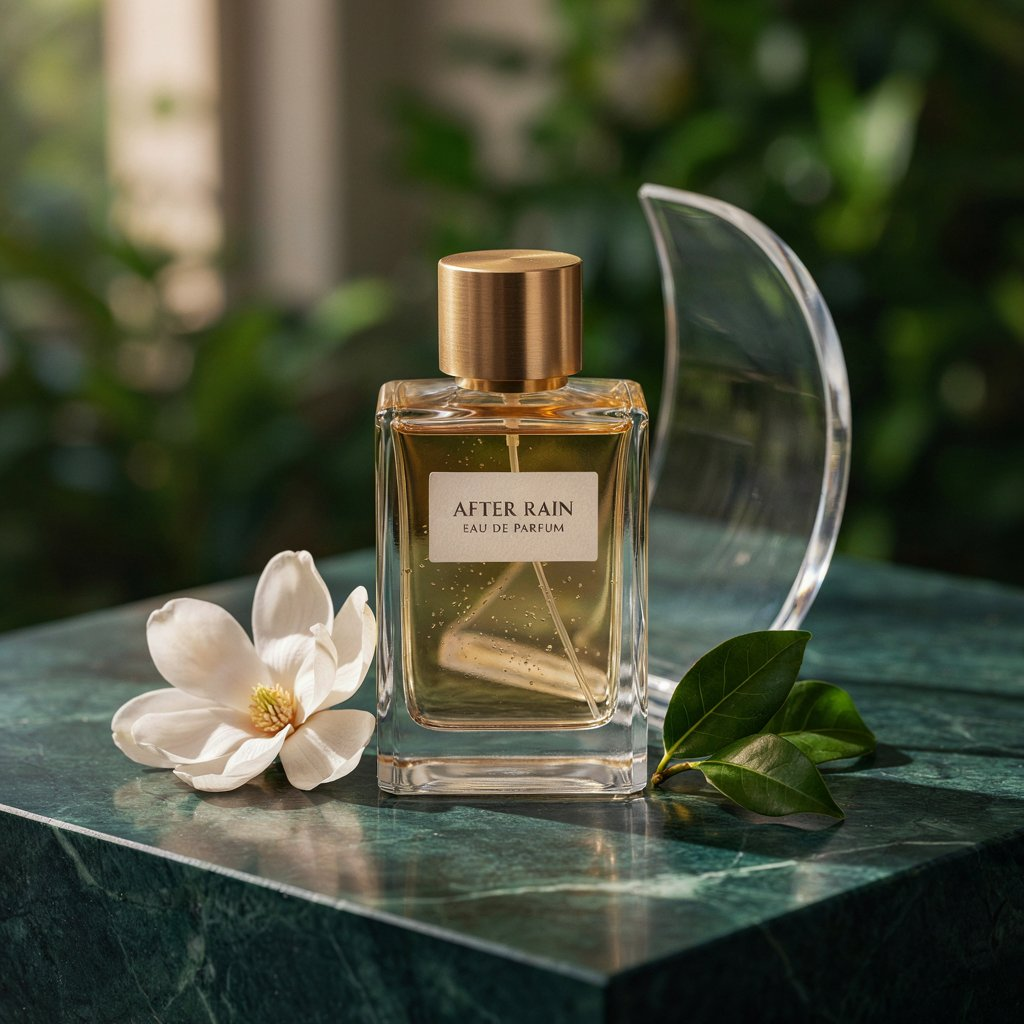
Ideogram gave us one of our favorite perfume images, and the label was only part of the reason. The bottle had thick glass edges, the brass cap had a visible brushed finish, and the flower’s slightly uneven petals helped the arrangement feel photographed. The curved panel behind it was easy to distinguish from the blurred foliage.
All four perfume outputs spelled “AFTER RAIN” and “EAU DE PARFUM” correctly on the requested two lines. We preferred the image below for its compact label, restrained lighting, and balance between the bottle and surrounding objects.
The jazz poster gave us another useful check on the lettering. All four versions included the correct headline, subtitle, and date. They also placed the bassist on the left and the drummer on the right, with buildings emerging from the saxophone’s bell.
Our pick kept the headline, subtitle, and illustration apart, so you could read the event details without an instrument cutting across them. The cream moon had its own space above the headline, and the paper texture carried through the artwork.
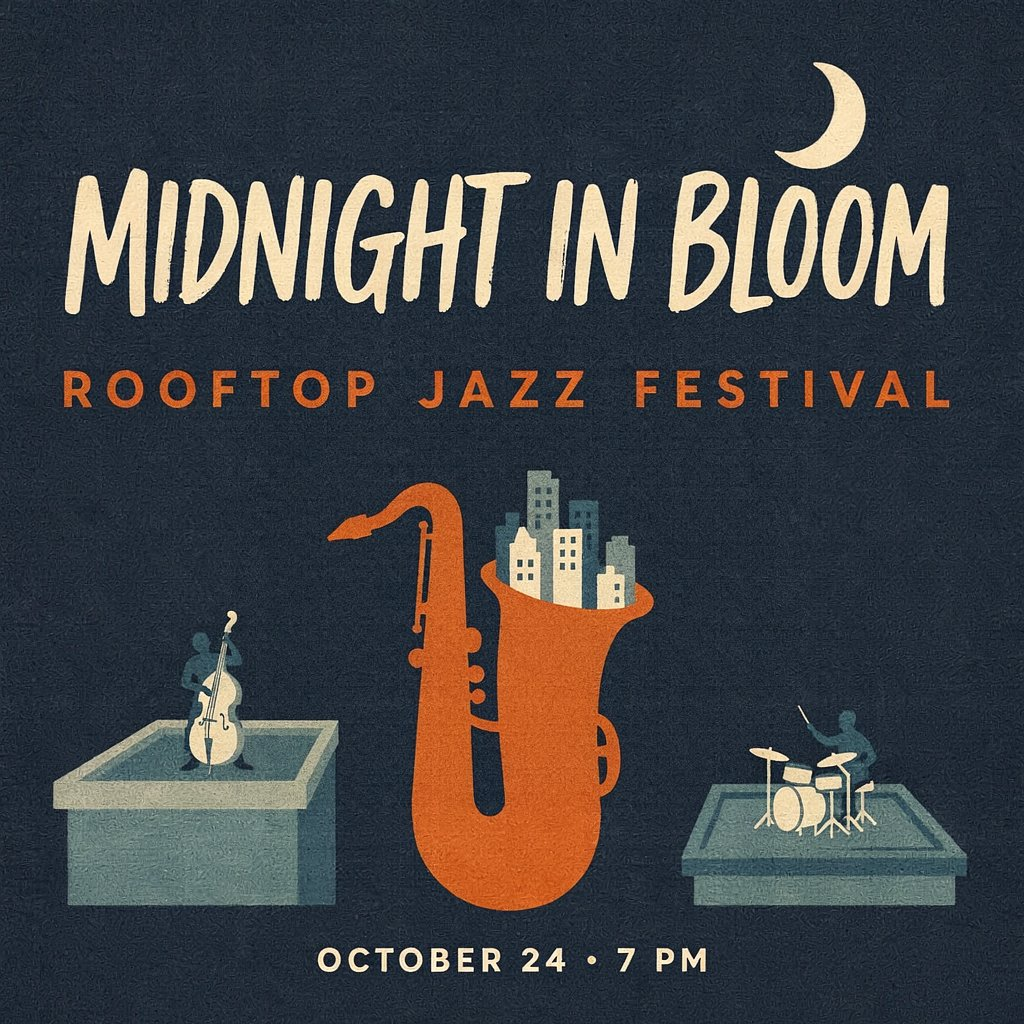
There were still details we’d inspect before using either image. Some other poster versions let the moon touch the headline or the saxophone cross the subtitle. In the perfume image, we couldn’t tell whether the small specks were bubbles inside the bottle or droplets on the glass. The lettering was reliable across these batches; spacing and fine surface details still needed a closer look.
For a poster, labeled product concept, or promotional graphic, we’d start with Ideogram. Both four-image batches kept the requested wording correct on the bottle labels and across the posters.
Beyond generation: If the event date or promotional wording changes, Ideogram’s editable text layers let you revise detected lettering in Studio. You can change the wording, font, size, color, and position. The extraction process can alter the recreated type and the background beneath it, so compare the result with your original. We didn’t test this editing step.
Pros: Correct wording across both four-image batches; convincing glass and brass details in our selected perfume image.
Cons: Some poster variants had overlapping elements; the perfume results didn’t clearly resolve droplets on the glass.
Free-plan limits: Eligible free accounts receive weekly credits, with amounts that can vary. Plus adds private generation, priority credits, and unlimited slow credits. AI editing and image references require priority credits.
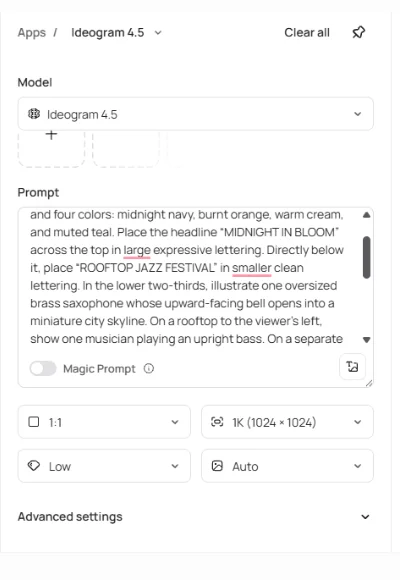
Settings used: Ideogram 4.5; Low quality; 1K, 1024 × 1024; square 1:1; Magic Prompt off; Auto style; no reference images. One Generate action returned four images for each brief.
2. ChatGPT Images: A strong pick for detailed campaign concepts
ChatGPT took the “after rain” idea quite literally. The perfume bottle, flower, leaves, and background panel were all covered in droplets, with sunlight catching the wet marble underneath. It made for a dramatic campaign image, though we’d asked for a more restrained arrangement.
“AFTER RAIN” and “EAU DE PARFUM” appeared correctly on two lines. The bottle had substantial glass edges, a visible liquid level, and a brushed brass cap. The magnolia sat on the left, with overlapping leaves on the right.
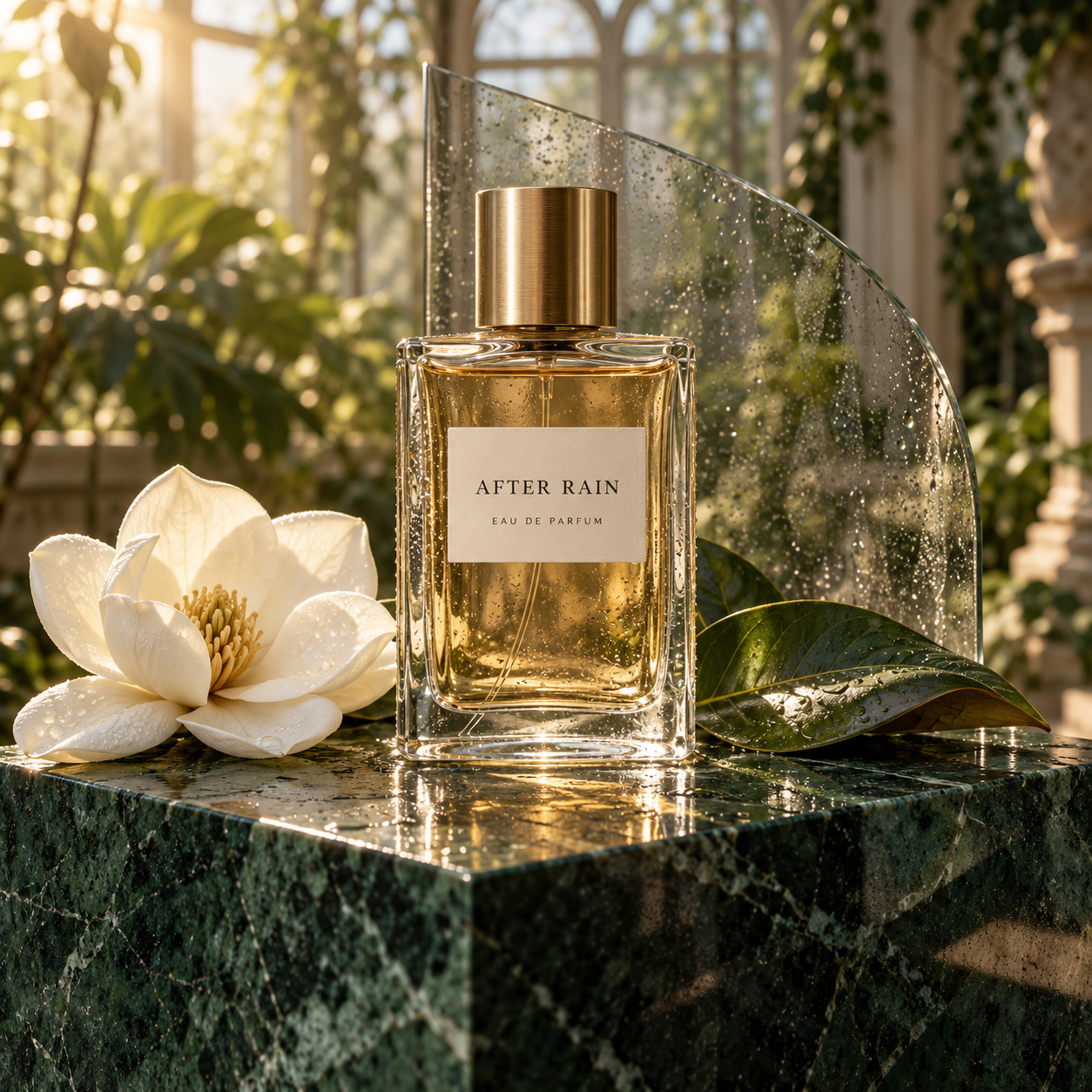
We generated a second perfume image with the same prompt and settings. It returned a similar arrangement, but changed the panel shape and the flower and leaf details. Both kept the label wording correct. We preferred the first for the clearer separation between its two leaves.
The jazz poster also preserved all three text blocks. The bassist and seated drummer occupied separate rooftops, and the city rose from the saxophone’s bell. Its orange headline and dense skyline gave it a busier feel than Ideogram’s simpler poster.
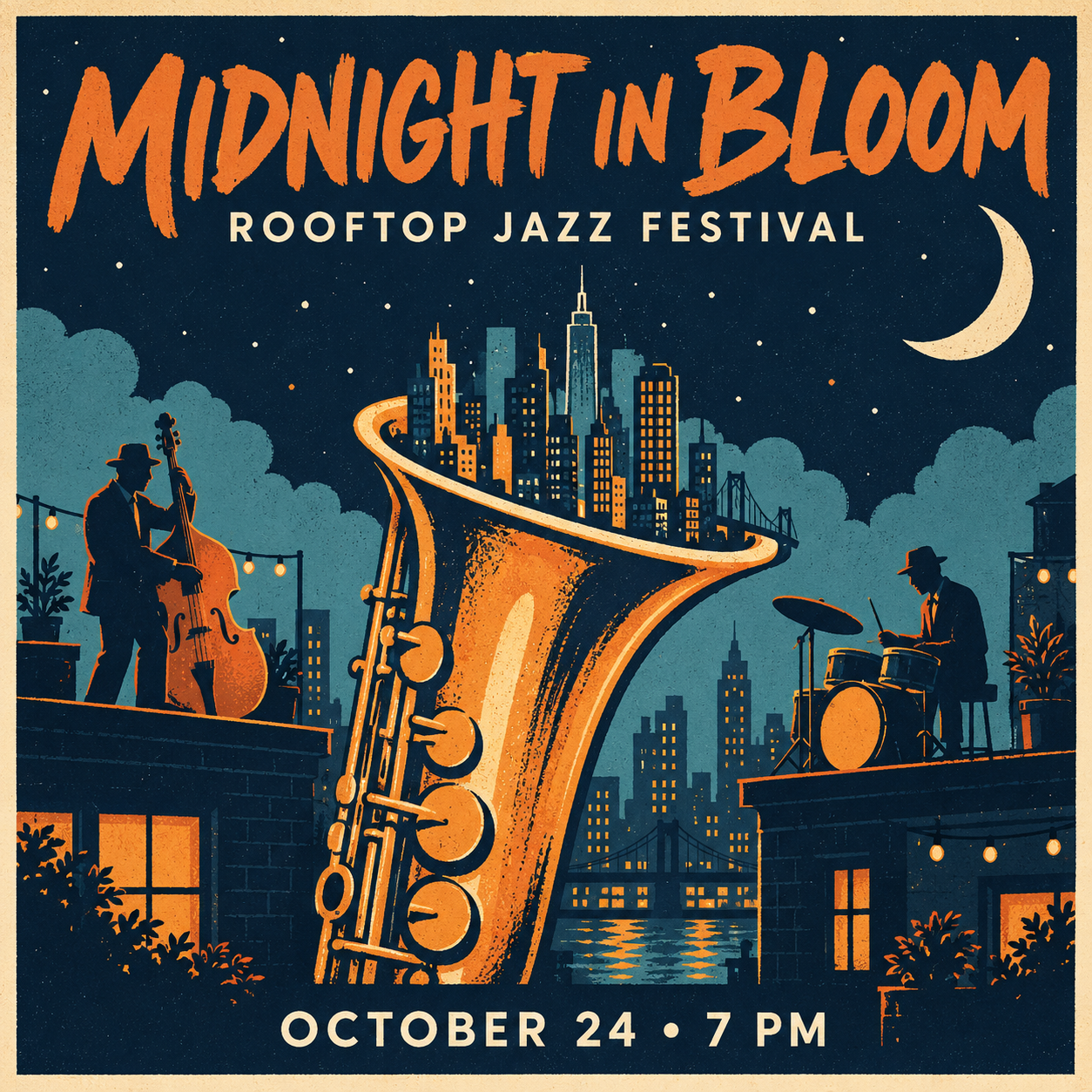
The poster added strings of lights, plants, and a waterfront below the skyline. Those touches suited the festival, but they also filled much of the available space. The saxophone extended beyond the illustration’s lower boundary, while the date remained readable underneath.
We’d use ChatGPT Images to explore a campaign with plenty of atmosphere and detail. In these results, the main instructions survived, including the wording. The question was whether we wanted the extra decoration.
Pros: Both perfume generations preserved the exact two-line label. The selected image also showed detailed glass edges, a brushed brass cap, and warm conservatory lighting.
Cons: The condensation effect spread across the flower, leaves, panel, and marble, making the scene wetter than requested. In the second perfume result, the two leaves were less clearly separated.
Free-plan limits: Image generation is available on the free plan, but usage is limited. If you reach the limit while comparing variations, you’ll need to wait before generating more.
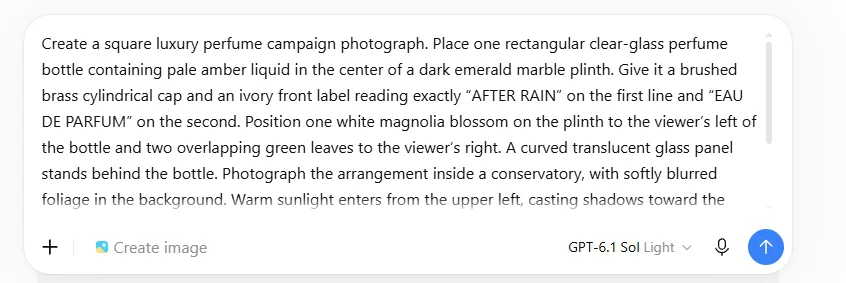
Test setup: We generated two perfume images separately using Create image. The interface showed GPT‑6.1 Sol Light as the chat model but didn’t identify the image model. The poster was generated separately through the image-generation tool in ChatGPT Work Mode. All three outputs were square; we couldn’t confirm that both environments used the same image model.
3. Gemini: A good starting point for illustrated event posters
Gemini’s jazz poster matched each musician to the right instrument in the output we collected. One musician played an upright bass on the left rooftop, another sat at the drums on the right, and a miniature skyline rose from the saxophone’s bell.
The wording was correct throughout. The headline, festival name, and date each had their own space, with the crescent moon clear of the lettering.
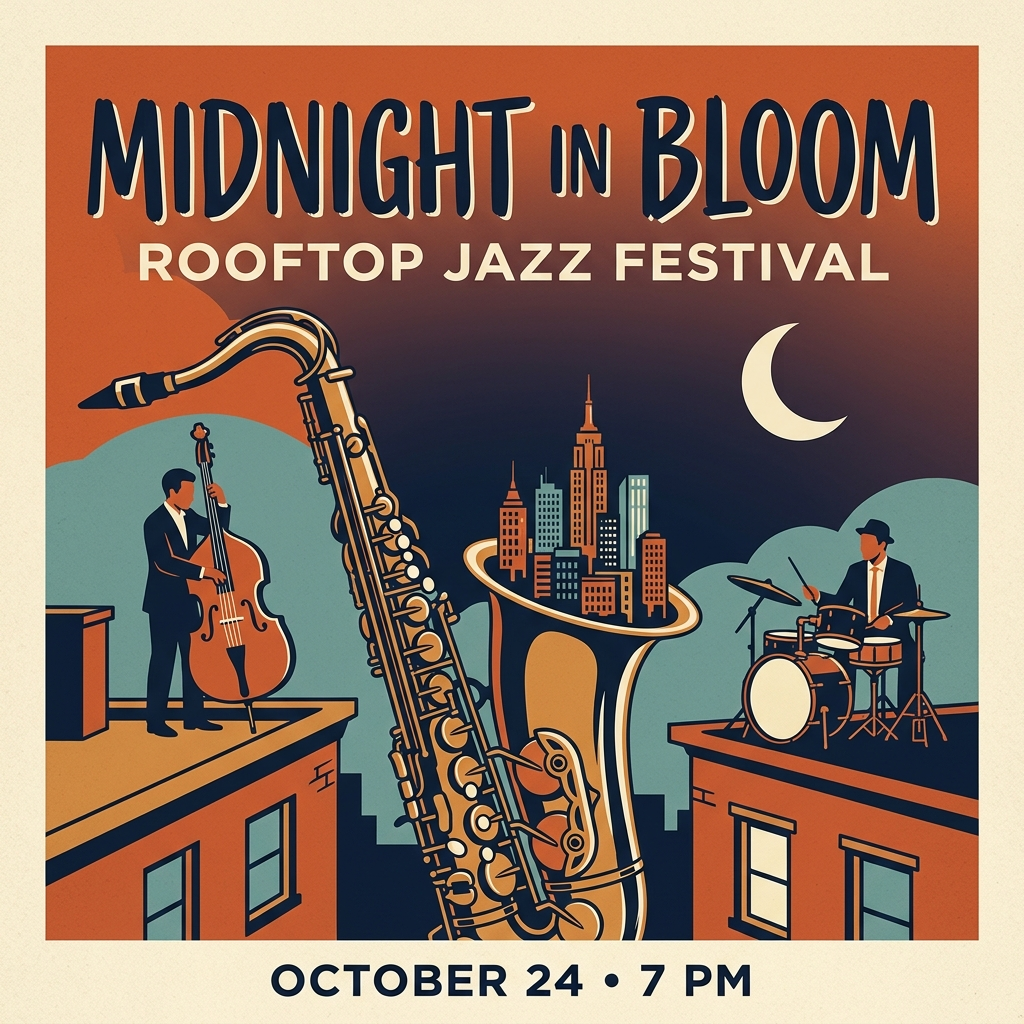
It was a more detailed illustration than the flat screen-print artwork we requested. The saxophone had outlined keys and shaded surfaces, and the sky blended orange into navy. We liked the result as an event-poster concept, though we’d simplify those gradients if the limited-color print style mattered.
The perfume image showed why spelling and layout need separate checks. Gemini spelled both phrases correctly, but split “AFTER RAIN” over two lines and placed “EAU DE PARFUM” on a third. Our brief asked for two lines in total.
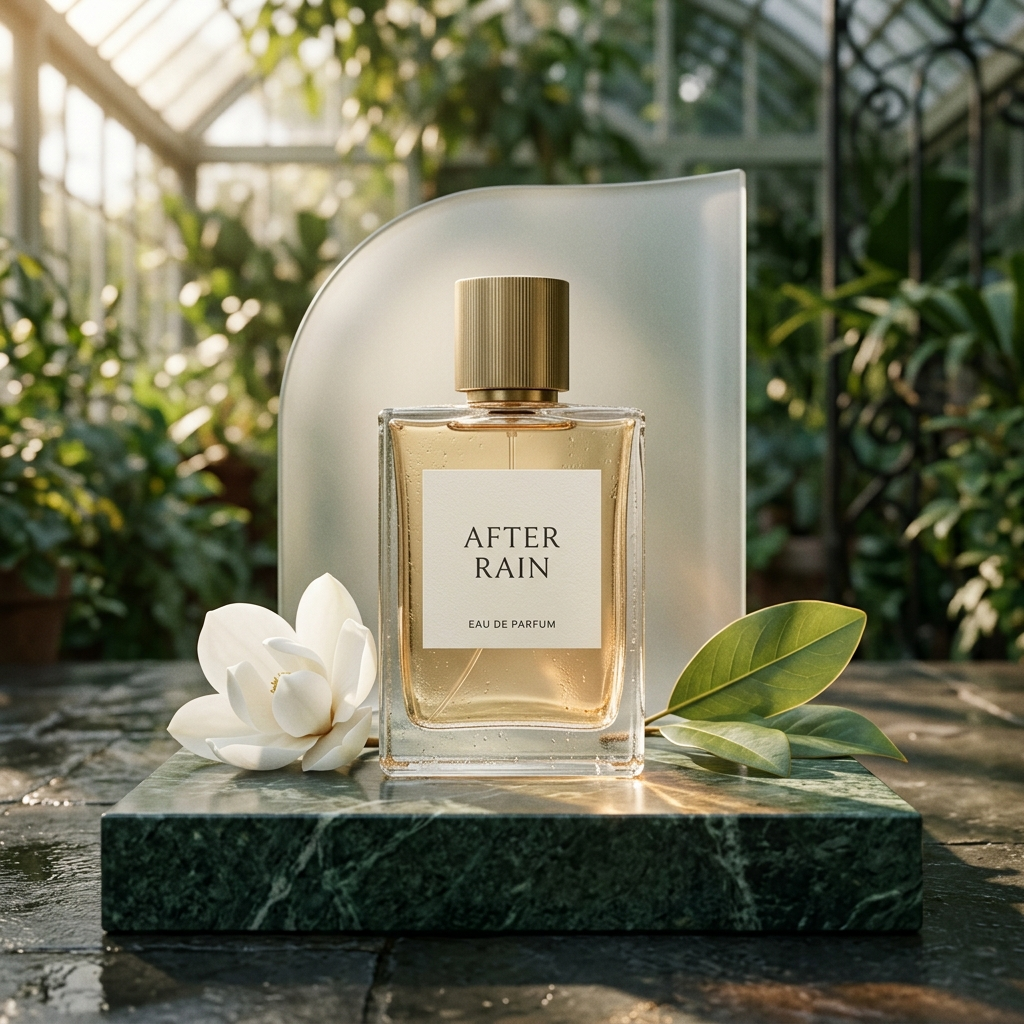
The conservatory roof and foliage established the setting, the pale liquid had a visible level, and the white blossom and two overlapping leaves sat on the requested sides. Small droplets were visible on the bottle. The cap, however, had vertical ridges rather than the brushed finish we asked for.
We’d use Gemini’s poster as a starting point for an event announcement. It kept the text readable and the musicians distinct in this example. For packaging concepts, we’d check line breaks as carefully as spelling.
Pros: The poster kept all three text blocks correct and placed both musicians with the right instruments. The perfume image included the conservatory setting, a visible liquid level, and overlapping leaves.
Cons: The perfume label used three lines instead of two, and the cap was ridged rather than brushed. The poster’s shading and gradients moved away from the flat, four-color artwork we requested.
Free-plan limits: Image generation and editing are available with a free account, subject to usage limits.
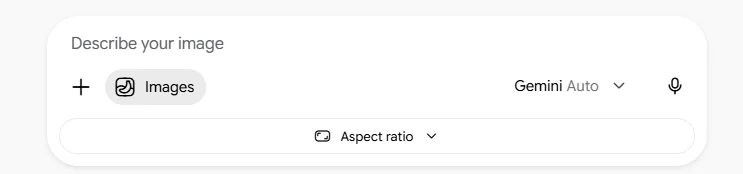
Test setup: Images selected in Gemini, with Gemini Auto displayed. We collected one output per brief. Both outputs were 1024 × 1024. The setup screenshot does not identify the underlying image model or show a selected aspect ratio.
4. Adobe Firefly: Soft product lighting, with details to check
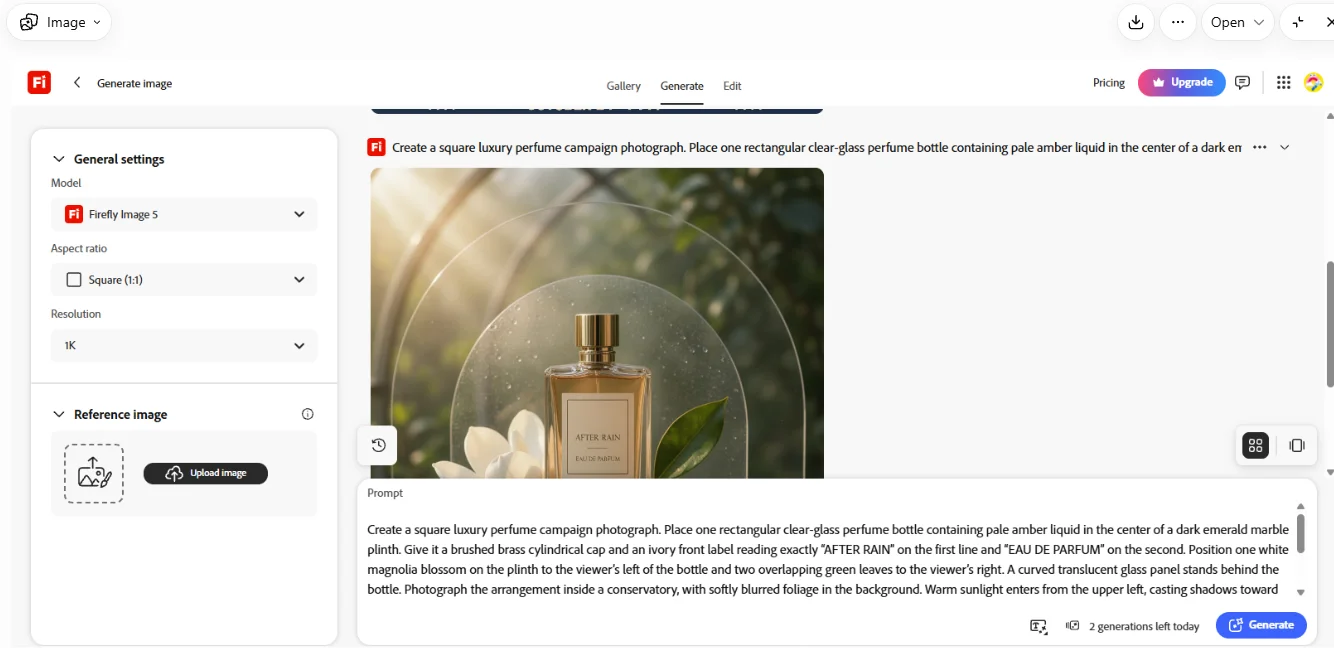
Firefly’s perfume image had soft sunlight filtering through foliage, with the white magnolia partly tucked behind the bottle. The glass edges and marble veining gave the scene enough detail without making it feel crowded.
It included both requested label phrases, but added a tiny line of unreadable marks between them. That’s easy to overlook in the preview and something we’d remove before using the image in a campaign.
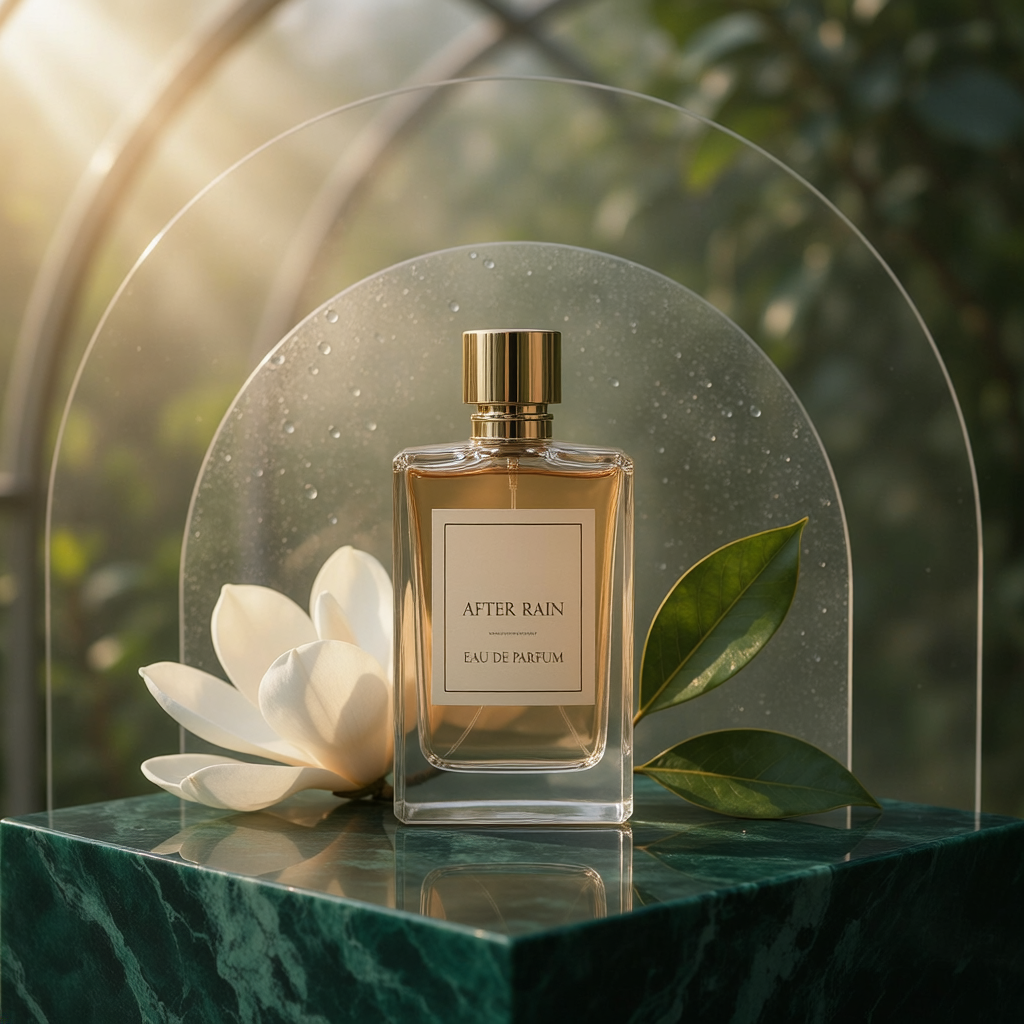
Firefly also changed several smaller details. The cap was ribbed rather than brushed, the two leaves were separated rather than overlapping, and two arch outlines appeared behind the bottle. Condensation was much clearer on the background panel than on the bottle itself.
The poster caught the flat illustrated style and limited palette. Its headline, festival name, and date were spelled correctly, with a cream crescent in the upper-right sky and buildings rising from the saxophone’s bell.
Then we noticed the musician on the left. The upright bass was there, but the person beside it appeared to be playing a flute-like instrument.
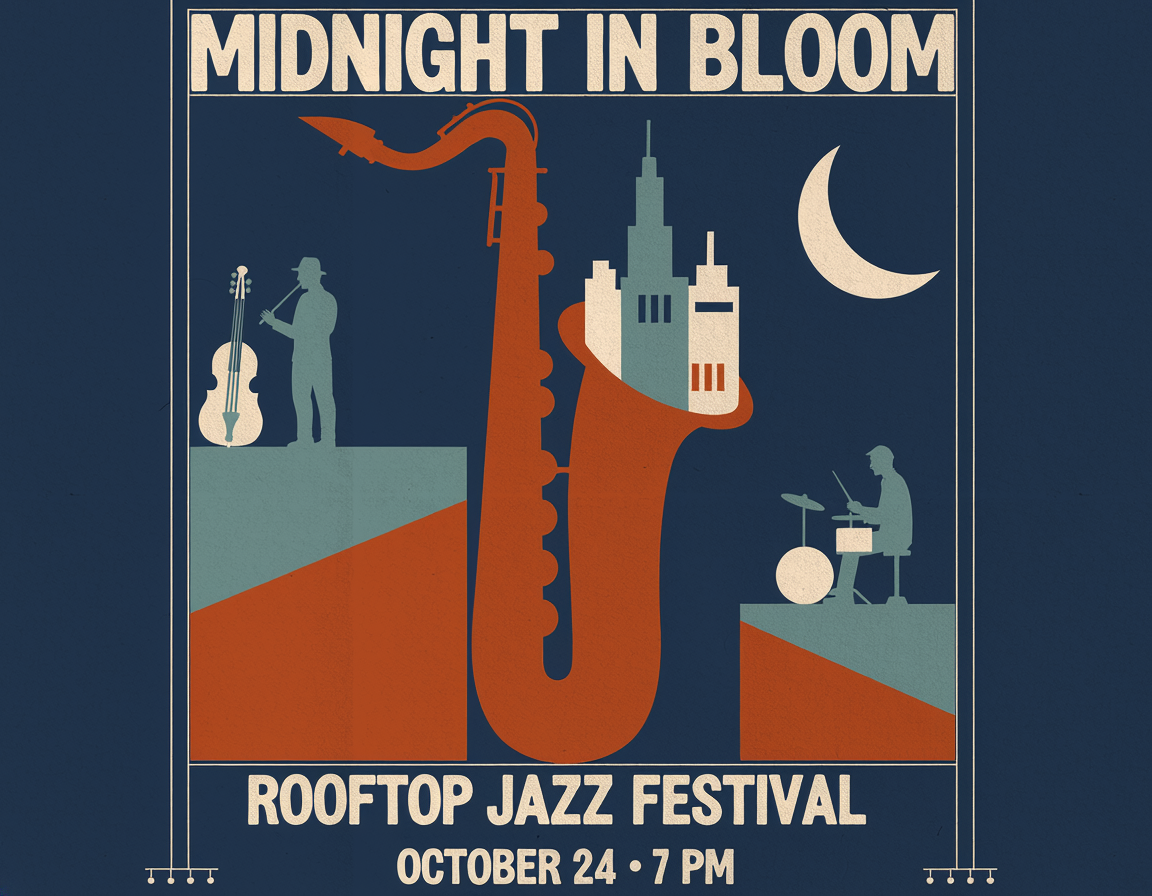
Firefly also moved the festival subtitle below the illustration instead of directly beneath the headline. The wording survived, but its position changed.
We’d keep the perfume result as a lighting reference or an early campaign concept.
Pros: Soft sunlight and detailed glass and marble made the perfume image a useful campaign concept. The poster followed the flat illustrated style and spelled the event details correctly.
Cons: The perfume label included extra unreadable marks. In the poster, the left musician appeared to play a flute-like instrument beside the unused bass, and the festival subtitle moved below the illustration.
Settings used: Firefly Image 5, 1K, no reference image. The perfume used Square 1:1 and returned a 1024 × 1024 image. The poster used Auto aspect ratio and returned a 1152 × 896 file, despite the square instruction in the prompt. We’ve retained that original output here.
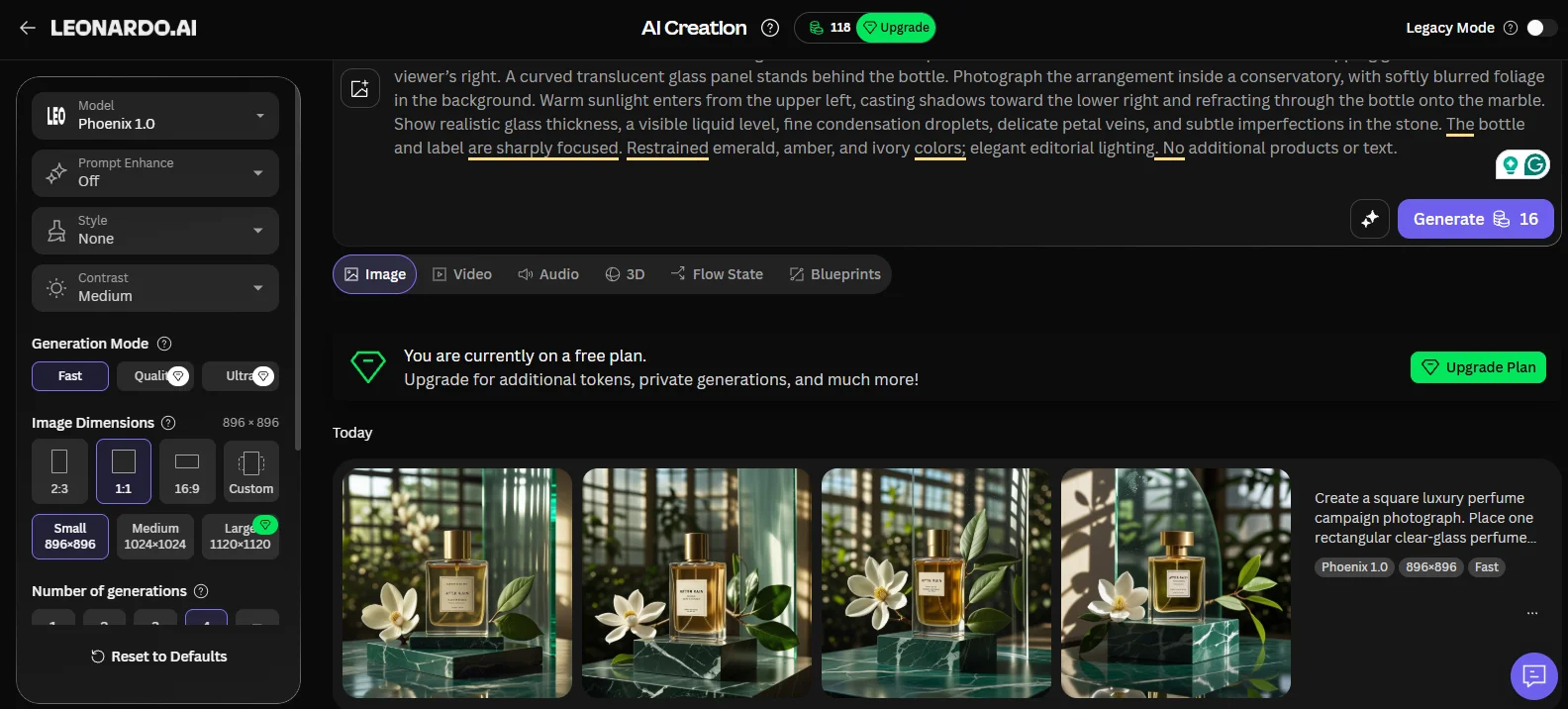
5. Leonardo AI: Exploring product-photo concepts with Phoenix 1.0
Leonardo’s perfume images looked promising in the preview. The amber liquid caught the light, the marble had distinct veining, and the conservatory windows gave the background depth. Opening the originals revealed the problem: none had the exact label we requested.
We used Phoenix 1.0, which returned four images in one generation. Some preserved “AFTER RAIN,” but all added garbled wording where the short “EAU DE PARFUM” line should have been.
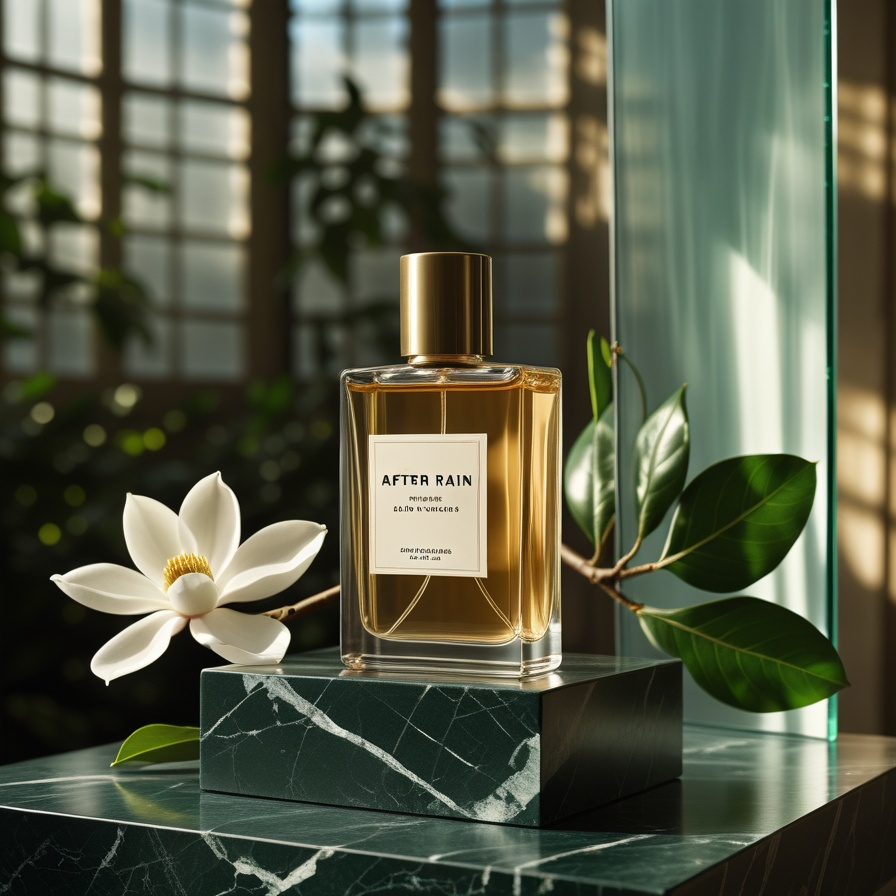
The surrounding objects varied too. Several results turned our two leaves into leafy branches. The image above had an appealing bottle and cap, but its extra foliage changed the compact arrangement we’d described. Droplets on the glass weren’t clearly visible either.
The poster batch had a similar split between appearance and accuracy. The navy, orange, cream, and teal palette worked well, and the lettering was generally easy to read. But three versions repeated the date or changed its separator, while others added musicians or gave the bassist a different instrument.
Our selected poster got all the wording right, including “OCTOBER 24 • 7 PM.” It also added a second bass player, and placed the skyline behind the saxophone rather than emerging from its bell.
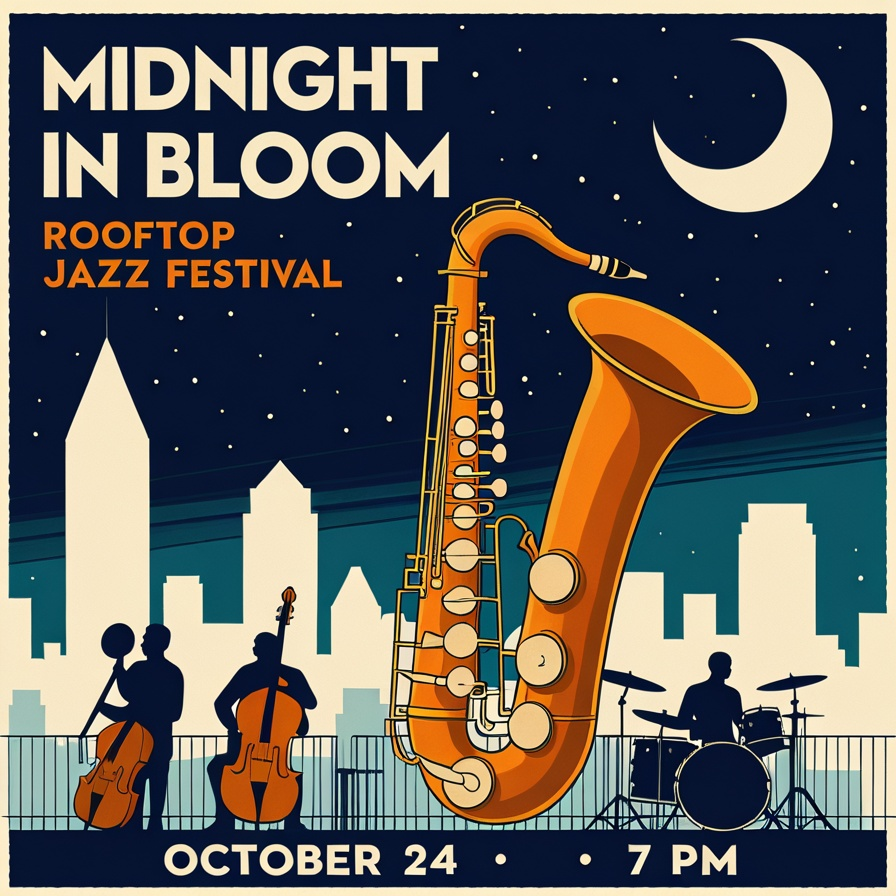
We’d use these Phoenix results to explore lighting, colors, and a visual direction. For an image that needs finished packaging text or exact event details, this batch would need corrections before use.
Pros: The perfume batch offered varied compositions with detailed marble, amber liquid, and conservatory lighting. Our selected poster reproduced all the requested wording correctly.
Cons: None of the four perfume images reproduced the complete label correctly. The posters changed musician counts, instruments, or date formatting; even our selected version added a second bassist.
Settings used: Phoenix 1.0; Fast mode; Prompt Enhance off; Style None; Medium contrast; square 1:1 at 896 × 896; no reference images. Each Generate action returned four images and used 16 tokens. We spent 32 tokens across the two briefs.
6. Canva Dream Lab: A strong pick for illustrated marketing visuals
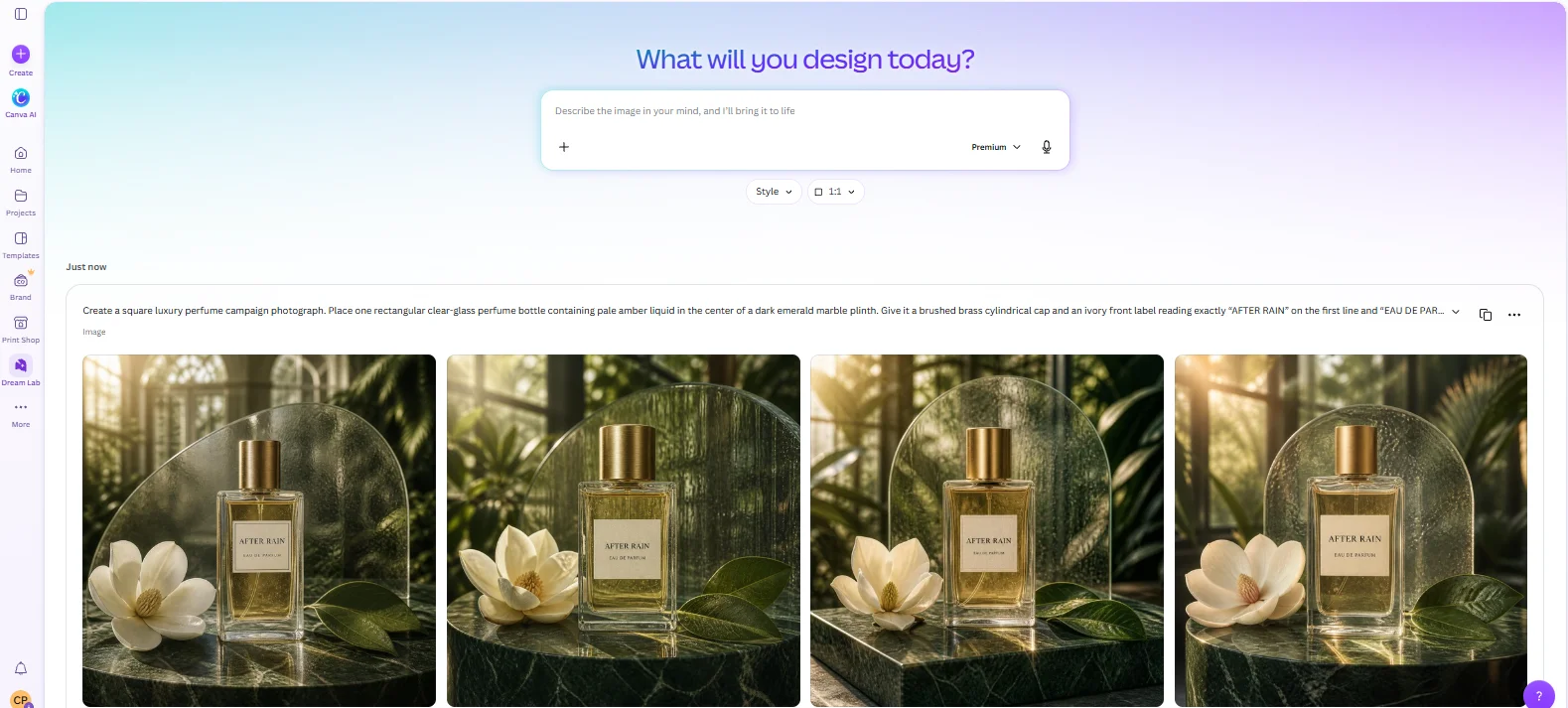
Canva’s jazz posters were among the closest matches to our brief. All four kept the event wording correct, put the musicians on separate rooftops, and showed a skyline rising from the saxophone’s bell.
We liked the second version for its spacing. The headline had clear margins, the smaller festival name stayed readable, and both musicians stood apart from the buildings. The crescent moon also stayed clear of the lettering.
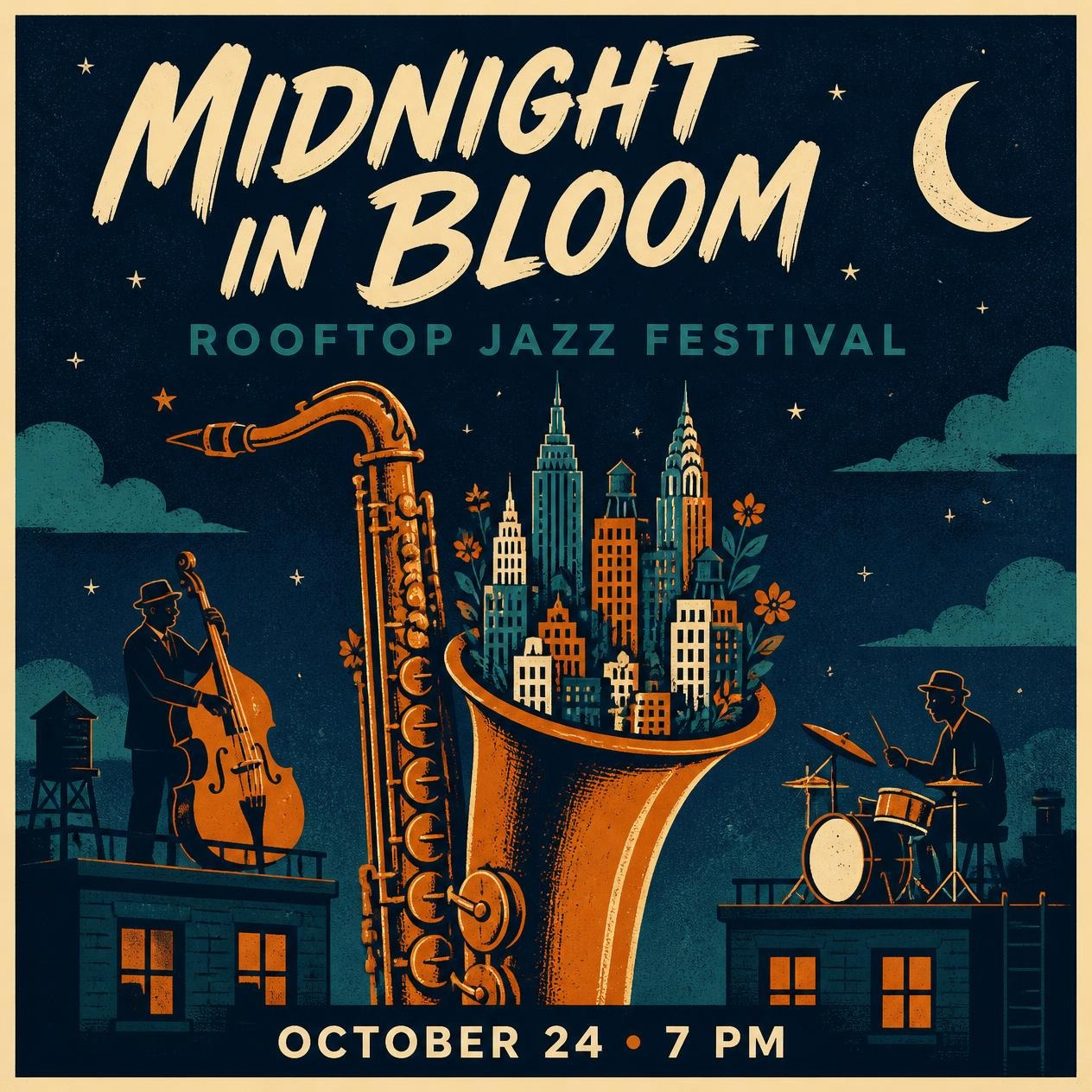
Canva added flowers and foliage inside the saxophone’s bell across the batch. They suited the “in bloom” theme, though we hadn’t requested them. The grainy texture and navy, orange, cream, and teal colors gave the posters a consistent print-like appearance.
Every label read “AFTER RAIN” above “EAU DE PARFUM,” without extra wording. Each arrangement included the white flower on the left and two overlapping leaves on the right.
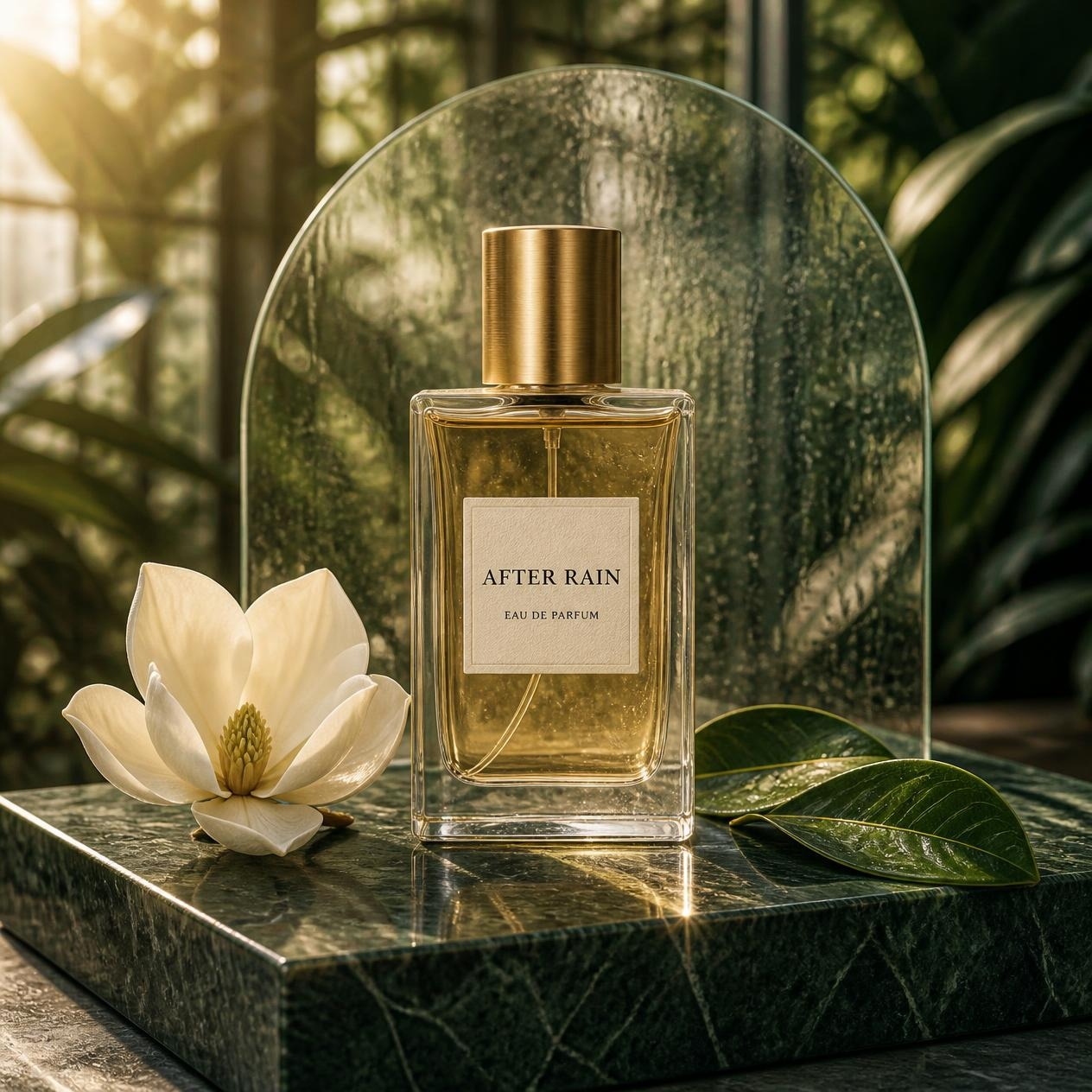
Our selected perfume image had a clearly defined glass base, a brushed brass cap, and visible veins in the leaves. Bright light patterns spread across the marble beneath the bottle. The overall scene leaned more golden than the restrained emerald palette we’d asked for.
Condensation was less straightforward. The leaves and background panel looked wet, but some speckles in the bottle could have been bubbles rather than droplets on its surface. The panel had a rounded outline, but the glass itself looked flat.
We’d use Dream Lab again for an illustrated event promotion or a product campaign concept. In these batches, it preserved the wording and object placement well enough that we could spend more time choosing a composition.
Pros: All four outputs in each batch kept the requested wording correct. The posters placed both musicians correctly, and the perfume images consistently included the flower and two overlapping leaves.
Cons: The posters added unrequested flowers and foliage. The perfume scenes leaned more golden than requested, and droplets on the glass weren’t clearly distinguishable from bubbles or glass texture.
Settings recorded: Dream Lab; square 1:1; no style preset shown as selected; no reference image supplied. The interface displayed “Premium,” but did not identify the underlying image model. Each brief returned four images.
7. Recraft: A good pick for bold, graphic posters
Recraft’s darker jazz poster was one we’d keep. The oversized lettering, rough print texture, and simple silhouettes worked together, and the event details were easy to read.
Both outputs preserved every requested phrase. They also put a bassist on the left and a seated drummer on the right, with a small skyline above the saxophone’s bell. Our preferred version used a cream moon against navy, while the other changed the moon to orange.
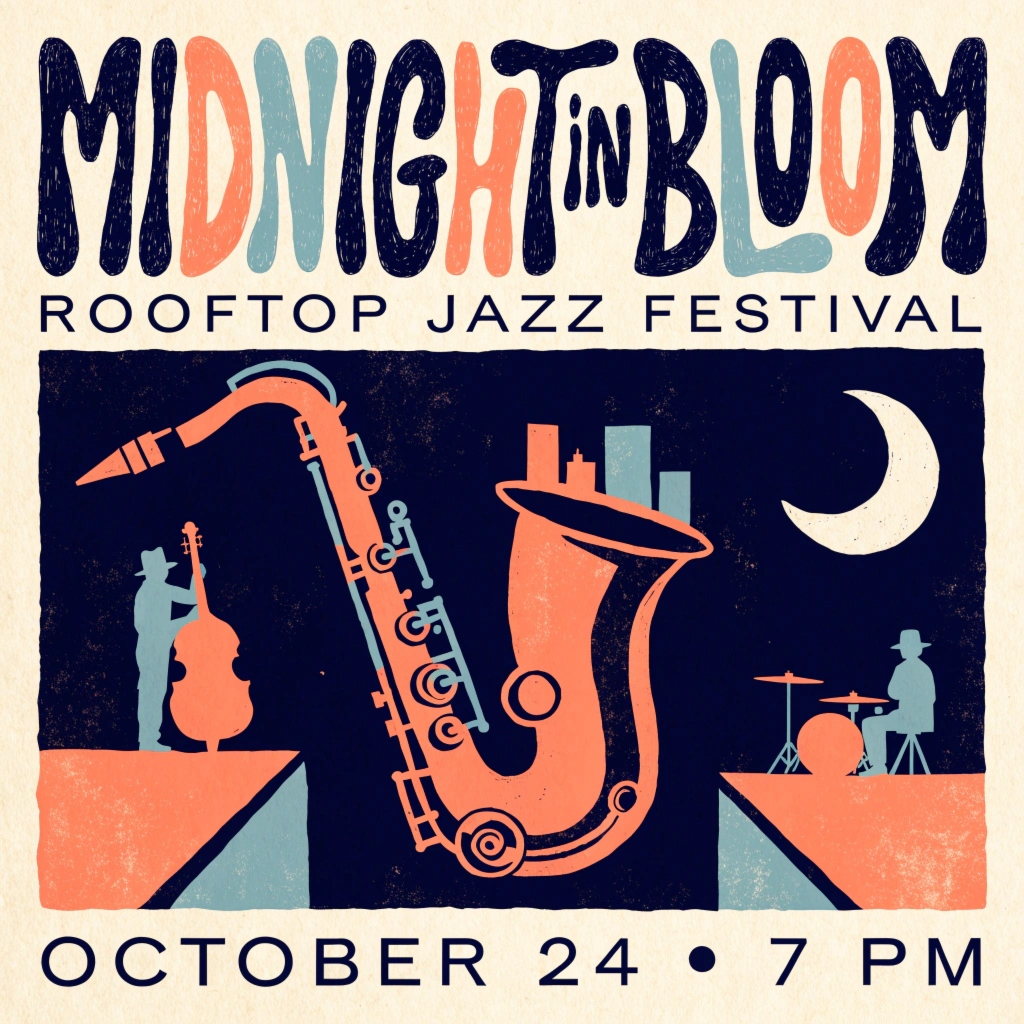
The rooftops were simplified into geometric platforms, and the saxophone’s keys were more decorative than precise. That suited the graphic treatment, though we’d check the instrument details before using it for an audience of musicians. The orange also leaned toward coral rather than the burnt shade we requested.
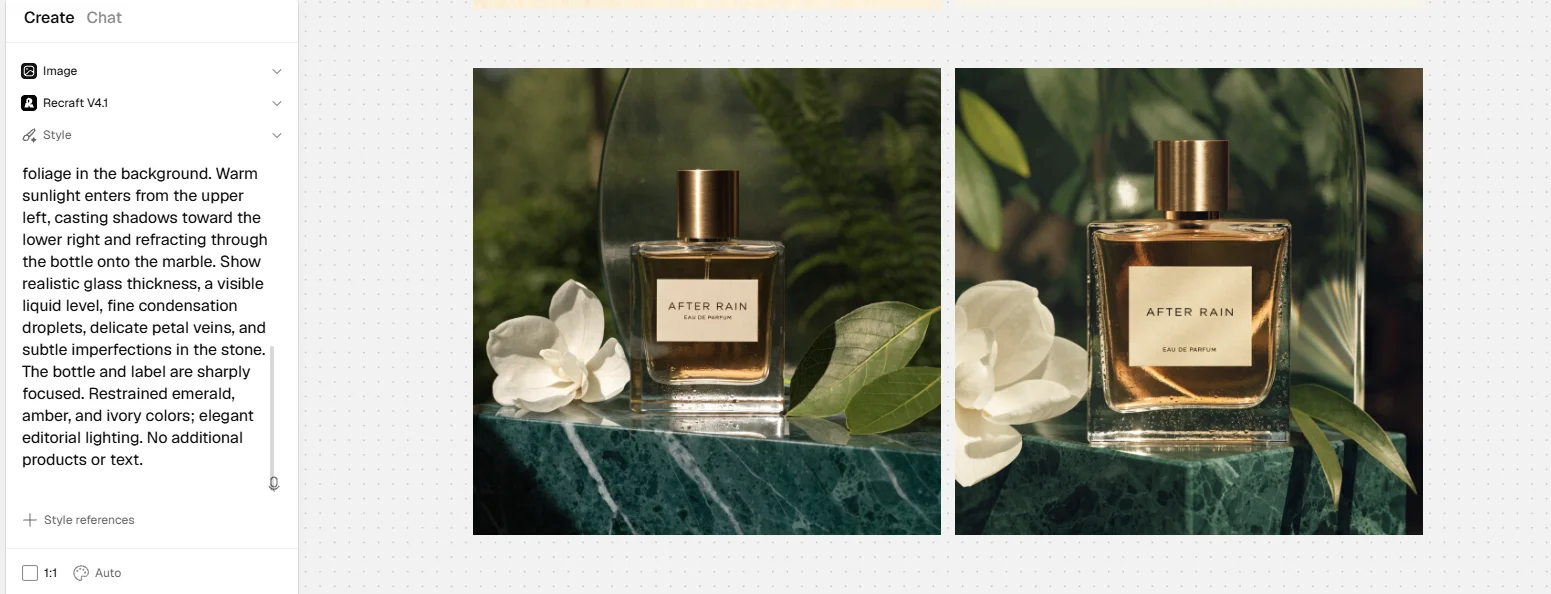
Both perfume images kept “AFTER RAIN” and “EAU DE PARFUM” correct on two lines, with no extra wording. The brass caps had a brushed texture, and the bottles had substantial glass bases and visible liquid levels.
We preferred the wider composition because it kept the flower fully inside the frame and showed the two overlapping leaves clearly.
The amber liquid was darker than our brief called for. The foliage established a botanical setting, but the conservatory itself wasn’t obvious. We also couldn’t confidently distinguish droplets on the glass from bubbles or texture.
We’d choose Recraft for a poster where bold shapes and readable lettering matter. Its perfume results were appealing too, but the illustrated brief gave us the stronger reason to return.
Pros: Both posters preserved the requested wording and musician placement. Both perfume images kept the exact two-line label, with defined glass bases and brushed brass caps.
Cons: One poster changed the cream moon to orange, and the saxophone details were simplified. The perfume liquid was darker than requested, while the conservatory setting and droplets on the glass were unclear.
Settings used: Recraft V4.1; Image; square 1:1; Auto colors; no style reference supplied. Each brief returned two images. The exported images were 1024 × 1024.
8. Midjourney: For developing a consistent visual style
Midjourney is worth considering when you have a look you want to carry across several images. Its Style Reference feature uses an existing image to guide colors, texture, lighting, and medium. It guides the appearance rather than copying the people or objects in the reference. You can also adjust how strongly that reference influences the result.
For example, you could use a screen-printed illustration as the style reference for a series of event graphics, then describe a different scene in each prompt. That’s a practical reason to consider Midjourney beyond generating a single attractive image.
Stylize provides another kind of control. Lower settings keep the image closer to the prompt, while higher settings allow more artistic interpretation. For a brief with specific objects and placement, we’d start lower and increase it only if the result needed more character. That’s a suggested approach, rather than a setting we tested here.
For lettering, keep the instructions precise. Midjourney’s documentation recommends putting the required words in double quotation marks and using shorter phrases. It suggests Raw mode or a lower Stylize setting if the wording goes wrong, with the web Editor or Discord’s Vary Region available for corrections. We didn’t test those options with our two prompts.
The web Editor also lets you erase and regenerate a selected area, extend the image, and change its aspect ratio. You can upload your own images and combine images using layers. That gives you ways to revise a composition after generation instead of starting over with the entire brief.
We didn’t run our prompts through it, but we’d shortlist Midjourney for projects where reference styles and repeated exploration matter.
What to check before choosing a generator
Can you use the free images for work?
Free generation and commercial permission are separate questions.
Leonardo permits commercial use of free generations under its terms, but free content is public. Canva permits personal and commercial use of AI-created content under its AI Product Terms. Recraft’s free outputs aren’t licensed for commercial use; its commercial rights apply to paid-plan generations.
For client work, check both usage rights and visibility before generating. A tool that allows commercial use may still publish free outputs in a community gallery.
Can you fix one detail without rebuilding the image?
A date change is a different job from creating a new poster. Look for editable text, selected-area editing, or a way to revise an existing image.
Our tests show how the tools handled the original briefs. They don’t show which tool keeps an approved design intact through repeated edits.
For examples of edits to existing product images, see how to edit product photos with Ideogram 4.5.
Is the download large enough?
Check the file’s pixel dimensions against its intended use. A 1024 × 1024 image measures about 3.4 inches square at 300 pixels per inch. It isn’t automatically suitable for a large printed poster.
Changing resolution metadata doesn’t add detail. For print, check the required dimensions, bleed, and file format with your printer before committing to a design.
For artwork intended for merchandise, Ideogram’s print-on-demand guide covers print dimensions and preparing files for export.
What does a usable result cost?
Credits per generation are only part of the cost. Count the images returned, rejected attempts, edits, and any upscaling you need.
Our Leonardo setup used 16 tokens for four images. Other tools returned one, two, or four outputs per action. Because batch sizes differed, we couldn’t compare cost or consistency simply by counting Generate actions.
Which one would we use again?
For these two briefs, we’d start with Ideogram. Its perfume images combined correct labels with the photographic feel we wanted, and every poster in the batch kept the event wording correct. We’d still check spacing and surface details before using a result.
Canva Dream Lab would also make our shortlist for event posters. All four versions kept the wording and musician placement correct. ChatGPT’s perfume images offered a more dramatic, rain-soaked direction if that suited the campaign.
Try your own brief before paying. Check the small text, count the objects, and open the full-size download. Those checks told us more than the previews did.